Activity
Mon
Wed
Fri
Sun
May
Jun
Jul
Aug
Sep
Oct
Nov
Dec
Jan
Feb
Mar
Apr
What is this?
Less
More
Owned by Travis
Bringing some fun to brand development. We turn ideas into brands, offers, products, and systems. Let's forge the future together.
Memberships
ProveWorth.com Community Proof
483 members • Free
Digital Boss Skool Hub
412 members • Free
Brand Like a Boss
142 members • Free
AI Clone Ads
24 members • $47/month
Zen Vibes Serene Sanctuary
7 members • Free
skoot crm
430 members • $99/month
Cruise Control
61 members • Free
Skoolers
194.7k members • Free
Soul Purpose Group
1.9k members • Free
25 contributions to iGS Accelerator

5d •
AI Landing Page Challenge...🪄
So I did the AI Studio walkthrough last Friday... The recording is here if you haven't seen it. I proposed a challenge to create your best landing page using the AI Builder in the 'Sites" tab. Let's do this! I would love to see you all play around with this a bit and create something amazing. It does not matter if it is fully functional. Post it here for all to see and let's have some fun! I will put mine in the comments below👇👇and share it with everyone that has iGS. Let me know if there are any questions. Sending you all joy and excitement!🕺💖 @Barrie Pressly @Bonnie Bush @Brian De Gruchy @Roger Burnley @Cara O'Shell @Charlotta John @Curtis Rivers @Matthew Carver @Dagmar Schult @Diane Hawk @Ronald de Waal @Jessica Foster @Gia Stull @Jon Tuck @Khong Xiong @Shervon Laurice @Theresa O'Malley @Susan Rensberger @Sunbeam Serendipity @Travis Storch @Yuki Yoshii


1 like • 3d
@Rustin VanAuken Thank you! And YES, no doubt it's a great start and will get better over time. Probably quickly. I see it being full-stack soon. They're no dummies, and these features inside GHL make it an unstoppable force. We were so hung up on all the forms, and things we were needing to bring over to Lovable sites/apps/landers, this is going to make things so much easier and faster. Thank you for all you do for us, Rustin! Appreciate you brother.
2 likes • 3d
@Brian De Gruchy SLICK. Love it. Looks great, and your mission and vision are incredible. So good.
9d •
AI in iGS has gotten a TON better!!
So, as you all know, I am constantly testing and reviewing features to help you all do faster and with more ease... Up until now, I have kept a lot of the native AI tools in iGS off for all of the accounts because they lacked the ease and refinement I would love to see... that has changed in an AMAZING way! After testing the new AI Agent and the AI website/funnel builder, I am highly impressed!🥹 With the AI website/funnel builder I was able to clone web pages that I found amazing (unless it is a Wix site...😑) and create from scratch, with some minimal description, visually amazing and editable with all of the base things I want! This works amazing and it took only about 10 MINUTES OR LESS! This used to take me an hour or more, depending on the page detail! So I will be continuing to use it for my landing pages from this point forward! I found this to be very useful when I have an outside webpage that is host on another provider and I want to clone it without having to rebuild it. Often, it even made it better than what I was cloning with better backgrounds and features than what I was expecting. So cool! Even cooler... you can also add your own flavor by putting in you copy and images into the AI conversation and it will use them in the creation. Making this feature truly powerful when creating a unique vision. **UNLESS YOU ARE WANTING TO CLONE A WIX SITE!! This will now work with a Wix site due to their coding blocks, but it will still create something amazing with minimal directions. I will show you all on the call this Friday how to do this and then I will post a challenge for you all to come up with the most amazing website/funnel with it. I will put the ones I make in the challenge post, too, for you all to view and use as a template! So be on the lookout for it after the Friday call at 10AM EST! Let's have some fun with it! @Barrie Pressly @Bonnie Bush @Brian De Gruchy

3 likes • 9d
@Rustin VanAuken From what I'm understanding we can clone all of our lovable sites directly into iGS/GHL with this. SWEET BABY J 👼
2 likes • 9d
@Rustin VanAuken Oh we love the 🐰🕳️'s
Mar 24 •
I am feeling called to change some things...
I love change, especially when it is uncomfortable! It is always the pathway to the expansion I desire. I have procrastinated doing these things for fear of making others feel uncomfortable. That is not the true expression of the soul, though. After I leaned into that, I realized it is not a big deal and I was was the one making it a big deal. So let's do this, and I love you all and I know you will understand. 1. The Friday All Tech call will be moved this week from 6PM EST to 10AM EST and from this point forward every Friday. 2. *I am raising the platform / community subscription from $57/month to $87/month starting next Wed. the 1st of April. (not an April fools joke🤣)* 3. **I will be changing the iGS platform login portal domain from app.wegivetheaim.com to app.get-igs.com starting the 1st of April, as well.** **You will need to make sure to bookmark this url to sign into your account AFTER the 1st of April *If you have a different subscription price, nothing will change for you. It will not raise and you are granfathered into that price until you cancel. Let me know you you all feel about these changes.

3 likes • Mar 24
Nothing cringy. Business is business. Good alignment on the domain. 👍
Mar 5 •
Copywriting Pros Are Coming March 10th!
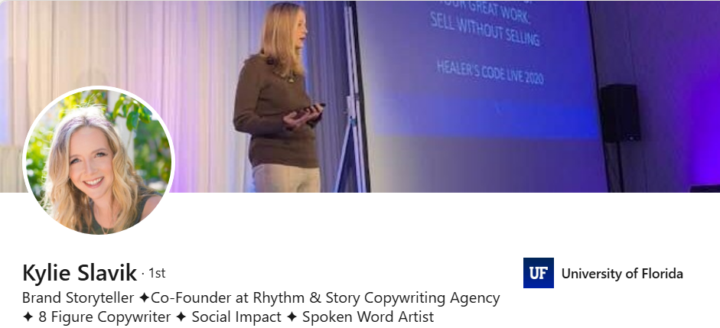
I have been feeling like I would like to be bringing in more people who's gifts help align us better to our audience. With that I will be bringing in Kylie Slavic and Jamin Dillen to give a class on aligning your messaging... These two amazing souls teach story messaging using your unique voice and expression to attract through your messaging. It's going to be really good! Name: Messaging for Hippiepreneurs & Soulpreneurs -How to talk about your offers and attract aligned clients naturally When: March 10th @ 12PM EST This is going to give you even more clarity on how to align with your audience and really impact them in ways you never thought possible. I highly suggest you fit this into your easy schedule and attend live! Comment "I'm in" below so I know who wants to attend!
2 likes • Mar 13
Wow, awesome value here. I did not pick a good week to step away from Skool and just focus on all the work. Sorry, I missed it, and thank you for the tag/heads-up 🙏 I did see the replay, but you are correct, there is nothing like being there live to interact and catch the energy.
Feb 23 •
Friday's call at 6PM EST
Hey everyone! I have been feeling that the All Tech Call on Friday needs to go away. I have seen a decline in attendance on this call. What you feel about it?
Poll
7 members have voted
2 likes • Mar 4
More beach time never sucks. 🌴
1-10 of 25
@travisstorch
Empowering conscious creators to turn vision into magnetic brands, offers, products, and communities through clear strategy and signal. Let’s build.
Active 7h ago
Joined Oct 21, 2025
ESFJ
Madison, WI
Powered by