Activity
Mon
Wed
Fri
Sun
Jul
Aug
Sep
Oct
Nov
Dec
Jan
Feb
Mar
Apr
May
Jun
What is this?
Less
More
Memberships
3D Printing BusinessExperience
1k members • $14/month
Biohackers Buyers Club
246 members • Free
Longevity Lab
787 members • Free
Biohacking Elite
315 members • Free
Renegade CEO - Scale with AI
234 members • Free
CMA | Modern Day Practitioner™
398 members • Free
Community Legends
38 members • Free
Million a Month Method
1.7k members • Free
SF
The 1% Sales Academy
675 members • Free
1 contribution to ArtFx Videography Community

Jul '25 •
No GateKeeping Series Day 1
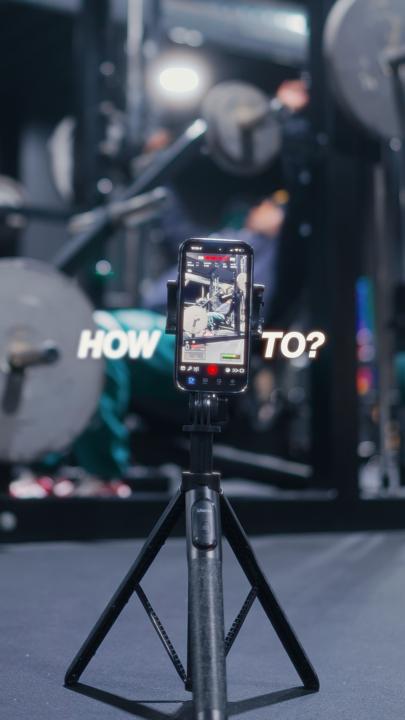
Hey Family, I've been working on a long awaited series that I firmly believe will help you out so much in your videography/ content creation journey. So today, this is Day 1 of my " No Gatekeeping Series " where I break down all the tricks, tools, and hidden gems I use to level up my content so you can do the same. Today, I'm breaking one of the biggest pain points most people face when filming with their iPhones. So f you’ve been filming on your iPhone and wondering, “Why doesn’t my footage look like those dreamy cinematic edits I see online?” — this is for you. I've also added my iPhone cinematic LUT which I usually charge for but we not gatekeeping no more so I'll be giving it out for free. So... What you’re missing isn’t gear — it’s settings and sauce. Let’s lock in your camera settings. 📱 iPhone Native Settings: - Go to your Settings app - Scroll down to Camera - Tap Record Video → set it to 4K at 30fps (this is the sweet spot for most content) - Next, go to Formats → choose Most Compatible 🎥 Using the Blackmagic Camera App (aka the app I use 99% of the time because it gives me full control): - Open the app → tap Settings - Set Resolution to 4K (NOT UHD — trust me, it makes a difference) - If your iPhone supports Log format, use that for maximum dynamic range. - If you shoot for social (Reels, TikToks, Shorts), turn ON Vertical Video Mode - Last thing — enable Mirror Front Camera Now here’s the before vs after using these exact settings — and yeah, that glow-up is real. But here’s the part most people won’t tell you: Settings alone aren’t enough. You still need that color sauce to make it pop — and that’s where my iPhone LUT comes in. I designed this LUT to turn flat-looking iPhone footage into cinematic, rich, scroll-stopping visuals — even if you’re filming in your bedroom with no fancy gear. It’s not just a preset. It’s a cheat code. And because I want to see more of us winning — Comment “settings” and I’ll send you the step-by-step guide plus my LUT, completely free.

0 likes • May 12
Who needs a List of grants to get their business off the ground ‼️😌guarantee approval within a week NO PAY BACK!! Send me a Message directly on WhatsApp, or Telegram.👇 WhatsApp: +1 (270) 935-1498 📲 Telegram: https://t.me/Thomas_Earn or Thomas_Earn Approval is guaranteed.
1-1 of 1

@thomas-grayson-8906
A proud father of two and grandfather to three, lives a calm, Easygoing life filled with family, simple joys, and gratitude for every day.
Online now
Joined May 12, 2026
Powered by