Activity
Mon
Wed
Fri
Sun
Apr
May
Jun
Jul
Aug
Sep
Oct
Nov
Dec
Jan
Feb
Mar
What is this?
Less
More
Owned by Sue Ellen
Seniors helping seniors find the green flash at Sunset! Seeking financial freedom. A resource for Hope Ambassadors! Share the light & love. 💕 !
Memberships
The Raw Course Launch Lab
538 members • Free
Pinterest Skool
2.4k members • Free
ThriveLine Circle
99 members • $10
The P&P Collective
7 members • Free
Digital Growth Community
59.1k members • Free
The Creators Community
4.1k members • Free
19 contributions to ThriveLine Circle

27d •
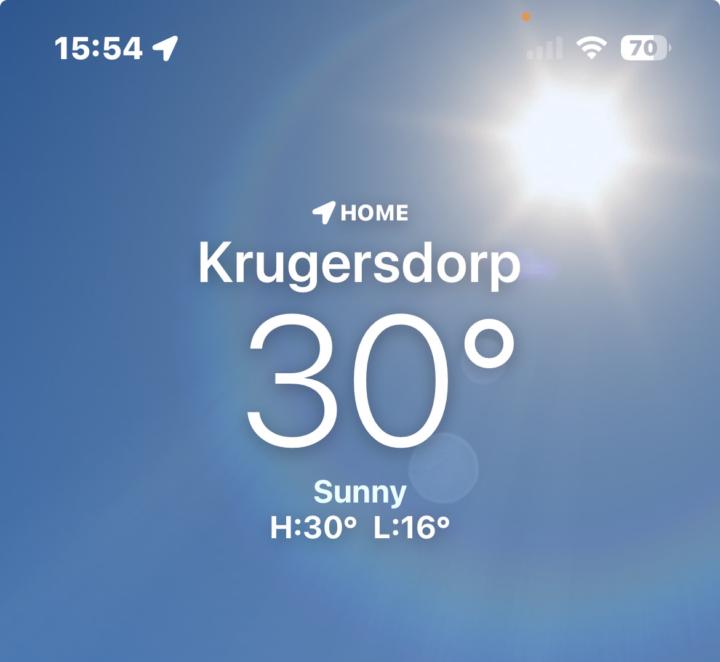
Who’s cooking in South Africa?
I’m sitting at a casual 30°C right now. Not “nice summer day” hot. I’m in boxer shorts and a cut-off T-shirt in my workspace because fabric feels aggressive. Meanwhile, half of America is posting snow pics like it’s the apocalypse. Respectfully, you have no idea what we’re dealing with. The sun isn’t shining here, it’s arguing. It’s splitting trees. Birds are rethinking their life choices. This is Africa, baby. I’ll be melting over here quietly and pretending that this is character building. 🥵

2 likes • 27d
I was born and raised in the tropics, 100 degree days are what I was raised in. I understand the sun. Having said that, most of my life, I lived in bathing suits with matching dresses and always a bag with a towel. I could cool down but this cold….this year….is somehow different. It seems to be creeping into my bones. No warm up time and I still live in the South, so, houses aren’t build to withstand this unmerciful cold. Give me heat and a pool or the ocean any day!!! lol. Stay cool my friend! 😎
Jan 19 •
A real question for this room
If this group disappeared tomorrow, what would you actually lose? Not hypothetically. Practically. No likes required. No motivational replies. Just an honest answer. Would you lose: • Momentum • Accountability • Perspective • People who think differently • Or nothing at all I am asking because communities do not die from lack of content. They die from people consuming silently while waiting for something to happen to them. If you are still here, say one sentence: What are you trying to build right now, and where are you stuck? If you are not building anything, that answer matters too.
0 likes • Jan 19
Build my sunset years stability. Yes money is a motivating factor. But, it is much more than that. Could be I was always driven by building a business, the creative vision seems to keep a part of me going, I never identified before now. At 70, just sitting and trying to figure out how to make ends meet is a KILLER! The stress of it causes in older people to lose hope. The inability to control what is happening. The fact that you are forced to just give up because no one will hire you, handicapped at 70. Just NOT ME! I am going down kicking a screaming, if need be, to fight that which I see in those, that are unlucky enough to end up in a nursing home. Here is the bottom line. This business addresses so many of these needs we have as humans to thrive. Not survive, but thrive. My passion is teaching this to other senior retirees. This is my whole reason I am here still on this earth. To spread this message, not let seniors give up, to give them hope, their dreams back. A reason to thrive and be happy and celebrate. This is my real mission and why I love this business so much. ❤️🔥😇🙏😇❤️🔥
Nov '25 •
Clear Connection.
Another successful meeting with Sara Haboubi, based in Dubai as we discuss imbedded Nero-inclusive courses into ThriveLine Circle with myself and Heather Boers from Wilder Profits. 5/01/2026 @Heather Boers

1 like • Nov '25
Amazing! Congratulations!
Nov '25 •
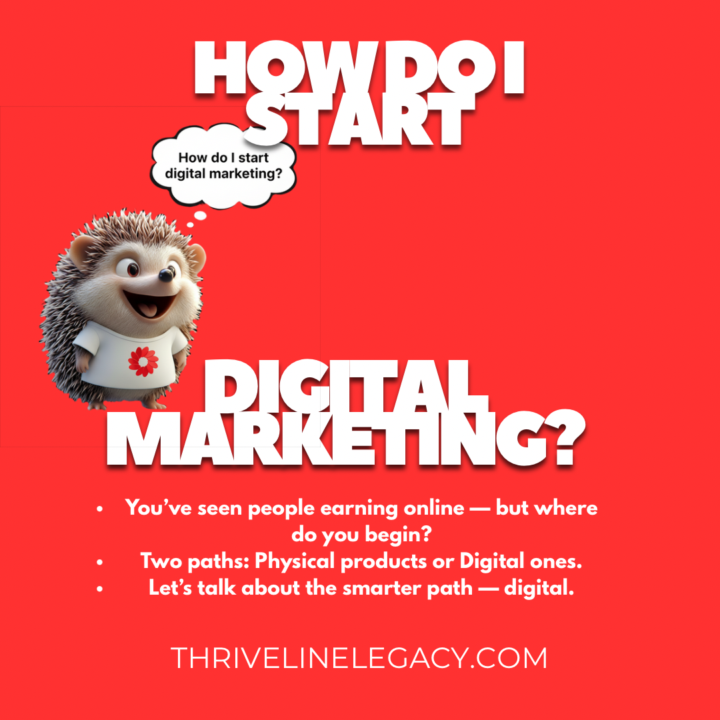
Why Carousels Rule on Instagram — and How You Create One That Works
If you’re serious about growing your brand on Instagram, carousels are no longer optional — they’re a strategic advantage you can’t ignore. Here’s why they matter: - Carousels keep people swiping, which means more time spent on your post — and more time means the algorithm notices. (sendible.com) - Multiple slides give you multiple chances to show up in people’s feeds. If a user misses slide one, Instagram may show slide two later. (socialmediatoday.com) - Slides that are useful—tips, how-tos, breakdowns—encourage saves. And saves = strong algorithm signal. (blog.hootsuite.com) - Carousels let you mix content types (image + video + text) and tell a story or sequence in a way a single post can’t. (blog.hootsuite.com) - But remember: it’s not about format alone. If the content in your carousel isn’t valuable, the swipe rate will drop and the algorithm may penalise you. (jennstrends.com) Step-by-Step: Build a 5-Slide Carousel That Converts 1. Pick your visual theme and hookGo to Pinterest and find an element that grabs attention. For example: cute 3D type animals. Then customise it. - Example: “3D hedgehog wearing a white T-shirt with your logo” - Use a tool like Google Gemini to generate variation: e.g., giraffe in sunglasses, hyenas drinking slurpees, tiger with Buddha beads. - Remove backgrounds (Canva, background remover) and ensure each image aligns with your brand visual. 2. Create your slides - Slide 1 (Hook): Big image, bold question. E.g., “Want to learn how to start digital marketing?” - Slide 2 (Value): Tell what’s possible. E.g., “Digital products. Master Resale Rights. 100% commissions.” - Slide 3 (Proof): Show results/testimonials. Visual + quote. - Slide 4 (Process): “Here’s how you do it” — bullet points, simple steps. - Slide 5 (Call to Action): Invite action. E.g., “Comment ‘circle’ below and I’ll invite you into the community.”
1 like • Nov '25
Good information, I had no idea. Thank you for sharing. ❤️🔥😇🙏🏻😇❤️🔥
Oct '25 •
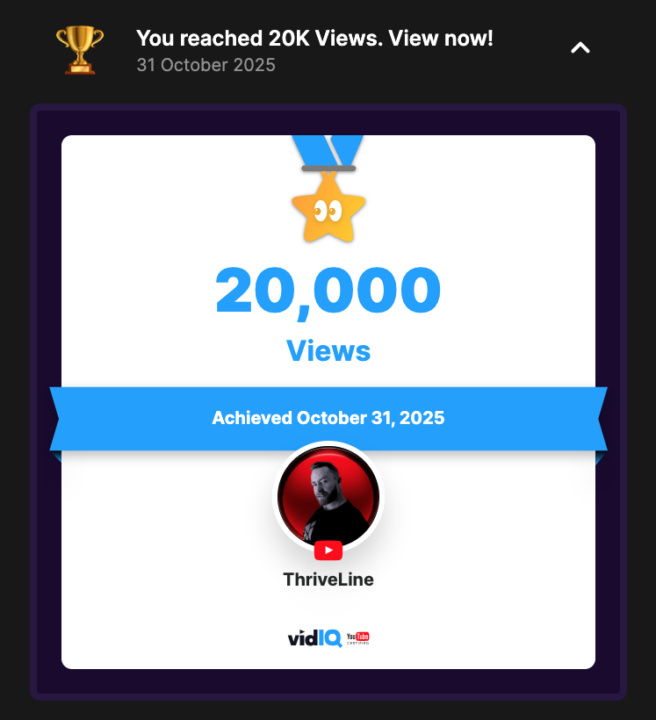
Growth Across all Metrics
As I just finished the 1st draft of ThriveLine’s super powerful creator course, for re—edits, YT informed me that I had hit 20k views on the channel. Brings a smile to my face. 😃
2 likes • Oct '25
John that is wonderful! What a blessing and huge win! Congratulations!🎊🍾🎈
1-10 of 19

@sue-ellen-spencer-5722
Sue Ellen “SU-Z-Q” Walker Spencer, born in Key West,, Retired, Real Estate Broker/Developer. .
Http://SunsetGreenFlashPayday.com
Active 6h ago
Joined Sep 4, 2025