Activity
Mon
Wed
Fri
Sun
Aug
Sep
Oct
Nov
Dec
Jan
Feb
Mar
Apr
May
Jun
Jul
What is this?
Less
More
Owned by Stella
Create your own AI music star: Speaking and singing avatar, publish music on Spotify and YouTube and get monetized on Facebook!
Memberships
AI Character Academy
47 members • Free
Remote Income Blueprint
59 members • $27/month
AI-Driven Business Community
8.5k members • Free
The Portfolio Life Project
10 members • Free
ACTIVATE Your Impact
393 members • Free
🔹Digital Boss Skool Hub🔹
751 members • Free
Money & Growth for Women
333 members • Free
FIT 40 Inner Circle™
24 members • $7/month
Moonlight & Middle Fingers
51 members • Free
121 contributions to AI Stars by Stella Sky

3h •
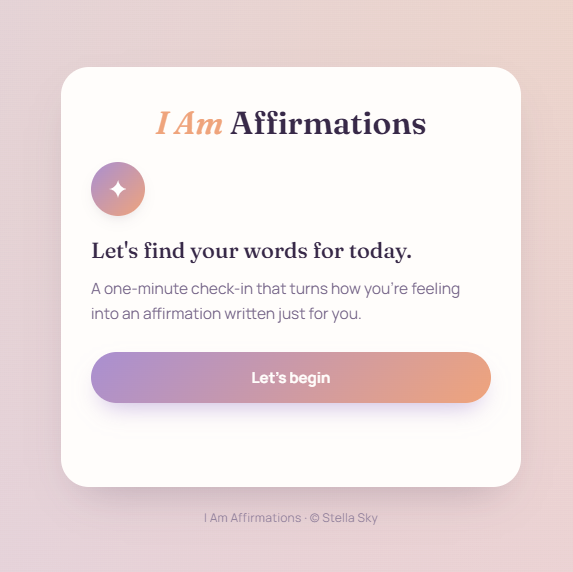
✨ New Premium Tool: I Am Affirmations
I just created a new interactive I Am Affirmations tool with Claude Artifacts! Users answer a few simple questions about their mood, what they are working through, the tone they need, and what they want to feel more of. The tool then generates a personalized affirmation with a supportive message they can copy, save, or regenerate. This tool is in the classroom Premium tools that sell. 💜 But here is the exciting part: the idea and prompt for this tool came directly from the monetization system inside my Viral Lip Sync Page course, included in the VIP tier. The course does not only teach you how to create viral lip-sync content and grow a Facebook page. It also includes a lesson on how to monetize your audience beyond Facebook payouts—with digital tools, ebooks, courses, memberships, and other offers connected to your page topic. I even included a product prompt generator that helps you come up with ideas and detailed prompts for creating your own: ✨ Interactive tools ✨ Ebooks and guides ✨ Mini-courses ✨ Lead magnets ✨ Paid digital products So one page idea can become content, an audience, a tool, an ebook, a course, and an entire product ecosystem. Basically… a little digital money-printing machine. Not the suspicious kind with ink and police sirens. 😂 What is included? Premium: Access to practical AI tools such as the new I Am Affirmations generator. VIP: Premium tools plus the complete Viral Lip Sync Page course, monetization strategies, product ideas, and generators that help you build your own offers. This is exactly what I want AI Stars to become: not only a place to create beautiful AI content, but a place where you learn how to turn your ideas into real digital assets and income opportunities. Upgrade to Premium to access the tools, or join VIP to learn how to build the full system behind them. 🌟
2
0
6d •
New VIP Tools & Courses Are Coming 🚀
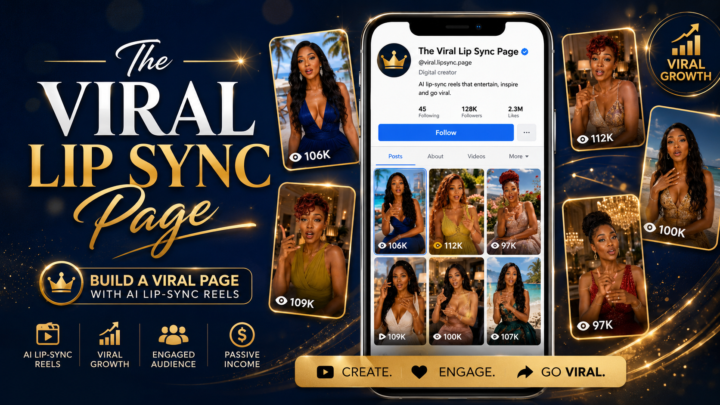
I’m so excited to share what I’ve been building behind the scenes for the VIP tier. VIP members now get access to my new R&B Lyrics Studio tool — an AI-powered songwriting tool that helps you create soulful R&B lyrics, Suno music style prompts, and even full album plans. You can choose the topic, mood, genre, instruments, tempo, structure, and writing style, or simply add your own story and let the tool help you turn it into a complete song idea. It also includes an Album Planner, so you can plan a full connected music project instead of creating random songs one by one. And yes — the tool comes with white label rights. You can customize it, rebrand it, and even resell it if you want to create your own digital product from it. I’m also adding 2 new VIP courses: 1. The Viral Lip Sync Page Learn how to build a viral Facebook page with AI lip sync reels, inspired by my Stella Sky page. 2. AI Music Star Blueprint Learn how to create your own AI music artist brand, make original songs, publish through DistroKid to Spotify, Apple Music and other platforms, grow a viral Facebook page, build an artist YouTube channel, and turn your music into videos. These courses are not fully finished yet, but they are being developed step by step as the first members join. There are already tools and resources inside so you can start taking action now. For a short time, the VIP yearly plan is 57% off. This is an early special offer. Later, the yearly discount will usually only be around 20% off. So if you want the best price for the full VIP access, now is the time to join before the offer changes. I’m building this for creators who want to move faster with AI music, avatars, viral pages, tools, and monetization. Who here is interested in creating their own AI music brand or viral lip sync page? 💙
Poll
1 member has voted
3
0
13d •
Sorry for being so busy lately...
Hi everyone! 💙 First, I want to apologize for not being very active here during the last few weeks. Managing two viral Facebook pages while handling all the behind-the-scenes work has been much more time-consuming than I expected. Between creating content, testing strategies, producing music, replying to comments, tracking results, and building new systems, the days have been flying by. But I have good news: I have been working on several new resources for the community, and I will start sharing them over the next few days. Premium members will get access to a new video prompt tool that will make it easier to create stronger and more detailed prompts for AI videos. VIP members will receive a dedicated music lyrics-writing tool, designed to help create complete songs, song concepts, and music style prompts much faster. I am also preparing a detailed course for the VIP tier where I will share everything I have learned from growing my Facebook pages, including what worked, what did not work, how I create the content, how I choose songs and visuals, and how you can recreate the process faster without making all the same mistakes. I have learned so much from growing these pages, and I am excited to finally organize everything into a clear step-by-step system for you. Now I would love to hear from you: What are you currently working on? Are you building an AI avatar, creating music, growing a Facebook page, working on videos, or still deciding which direction to take? Share your update in the comments so I can see where everyone is and what kind of support would help you most. 💙
3
0

20d •
How Are You Using Your AI Avatar? 👀
I would love to know: How are you currently using your AI avatar, or how do you plan to use it in the future? Are you creating inspirational content, promoting a business, building a personal brand, making videos, selling digital products, or exploring something completely different? At the moment, I mainly use my avatars to create music videos. For Amara Blue, I create videos for my own original music, which I release on platforms such as Spotify and YouTube. On my Stella Sky page, I also use AI avatars to create videos for trending and viral songs. This has opened up so many exciting possibilities—not only for creative expression, but also for growing an audience, building an artist brand, promoting music, and earning money from content. I am planning to go much deeper into this inside the VIP tier, including how I create the music, develop a consistent AI artist, produce scroll-stopping videos, grow music pages, release songs, and monetize the content. If this is something you would be interested in learning, send me a private message and tell me what you would most like help with. Your answers will also help me shape the VIP training around what you actually need. 🎶✨ I use my avatar to...
Poll
2 members have voted
1
0

28d •
🔥 Big growth and monetization update!
Amara Blue has now crossed 10,000 followers, and my Stella Sky page has reached 32,000 followers. Seeing both pages grow at the same time is exciting because it shows me that the strategies I am using are repeatable. It is not about one lucky viral Reel. It is about understanding what makes people stop scrolling, watch, connect emotionally, follow the page, and come back for more. I have also noticed a major change in Facebook earnings. My shorter Reels previously earned around $0.08 per 1,000 qualified views, but some of my longer videos are now earning around $0.60 per 1,000 qualified views. That is more than seven times higher. Facebook is also giving me bonus opportunities that can increase earnings by 100% when I publish longer Reels of more than 30 seconds. This makes longer content much more interesting for monetization right now. Short Reels are still powerful for reach and fast follower growth, but longer videos can create a much better balance between growth and income. The goal is no longer only to make someone stop for a few seconds. The goal is to give people enough time to connect with the song, the lyrics, the voice, and the emotion behind the music. This is exactly what I am now testing with Amara Blue and Stella Sky. I am posting longer sections of my songs, creating visuals that match the emotion of the music, and giving viewers more time to connect with the lyrics, the voice, and the artist. Amara Blue crossing 10K and Stella Sky reaching 32K are amazing milestones, but the biggest lesson is that Facebook is constantly changing. Creators who notice these changes early and adapt their content have a much better chance of growing and earning. I will continue testing different video lengths, song sections, visual styles, and hooks, and I will share the real results inside this community. 🚀
2
0

1-10 of 121

@stella-sky-4049
I help introverted women build realistic AI avatars and interactive tools they can sell.
Active 56m ago
Joined Apr 9, 2026
Bulgaria