Activity
Mon
Wed
Fri
Sun
Apr
May
Jun
Jul
Aug
Sep
Oct
Nov
Dec
Jan
Feb
What is this?
Less
More
Memberships
GenHQ - Creative AI Education
1.5k members • $97/m
Ecomliberty
43.3k members • Free
Fullstack Editor Club (Lite)
920 members • Free
Tony Huge Evolution
3.7k members • Free
Viral Podcast Community
135 members • $149/m
Origins
1.2k members • $98/m
The Aspinall Way
27.9k members • Free
Social Creator Club (Lite)
17.5k members • Free
Snappy Community
497 members • Free
6 contributions to Creative 3D Community

Jan '25 •
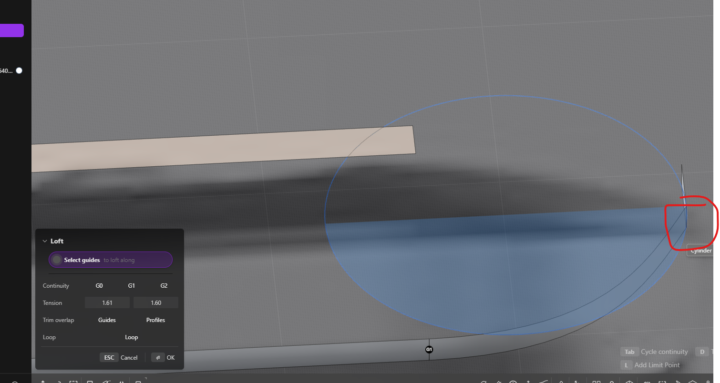
Why does Loft not work here?
hello, im wondering what you all think here. when i "patch hole", the fill works fine. but when i loft it, the whole thing errors out and goes red. do you see a problem with i'm doing here? i think it has to do with that one tiny edge at the bottom left maybe it is messing it up, but the whole patch holes works i figured if that works the whole thing would work.
0 likes • Jan '25
@Juan Arredondo got you ok thanks so I can only do 3 edges max interesting
0 likes • Jan '25
@Vyacheslav Kudrya got you interesting intereting.. thank u for the explanation. :)
Jan '25 •
Add a G to my loft?
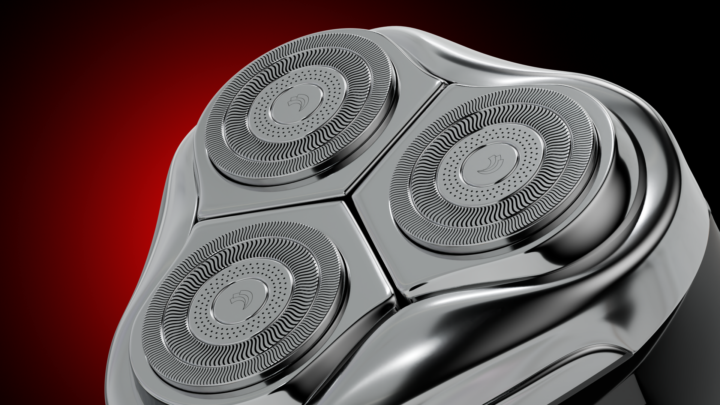
Hello, sorry i don't know how to describe it, but does anyone know how to add another "G" to my loft? you can select G1, G2, G3. When I select both edges and press L, it only creates a "g1" on this one plain, but you can see where I circle, the other G is missing. you see in nikita's video, there is a second G1, where mine is missing. do you know what im saying lol

1 like • Jan '25
how did you render it? did u design in plasticity?


0 likes • Jan '25
looks amazing, what program are you using to render?
Jan '25 •
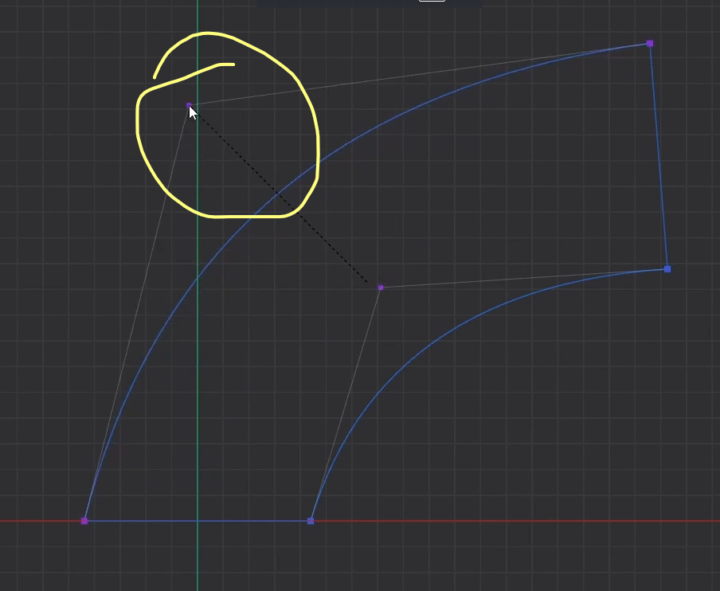
how do you add a point in the line like this?
hello, in one the tutorials, nikita is saying to hit "alt + 1" to create this point thing in the middle of a line and it's letting him drag the line up to have a curve. however, alt +1 isnt working for me or doing anything. i also do not see alt + 1 referenced here either, im thinking plasticity changed it: https://doc.plasticity.xyz/all-commands/download-pdf any ideas anyone what this is called?
0 likes • Jan '25
never mind found it.. thanks for the tip tho i will keep that in mind not to overwrite something lol
0 likes • Jan '25
@Ron Adams i tried that, but i think that is to make its own line isnt it? i tried shift + s and that one worked like how nikita was doing it in the video per the other comment
1-6 of 6
