Activity
Mon
Wed
Fri
Sun
Dec
Jan
Feb
Mar
Apr
May
Jun
Jul
Aug
Sep
Oct
Nov
What is this?
Less
More
Puurk - Community
138
Free
4 contributions to Puurk - Community

13d •
New in Puurk: checkout on your website
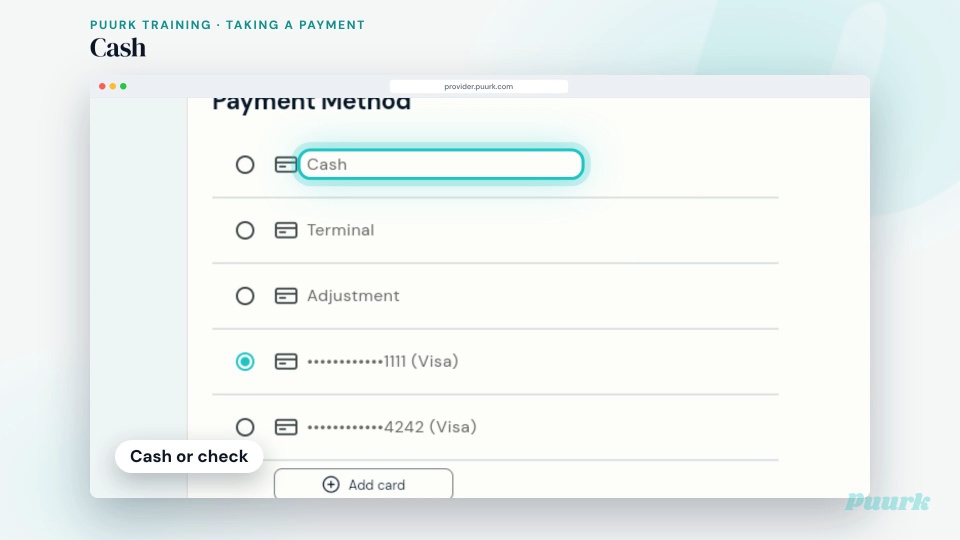
Big release this week. The headline: Puurk now lives on your website. Puurk on your website Every service shows its monthly price. Checkout happens right on your site. Visitors add services to a cart, then pay in full or sign up for a monthly plan without leaving your site. Prices come straight from your Puurk services, so your page always matches checkout. On WordPress? Install the Puurk plugin and add a shortcode. Squarespace, Webflow or Wix? Paste three snippets. No coding either way. Email api@puurk.com for your ids. See the live demo: https://demosite.puurk.com Set it up: https://docs.puurk.com/website/ Also new, six more things in your account 1. Business clients. Add a business as a client and invite them in one tap. They get their own Billing view with every plan, agreement and payment. 2. Template plans. Turn on Require contact info on any template plan. You get an email the moment someone opens it, and it shows in your activity log. 3. Plan terms. Each term option shows the monthly price and the total, so it is easy to walk a client through it in the chair. 4. Plan options. Clients see monthly options cheapest first, with Most Popular in the middle. Receipts now show the plan number. 5. Ledger. Clients see refunds in their payment history and get a receipt by email. Print one from Ledger anytime. 6. Plan links. Clients who already use Puurk with another practice can open and accept your plan right away, with less waiting. Show the monthly price on everything. Every service, every checkout, every consult. Now on your website too. Open Puurk: https://provider.puurk.com New training, two short videos for your front desk Taking a payment (one minute): https://puurk.wistia.com/medias/hwvjpqtoet Amending a contract (40 seconds): https://puurk.wistia.com/medias/3p90aag2be

1 like • 10d
I have sent this to my webdeveloper, how much work will i need to put in to get this going, how will my menu of treatments make it over to puurk
1 like • 10d
@Matt Bills Hi Matt, here i am, please give me the details i can send my web developer and he can place this on my site
Aug 2 •
fees
so i read on my credit card processing site that charging folks credit card processing fee can land my business in trouble, yet time and time again i have folks that use their card at my office and i have to eat the price. 1. Puurk transfers that cost to clients, how is it able to stay out of trouble. 1. How much fee when i split the transaction fees with puurk does a client get charged ? Thank you
1
0
Jun 24 •
Speed of the site
The speed of the site is slow, any plans on upgrading the speed ? Also is the client able to use an app or do they go online to pay, how easy is it for them to pay their dues?
Jun 14 •
Website posting
can i offer puurk on my website? Also i needed clarification on pricing, i was under the impression that besides the credit card processing fee, i recv the remained of the installment amount, the client pays the premium which goes to puurk unless i am setup for the 50:50 split. please assist
1 like • Jun 15
@Matt Bills jedi mind moves, love it
1 like • Jun 15
@Matt Bills Puurk is now live on my site www.novaskinlaserandwellness.com
1-4 of 4

@shahzad-shah-2484
Cardiologist and Board certified Aesthetic Physician based out of Jackson, TN
Active 9d ago
Joined May 13, 2026
Powered by