Activity
Mon
Wed
Fri
Sun
Nov
Dec
Jan
Feb
Mar
Apr
May
Jun
Jul
Aug
Sep
Oct
What is this?
Less
More
Owned by Scott
Creative tools around video, live visuals, music, and automation. Tutorials, breakdowns, and experiments for whatever tools I invent next
Skoolers
153k
Free
11 contributions to Splode Lab Studio

Apr 5 •
Seedance 2!
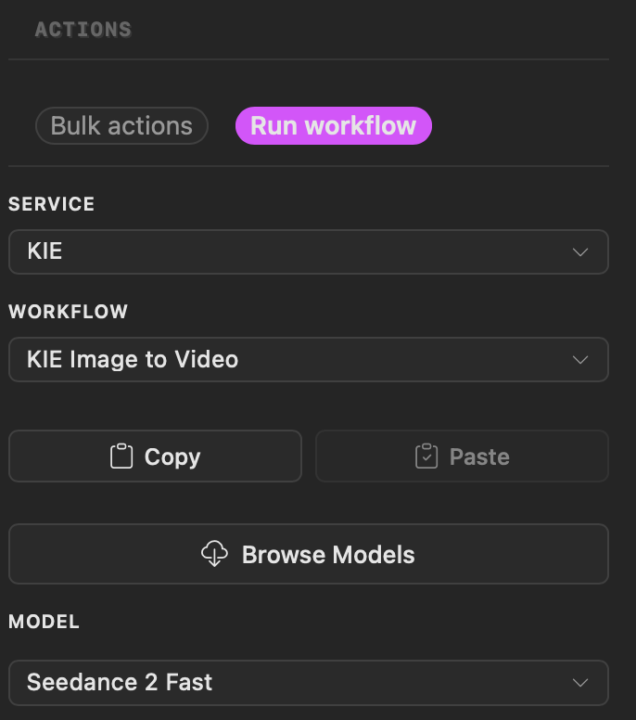
Build 0.14.1 of Pixel Pig add support for Seedance 2.0 and 2.0 fast. Servers seem pretty busy but we have been able to get several run thru :)
0 likes • Apr 5
Here are approx costs for the fast model.
Jan 17 •
Movie Editing Preview
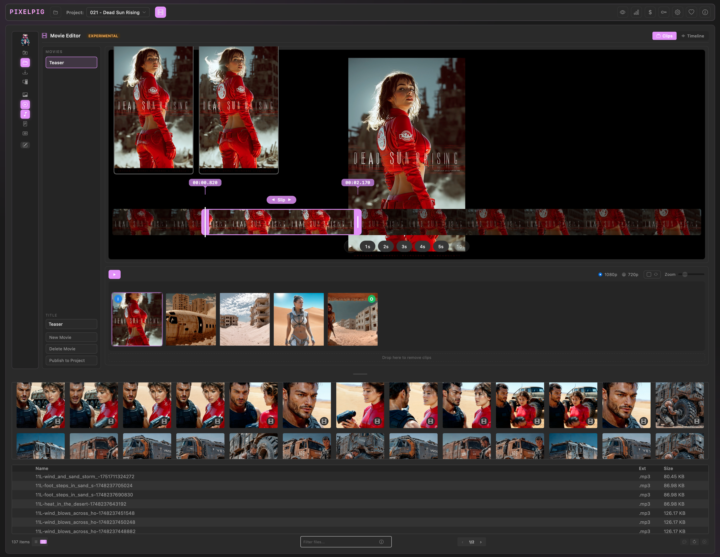
Been working on a movie editor for Pixel Pig to get rid of that last dependency on external tools for small projects. Features a clip edit mode and a traditional timeline editor for fine tuning audio placement. I want to make a few 'real' projects with it before I call it ready but you can play with it now.
0 likes • Jan 17
To get into the editor: Make sure the project you want is selected in the toolbar, then set the filter location to Project. A new movie icon appears at the top. Click that to open the editor and toggle between clip and timeline modes. You’ll probably want to drag the layout around to give yourself more room. The default layout isn’t locked in yet. In clip mode, you can drag clips into the view. Drop on the front half of an existing clip to insert before it, or the back half to insert after. Set the order however you like, then select clips and trim them using the built-in trimmer. You can play individual clips or the full movie. When you’re happy, hit Publish to render out the final video. This works really well for short social posts. Timeline mode is a bit raw for now, but you can drop in audio and line things up by dragging. Full videos once this feels properly finished.
Jan 15 •
Welcome
I make AI videos, mostly sci-fi and music, and I’m a bit obsessive about optimising workflows. I also build tools to speed things up and share them freely. Lurking is totally fine. If you want to share what you’re trying to make, I’m happy to help think through workflows.
Jan 7 •
Editing with Chat
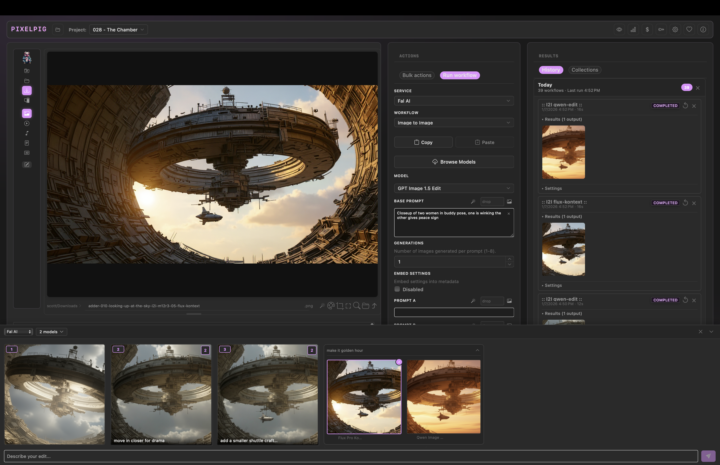
New mode going up soon. Select an image and open up a chat. Just type the edit you want to make and select the models you like to run for edits. Pick your fav from the results and keep editing until you are happy with the image!
0 likes • Jan 15
thanks!
Dec '25 •
Cinematic Grid Prompting
A video featuring Pixel Pig, made with Pixel Pig - it's all a bit meta sometimes! Check it out hopefully some useful information for ya on creating cinematic scenes.
1-10 of 11

Active 52d ago
Joined Oct 14, 2025