Activity
Mon
Wed
Fri
Sun
Jun
Jul
Aug
Sep
Oct
Nov
Dec
Jan
Feb
Mar
Apr
May
What is this?
Less
More
Memberships
Check Description - Just 1 USD
1.2k members • Free
AI Automation Agency Hub
317.2k members • Free
AI Marketing by Kia
21.4k members • $1/month
Brendan's AI Community
24.7k members • Free
The Chatbot Challenge
1.5k members • Free
Software Developer Academy
26.4k members • Free
Formula
293 members • $27/m
AI SEO Operators
3.4k members • Free
Automate What Academy
2.6k members • Free
8 contributions to Check Description - Just 1 USD

Feb 12 •
I Controlled My Entire PC Using WhatsApp... This AI is Crazy! (OpenClaw Demo)
How many of you have tried Openclaw? I spent the day testing this viral open-source AI agent, and I had to share what happened. OpenClaw connects to ChatGPT, Gemini, or any LLM you want, and lets you command your PC like it's your personal assistant. Here's what I tested in this video: - Creating folders and writing full stories directly to my desktop - Listing every app running on my computer and all my files - Grabbing a screenshot from a specific moment in a video (I asked for 40 seconds into a file, and it nailed it!) - Connecting Gmail, Google Calendar, my camera, and reminders through toggleable "skills" The dashboard is surprisingly powerful too. You can scan a QR code to link WhatsApp or Telegram, turn skills on and off, and even set up automated cron jobs - like sending yourself daily summary emails or cleaning up old files. Everything runs locally on your machine, so your data stays private.
0
0

Jan 23 •
A Beginner-Friendly Way to Run n8n on Your Own Machine
Hi everyone I’m a Linux & open-source lover, and I enjoy building and testing self-hosted automation tools. Since Make can’t be self-hosted, I decided to install n8n on my Linux Mint using Docker. I recorded a simple, beginner-friendly video where I show: • Updating the system• Installing Docker • Starting Docker • Creating a folder for n8n • Running n8n with Docker • Opening it in the browser • Running it in background • Stopping & starting it again These same steps also work on Ubuntu and other Debian-based Linux systems. This is not about building anything fancy yet. It's just about setting a clean foundation. Next up, I’ll start sharing how to build small, practical AI + automation workflows with n8n
0
0

Jan 22 •
AI Doesn’t Remove Uncertainty - It Exposes It
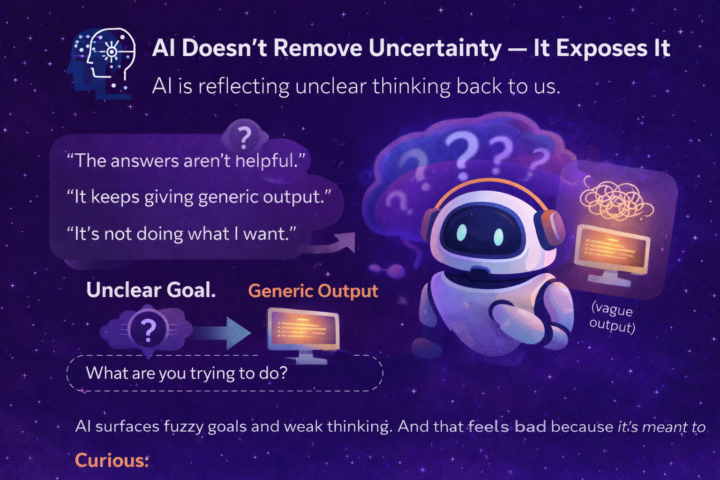
A quiet thing I’ve noticed: People often feel more confused after using AI. They say things like: - “The answers aren’t helpful.” - “It keeps giving generic output.” - “It’s not doing what I want.” But most of the time, the real issue isn’t the AI. It’s this: AI is reflecting unclear thinking back to us. What AI Actually Surfaces When you ask AI something vague… You get something vague back. When your goal is fuzzy… The output feels fuzzy. When you’re unsure what you really want… AI makes that uncertainty visible. Not because it’s broken. But because it has nothing solid to anchor to. Why This Feels Uncomfortable Before AI, we could hide a lot of confusion inside our heads. We could: - Keep half-formed ideas - Avoid making decisions - Stay vague about what we actually want AI doesn’t let that slide. It quietly asks, through bad output: “What exactly are you trying to do here?” And that can feel annoying or disappointing. The Reframe That Changes Everything AI is not here to remove uncertainty. It’s here to surface it. It forces you to: - Clarify your goal - Define your constraints - Decide what actually matters - Be specific about direction That’s not a bug. That’s the feature. Why This Is Actually a Gift Because once your thinking becomes clearer… AI suddenly feels smarter. The same tool.The same model.The same interface. Different result. Not because the AI improved. But because you did. A Small Reflection Think about the last time AI gave you a disappointing answer. Was the problem really the tool? Or was the goal still unclear in your own head? Has AI ever made you realizeyou didn’t actually know what you wanted yet? That moment is usually the real breakthrough.
0
0
Jan 21 •
How to Spot What Should (and Shouldn’t) Be Automated in Your Work
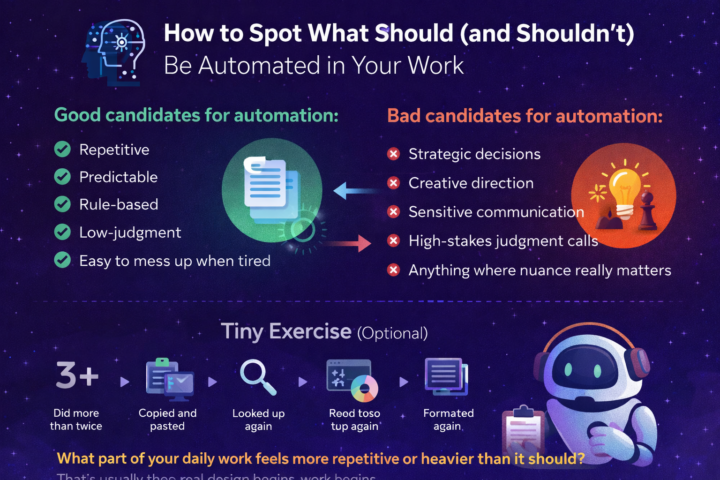
Start With Friction, Not Tools Most people look at AI tools and ask: “What can this tool do?” A better question is: “Where does my work feel heavier than it should?” Pay attention to moments where you: - Repeat the same steps again and again - Copy-paste between apps - Reformat the same kind of info - Search for the same things repeatedly - Feel mental fatigue from small admin tasks Those moments are signals.They are your real automation opportunities. A Simple Filter I Use Not everything should be automated. In fact, automating the wrong things can make your work worse. Good candidates for automation: - Repetitive - Predictable - Rule-based - Low-judgment - Easy to mess up when tired Bad candidates for automation: - Strategic decisions - Creative direction - Sensitive communication - High-stakes judgment calls - Anything where nuance really matters AI is great at handling processes. It is bad at handling responsibility. That line matters. Three Everyday Examples 1) Research & Reading Bad flow: Search ~> read ~> summarize ~> forget ~> repeat next week Better flow: Article saved ~> auto-summary ~> key ideas stored ~> searchable later You’re not automating thinking. You are automating collection and organization. 2) Content & Ideas Bad flow:Think of idea ~> write from scratch ~> post ~> lose track Better flow:Idea captured ~> AI refines ~> saved ~> scheduled ~> feedback logged You’re not automating creativity. You are automating everything around creativity. 3) Learning & Notes Bad flow:Ask AI ~> read ~> nod ~> forget Better flow:Question logged ~> AI explains ~> examples generated ~> notes saved You are not automating understanding. You're automating memory and structure. One Common Trap People try to automate a messy process. That just makes the mess faster. The real order is: 1. Do the task manually a few times 2. Notice the exact steps 3. Remove unnecessary steps 4. Then automate what remains
0
0
Jan 20 •
From Using AI to Designing With AI: A Subtle But Powerful Shift
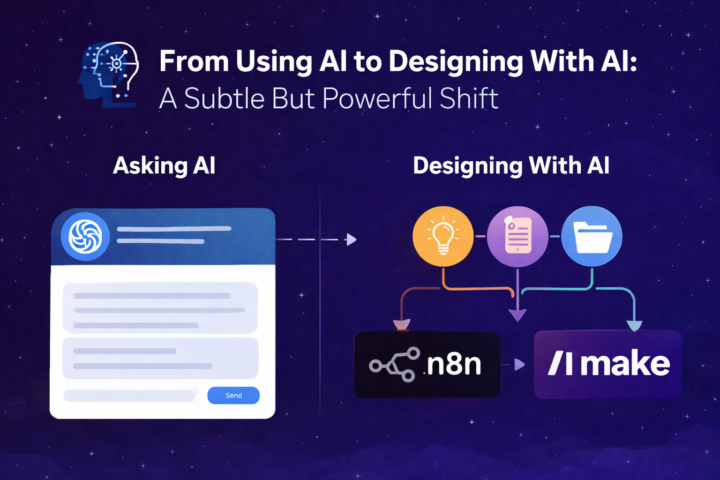
Asking AI vs Designing With AI When you ask AI, the interaction is moment-based. You: - ask for a summary - ask for a caption - ask for an idea - ask for a fix Each time, AI responds… and then disappears until the next prompt. But when you design with AI, you think in flows, not moments. You start asking: - Where does AI fit naturally in my work? - Which parts repeat? - Where does friction keep showing up? - What should happen automatically vs manually? AI stops being a tool you visitand becomes something quietly embedded in how you work. Why Small Personal Systems Beat Random Usage Random AI usage gives random results. But small systems compound. A “system” doesn’t have to be complex. It can be as simple as: - Every article I save → summarized → tagged → stored - Every idea I write → refined → scheduled → published - Every question I research → structured → archived → reused These are not big automations.They’re personal workflows. And once you build even one or two of these, something changes:You stop reacting to workand start shaping how work happens. Three Simple Examples 1. Content WorkflowInstead of:“Let me ask AI for a post today” Think:Ideas captured → AI refines → scheduled → posted → feedback savedNow content is not effort-based. It’s flow-based. 2. Research WorkflowInstead of:“Let me search this every time manually” Think:Sources monitored → summaries created → insights stored → searchable laterNow learning becomes cumulative, not repetitive. 3. Learning WorkflowInstead of:“I’ll ask AI when I’m confused” Think:Questions logged → AI explains → examples generated → notes savedNow your learning becomes structured, not scattered. None of this requires heavy coding. It requires intentional design. Where Tools Like n8n and Make Matter This is where tools like n8n and Make quietly become powerful. Not because they are flashy.But because they allow you to: - Connect apps without manual work - Let actions trigger automatically - Turn “steps” into “flows” - Reduce mental overhead
0
0
1-8 of 8

@sadeed-ameen-4019
Expert Bubble.io Developer | No-Code Solutions Specialist | Transforming Ideas into Functional Web Apps
Active 57d ago
Joined Jan 4, 2026