Activity
Mon
Wed
Fri
Sun
Aug
Sep
Oct
Nov
Dec
Jan
Feb
Mar
Apr
May
Jun
Jul
What is this?
Less
More
Owned by Olushola
A calm, private space for women 40+ navigating midlife with greater clarity, steadiness, and self trust. A place to feel supported, not pushed 🌿.
Memberships
EmpowHER AI
501 members • Free
The Shine Lounge
80 members • $1
The Prompted Life
149 members • Free
Skool Copy Hub
929 members • Free
SkoolHers
527 members • $9/month
Free Skool Course
71.5k members • $1
Skoolers
164k members • Free
4 contributions to Empire Creator Lab

🔥
Apr 15 •
TOOL OF THE MONTH
If you guessed Claude....you guessed right! I know there is a lot of talk about Claude going on but when I first started using Claude about a year ago I was unaware of how awesome it really is. In this video for Tool of the Month I talk connect Claude to Gamma and man oh man, let the church say AMEN! Creating content is a sucky experience but Claude and Gamma makes it a little less painful. Check out the video on YouTube and grab the PDF guide I created for yall.

1 like • Apr 15
Beautiful 🔥
1 like • Apr 15
@Janay Trevillion You’re welcome, definitely 👍 Chatty did so well…
🔥
Apr 8 •
NEW VIP Training!
I built a voice agent for my landing page and I’m honestly really excited about it. It gives people a new way to interact with the page, ask questions, and experience the offer without just reading blocks of text. I’m dropping the link below so you can go play with it and see how it works. Inside VIP, I’m also uploading the deep dive training with the replay, walkthrough, and materials so you can see the process and build your own version for yourself. This is the kind of stuff we’re getting into more inside the Lab. Practical builds. Real tools. Things you can actually use. You can test JAI out here. https://howtotalktochatty.lovable.app
2 likes • Apr 8
Amazing 🔥🔥. Just tested JAI out ☺️
1 like • Apr 8
@Janay Trevillion Haha haha 😄, lool, that is so funny. I noticed she’s very chatty 😉 lol
🔥
Feb 19 •
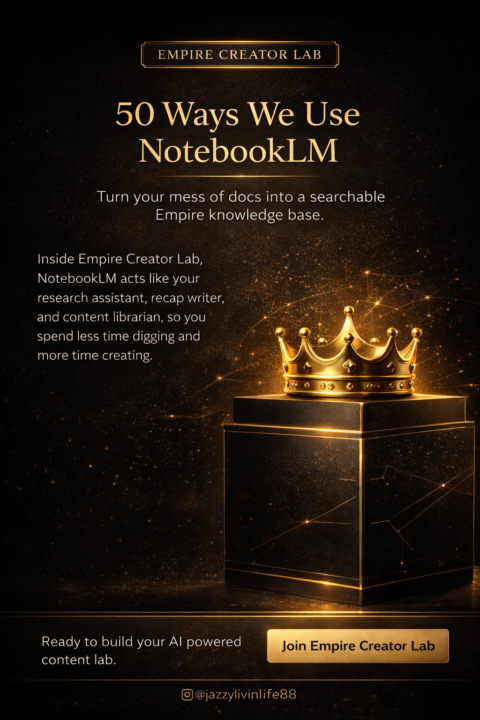
50 Ways Empire Creator Lab Uses NotebookLM
1. Summarize long workshop replays into short “Empire Briefs.” 2. Pull key takeaways from coaching calls for member recap posts. 3. Turn messy brain-dump docs into clean lesson outlines. 4. Build step-by-step launch timelines from scattered notes. 5. Draft bullet-point scripts for trainings and tutorials. 6. Generate structured study guides from PDFs and slides. 7. Turn past Q&A sessions into searchable FAQ docs. 8. Extract common questions to inspire new offers and content. 9. Turn raw survey responses into clear audience insight summaries. 10. Brainstorm new workshop topics based on member questions. 11. Turn podcast or live stream transcripts into blog post drafts. 12. Organize meeting notes into action items and owners. 13. Generate case study drafts from client intake forms. 14. Draft persuasive sales copy from existing launch assets. 15. Create comparison charts for tools, packages, or tiers. 16. Turn scattered ideas into a structured curriculum map. 17. Generate email draft sequences from webinar outlines. 18. Repurpose one training into captions, emails, and blog points. 19. Create checklists for client onboarding or program delivery. 20. Turn process notes into clear SOPs and workflows. 21. Brainstorm new lead magnet ideas from existing content. 22. Turn pillar content into mini-lesson series and challenges. 23. Organize research links and notes into summaries. 24. Generate content calendars based on your core themes. 25. Turn long books and resources into one-page concept maps. 26. Summarize expert interviews into “Empire Insights” highlight reels. 27. Draft persuasive webinar talking points from outline bullets. 28. Create reflection prompts from mindset and journaling notes. 29. Turn frameworks into diagrams and step-by-step explainer text. 30. Create “before & after” transformation stories from testimonials. 31. Turn bundle/summit speaker notes into promo copy and swipes. 32. Extract quotable lines for graphics, carousels, and sales pages. 33. Turn messy Google Drive folders into a clean resource index. 34. Create onboarding guides for new team members or VAs. 35. Turn office hours notes into a “vault” of searchable answers. 36. Draft lesson descriptions and module summaries for courses. 37. Turn one core training into a full email nurture sequence. 38. Analyze launch debrief notes and summarize what worked. 39. Turn DM conversations into language for copy and marketing. 40. Generate lists of hooks, titles, and headlines from your existing content. 41. Turn transcripts into timestamped clip ideas for short-form video. 42. Draft “how to use this template” instructions for digital products. 43. Convert workshop chats into resource lists and link roundups. 44. Create comparison tables for different client avatars or stages. 45. Turn long policy or legal docs into plain-language explanations. 46. Turn your book or long-form assets into a course outline. 47. Generate reflection questions for mastermind calls or hot seats. 48. Turn testimonial banks into themed case study collections. 49. Create “Start Here” guides for new members using existing docs. 50. Build an Empire Creator Lab knowledge base that answers “How do I…?” from everything you already uploaded into NotebookLM.
1 like • Feb 23
Thanks for sharing, amazing 🔥🔥

Feb 6 •
THANK YOU!
I just want to give a huge shout out to our amazing Empire Queen/Empress @Janay Trevillion for always being so supportive! I have joined many communities over the years and have never found someone so willing to help us all succeed! I just felt that should be acknowledged xx

1 like • Feb 6
🤩
1-4 of 4

@olushola-elugbaiye-8487
RMN | Sleep & Menopause Coach ✨
Supporting women 40+ through menopause to improve sleep, stabilise energy, and create daily rhythms.
Active 9m ago
Joined Jul 12, 2026