Activity
Mon
Wed
Fri
Sun
Sep
Oct
Nov
Dec
Jan
Feb
Mar
Apr
May
Jun
Jul
Aug
What is this?
Less
More
Owned by Nikko
Helping people start, scale, and grow a profitable 3d printing business
Skoolers
161.8k members • Free
80 contributions to 3d Printed Profits

Jul 3 •
This New Tool is So Fun to Use
🚀 New Tool Launch: Keychain Maker is now live on STL Buddy We just launched the new Keychain Maker, and honestly, this one is just fun to use. You can make custom name keychains in just a few clicks. Type in your name, customize it, generate it, and you’ve got a personalized keychain ready for 3D printing. No Blender. No complicated modeling. No needing to know how to design from scratch. This tool lets you create customized name keychains fast, even if you’ve never 3D modeled anything before. It’s perfect for making keychains for yourself, your kids, gifts, craft fairs, Etsy products, school events, party favors, and more. Go try the new Keychain Maker on STL Buddy and start making custom name keychains today.
Jun 25 •
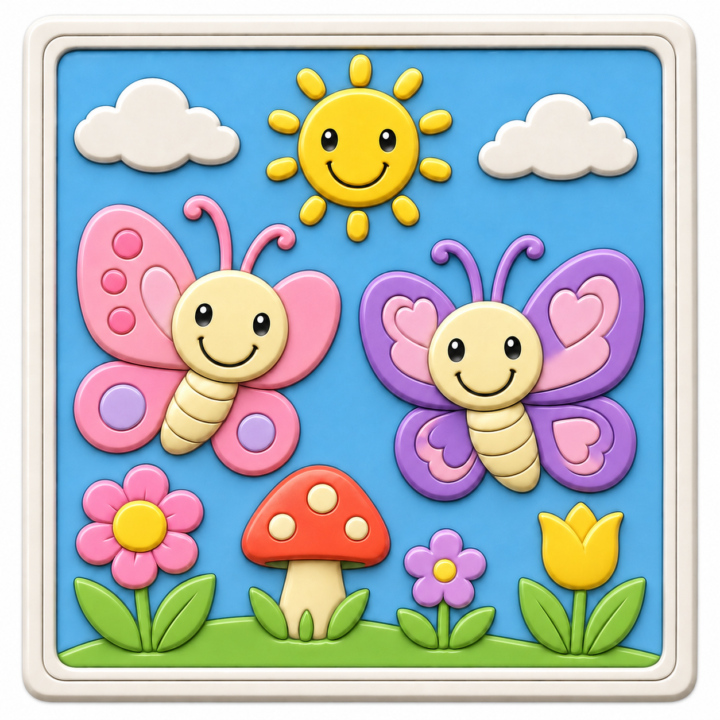
Try this prompt
This will make you a coloring plate! Might be the new upcoming trend Create a high-quality 3D render of a 3D printable kids coloring board design for STL Buddy. Make it a square flat plaque with a raised bas-relief design built directly into the board. The board should look like a clean STL-style coloring board, but with bright simple colors added to each raised section so STL Buddy can read the shapes more clearly. Scene/theme: [ADD SCENE HERE] Examples: butterflies in the garden, unicorn castle, dinosaurs, construction trucks, ocean animals, farm scene, princess scene, outer space, jungle animals, mermaids, superheroes. Art style: [ADD ART STYLE HERE] Examples: Pixar-inspired, cute cartoon, kawaii, simple bold outline, storybook style, chunky toy-like style, clean modern kids style, playful toy-like style. Design requirements:Keep the design somewhat minimalist and not too busy.Use only a few large main objects.Avoid tiny details, tiny characters, thin lines, or small fragile parts.Use rounded soft shapes.Use chunky raised details.Use clear separated sections so kids can paint each part easily.Use low-to-medium relief depth.Use a clean outer border/frame.Use a neat balanced composition.Make the shapes bold and easy to read.Make the facial expressions simple with large eyes and large half-circle smiles.Make it kid-friendly, cheerful, and simple. 3D printing requirements:Single solid plaque design.Embossed coloring board look. No thin fragile parts. No floating pieces.No overly complex background.Optimized for STL Buddy and 3D printing. Render requirements:Front-facing view.Show only the board itself.No wooden easel.No room scene.No table setup.No background props.No hands.No text or labels.Clean studio lighting.High-quality 3D render.
Jun 24 •
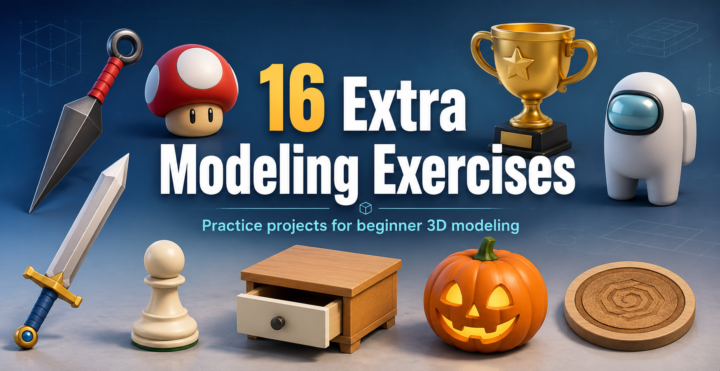
16 Modeling Exercises
🚨 NEW COURSE JUST DROPPED INSIDE THE COMMUNITY! A few years ago, I created a full course packed with 16 extra Blender modeling exercises… And I just uploaded the entire thing here for you. This course was made for anyone who has gone through Blender in 14 Days and wants to keep building their skills, getting more practice, and becoming more confident inside Blender. Inside, you’ll be modeling a bunch of different projects designed to help you sharpen your skills, improve your workflow, and get more reps in. Because watching tutorials is one thing… But actually modeling over and over again is how you really get better. So if you’ve finished Blender in 14 Days, or you’re working through it now, this is the perfect next step. The new course is live inside the community now. Go check it out 🔥
12
0
Jun 24 •
YOU JUST GOT AN UPGRADE!
Big update for everyone here 🚀 As we rebrand and move this community into its new direction, everyone in this group is getting a free upgrade. You now have access to the Standard Tier Membership. This membership will normally cost $79/month, but because you were already here before the rebrand, you are being grandfathered in for free. No payment is needed. No action is needed. You do not have to upgrade manually. You’re already in. Moving forward, this community is becoming 3D Printed Profits, and the goal is simple: Help you turn your 3D printer into a real income-producing business. We’ll be focusing more on what to sell, how to price, how to sell on Etsy, how to create your own 3D models, how to use AI to speed up your workflow, and how to build this like a real business instead of just guessing. So again, everyone here just got upgraded for free. The Standard Tier is normally worth $79/month, but you’re getting it included because you were here before the rebrand. Welcome to the next version of the community.

Jun 23 •
ReBrand
Big update. I’m rebranding this group from AI for 3D Printing to Business for 3D Printing. AI is still going to be a big part of what we talk about here. It’s not going away. AI tools, AI workflows, image-to-3D, STL creation, automation, and new tech will still be part of the conversation. But it won’t be the main focus anymore. The reason is simple: the audience for “AI for 3D printing” is still too small. There just aren’t enough people actively looking for that topic by itself. But the interest in building, growing, and making money with a 3D printing business is much bigger. And that’s where I can bring the most value. I’ve spent years in this industry. I’ve built and sold 3D printing products, grown communities, launched tools, created digital products, dealt with customers, pricing, marketing, Etsy, craft fairs, files, failures, wins, and everything in between. So this pivot makes sense. Instead of only talking about AI, this group will now focus on the bigger picture: How to actually build a better 3D printing business. That means pricing, bestsellers, niches, product ideas, Etsy strategy, craft fair strategy, digital files, marketing, AI tools, automation, and what’s actually working in the real world. The goal is simple: Help more 3D printer owners stop guessing and start treating this like a real business. Same mission. Bigger focus.
1-10 of 80
@nikko-mendoza-4169
Helping people make their own 3d designs without learning 3d modeling
Active 18d ago
Joined Nov 26, 2025
Powered by