Activity
Mon
Wed
Fri
Sun
Aug
Sep
Oct
Nov
Dec
Jan
Feb
Mar
Apr
May
Jun
Jul
What is this?
Less
More
Owned by Nicole
A calm space for introverts who want to travel differently. Cruises and small group trips designed with your energy in mind, space to breathe.
Memberships
Free To Paid Buyer Journey
411 members • Free
The PAID Creative
1k members • Free
🔮The Sanctuary✨🌙
26 members • Free
The Aligned AI Lab
68 members • $19/month
BS
Better Sex
106 members • $27/year
Panda for Skool CRM +
432 members • $36/month
Wildheart Spreadsheet Society
521 members • Free
LinkedIn Sales Accelerator
14 members • $97
Skool Scale Camp
4.9k members • Free
13 contributions to Empire Creator Lab

🔥
4d •
STANDING OVATION
Thank you @Jane Groves for another amazing Pins to Profits class! Look by the time this is over my Pinterest is going to be on fire. 🔥 I have been implementing her tips slowly and reached 15,000 monthly views. As always thanks for those that showed up live and if you couldn't make it the replay will be added tonight along with some goodies! Thank you again @Jane Groves

1 like • 3d
Congrats on that Pinterest growth and it was a great class!
🔥
4d •
Pins for Profit at 7pm est
Our Pinterest Queen @Jane Groves is back tonight for Pins for Profit! Tonight at 7pm est she will take us through what makes Pinterest rank a pin, how to design scroll-stopping pins without needing any design experience, why literal headlines consistently outperform clever ones, and how to write pin titles and descriptions that get found by the right people. You’ll also leave with Canva pin templates ready to use straight away. Link in calendar! See you there!

1 like • 4d
This sounds great! I've been trying to up my Pinterest game lately.
🔥
24d •
Emails Do Matter
Meta went down and took Facebook, Instagram, Messenger, and WhatsApp with it. I was on Threads trying to respond to some messages and was like wthelly!?!!? This is exactly why our next VIP session is on email marketing. You do not own your followers. You do not own your reach. You do not own what happens when a platform decides to glitch, update, or disappear. But your email list is yours. Nobody can take that. Next VIP session. Sunday June 21 at 3pm. We are getting into email. How to build it, how to use it, and how to make it work for your business without it becoming another thing you avoid. See you in the room. 👋🏾 Create your Beacons LINK IN BIO, I also use it for emails https://beacons.ai/signup?c=curatedlifewithjazzy Or use Systeme.io that have a great set up too https://systeme.io/?sa=sa025252235811db5c1015e2ca6ef513fecec3dd43

2 likes • 24d
100%!!
🔥
27d •
BIG NEWS
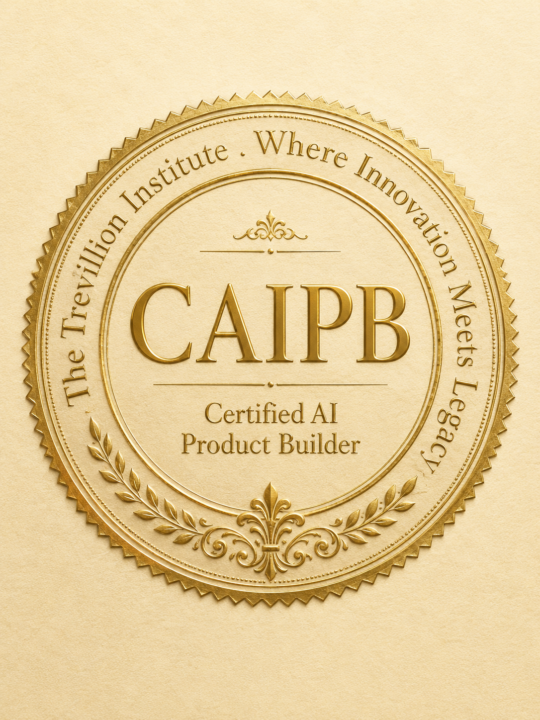
I have been sitting on something for a minute and it is time to just say it. I've built several apps, one is live with recurring paying subscribers. No dev team. No coding background. Just me, AI, and a real problem I needed solved. And I realized nobody is actually teaching people how to do that. Not the concept of it. Not the theory. Not another module about prompts you will never use. The actual doing. The finishing. The part where something you built lives in the real world and works. So I built a program for that. The Certified AI Product Builder certification, CAIPB, is the first CPD accredited program designed specifically to take a non-technical person from "I have an idea" to a real, finished, monetized AI product. A credential you earn by building something real. Cohort One opens July 13th. I am keeping it small on purpose. Ten seats. Founding rate pricing. And beta members will be part of shaping this program from the inside. But before you get on the list, I want you to know exactly where you're starting from and what this program does for you specifically. I built a free pathway assessment. Five questions. Two minutes. You'll walk away knowing your builder profile, your personalized path through the program, and your next step. Take it here. 👇🏾 https://caipdcohort.empirebyjanay.com/ Cohort One is small on purpose. If this is already resonating, do not wait.
1 like • 27d
Congrats, this is big! 🤲🏽
🔥
28d •
Claude Co work 2x Usage
Anthropic just doubled your Cowork usage limits for the whole month of June. We talk about AI like it's a tool we're using. But most of us are sitting inside a chat box typing questions and calling that a workflow. That is not a workflow. That is a search engine with better manners. Cowork is where you actually build things. Not just ask things. Through July 5, your 5-hour usage window in Claude Cowork is doubled automatically, no action needed, no settings to change. It just applies if you're on Pro, Max, or Team accounts The question is: what are you going to build with it? Because doubled capacity means nothing if you walk in with no idea what you're building. If you've been circling an idea, an AI tool, a system you keep saying you'll set up later, this is your window. Go use the space.🙌🏾
1 like • 28d
Yay!!! I need this extra usage!! Thank you for the heads up!
1-10 of 13
@nicole-conley-4400
Travel Advisor and agency owner Crafting calm, enriching travel for introverts & mindful explorers with space to breathe.
Online now
Joined Feb 12, 2026
INFP
Nashville, TN