Activity
Mon
Wed
Fri
Sun
Nov
Dec
Jan
Feb
Mar
Apr
May
Jun
Jul
Aug
Sep
Oct
What is this?
Less
More
Owned by Molly
A space for women building or exploring membership businesses, sharing ideas, learning from each other, and building together.
For families in Mexico navigating college, gap years & global opportunities after high school graduation.
21 contributions to The AI Identity Lab

Jun 24 •
Lindsay's Carousel Studio Build is a big time saver
Went to the Wednesday class today and got @Lindsay Hack's Carousel Studio Build. In less than 10 minutes, I was ready to create my own. Posted to facebook already. Thank you thank you for making this so easy. https://www.facebook.com/share/p/1CvHbM7PcP/

Jun 23 •
Get Ready for Wednesday: Your Carousel Studio Build
Wednesday is not a training you watch. It is a build you do. In 90 minutes you create your own carousel tool, in your colors and fonts, and you leave with the actual file. It is yours, it works offline, and you keep it forever. The people who walk away with a finished tool are the ones who show up ready. The 5 minutes you spend prepping now is the difference between leaving with a tool and leaving with homework. Here is everything to have ready. 1. Your brand colors Bring 2 to 4 hex codes. A hex code looks like this: #0D0E1A. If you do not know yours, pull them from your logo or your website, or pick a palette you love at coolors.co. This is the one people skip, and it is the one that slows you down most live. Get this done first. 2. Your font style You only need a direction. Bold and modern, or elegant and classic, or clean and minimal. You will pick from a few styles in the tool. No font files to install. 3. Your handle and logo Have your handle ready, for example @yourname. If you have a logo, save it as a PNG with a transparent background, square if possible. Transparent matters, because a logo with a white box behind it looks like a sticker on your slide. If you are not sure yours is transparent, or you do not have a logo, skip it. Everything works without one. 4. The right device and setup Join on a laptop or desktop, not your phone. Use Chrome if you have it. During the session you will download a file and open it, so make sure you can do both. 5. One real content idea Bring one post you would actually share this week. A tip, a hook, a thought. You will build it live with your own tool, so you leave with something real. How you will get the tool, and the one rule that matters I will give you the tool file in our Skool classroom and as a download link. Two things to know so this goes smoothly. Download it as a file, then open it in your browser. Double click the file, or right click and choose Open with Chrome. The setup screen appears and you are in.
1 like • Jun 24
Thank you, thank you! An hour well-spent, got my carousel maker and posted to facebook. https://www.facebook.com/share/p/1CvHbM7PcP/
Jun 2 •
Another win from last week's challenge
Yo, this is getting ridiculous that all the posts I make from your tools get crazy engagement and the stuff outta my own head is crickets. Here's another example. Posted this last week using the image prompt generator you shared. Look at all the comments and all the volunteers. https://www.linkedin.com/posts/mollydowdy_something-is-being-built-inside-athenas-share-7464804423530258432-s2mk/?utm_source=share&utm_medium=member_desktop&rcm=ACoAAADQ9fUBdj3pWND9a2wf6YsOvk0MvRg8vaY
May 29 •
Big win from this week's challenge!
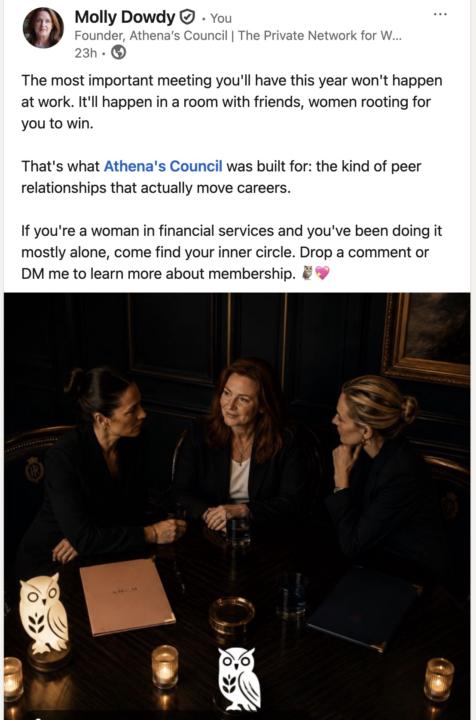
I created this post from the brand DNA and hook prompt I learned in the challenge. Honestly, I just thought it was kind of fluffy and probably wouldn't generate direct inbound leads, but would keep my message out there consistently and I wanted to participate in the challenge so you know - posted it. I had 3 DM's that ended up setting up 30 min 1/1 with me. One of those DMs is from a serious heavyweight in my industry, like a rock star basically. But that's not it. Check out the comments!! Two solid testimonials from members of my community, and one went in and tagged a friend and suggested she come talk to me. Plus a few shares with testimonial comments when they shared it. 💥 Thank you, @Lindsay Hack 🎉 https://www.linkedin.com/posts/mollydowdy_the-most-important-meeting-youll-have-this-activity-7465803639736086528-EDUT?utm_source=share&utm_medium=member_desktop&rcm=ACoAAADQ9fUBdj3pWND9a2wf6YsOvk0MvRg8vaY
May 25 •
You 5 Day Challenge Classroom is READY + OPEN
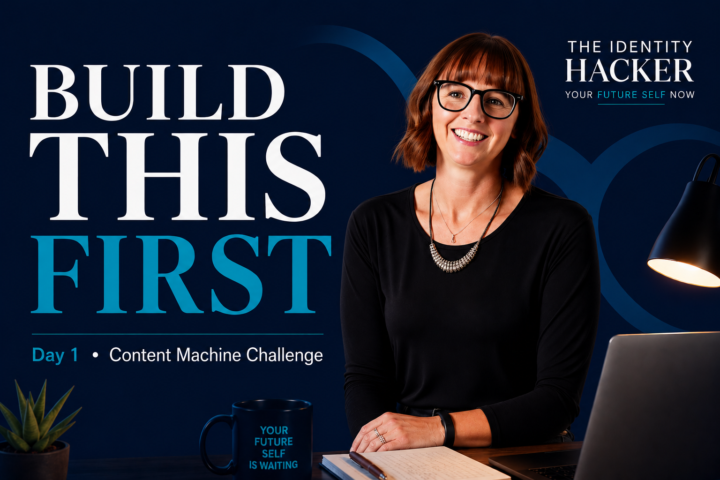
On Day 1 we went over logistics, what to expect and the first 2 tools. Everything is up in the classroom. The Brand DNA tool inside Claude was being a little finicky this morning (the joys of LIVE and AI) but it should all be ready for some PLAY now. The Daily Tracker gives you the accountability and focus. Your formula is built. Here's what's next..... You now have something most people never build — a Brand DNA Summary that actually describes your brand in a way AI understands. That formula is yours to keep. Every image you generate from here on starts there. Here's what you accomplished today: ✓ Brand colors and vibe documented ✓ Tone and audience defined ✓ Brand DNA Summary complete ✓ Formula tested with your first practice prompt Tomorrow we run it. Day 2 — Tuesday May 27 · 9am MT First 2 Images + Content We're taking your Brand DNA Summary and generating your first two branded images using ChatGPT image gen. Then we write the content that pairs with each one. You leave Tuesday with two ready-to-post pieces. What to bring: your Brand DNA Summary from today — have it open and ready. JOIN TOMORROW'S SESSION → https://www.skool.com/ai-identity-lab/calendar See you at 9am MT / 11am ET PS Have any questions, tag me. Lindsay
1 like • May 25
- #contentmachinechallenge It's working! 🪄
1-10 of 21

@molly-dowdy-8949
Building membership communities to advance women, connection, and growth.
Active 7d ago
Joined Oct 9, 2025
San Miguel de Allende
Powered by