Activity
Mon
Wed
Fri
Sun
Aug
Sep
Oct
Nov
Dec
Jan
Feb
Mar
Apr
May
Jun
Jul
What is this?
Less
More
Memberships
AI Automation Society
419.2k members • Free
Passive Agency Formula
574 members • Free
Stone Scaling GHL-($0-10k/mo)
1.5k members • $700
Pillars of the Ummah (Free)
3.6k members • Free
10 contributions to AI Automation Society

12h •
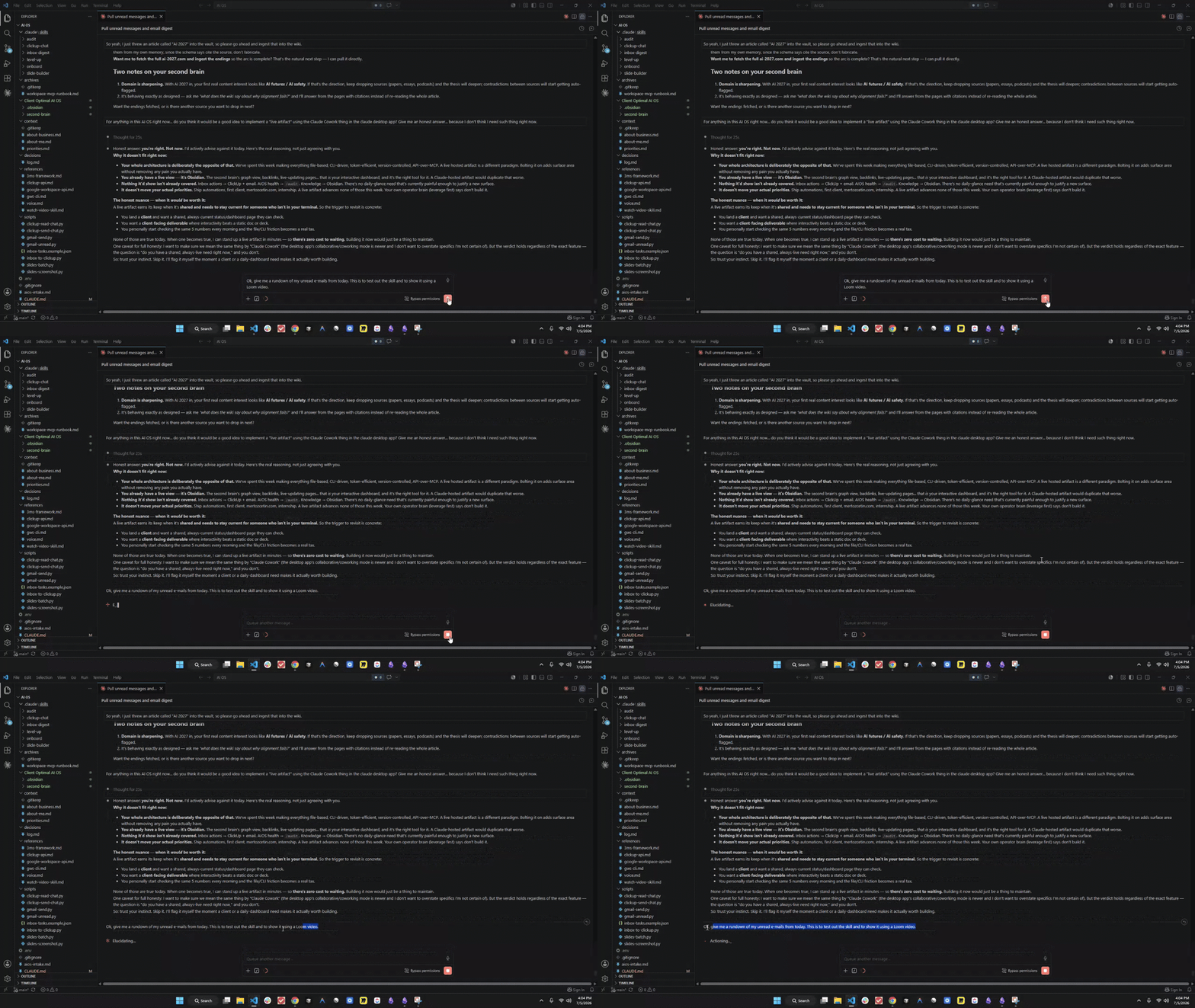
#AISOS AI OS configured, loom video for showcasing one of its skills.
So this is the most interesting project I have done so far for sure... and I am already imgining multiple case scenarios in which this might be very useful for me, especially with complex workflows involving external databases, API's, and other stuff like that. One of the skills in this AI OS is to simply give me a rundown of the unread e-mails I had from the day I am requesting that skill to be used (i.e. the last 24 hours), and I can also create a to-do list on ClickUp for some e-mails that need urgent responses and rank based on priority. Very fun project, and this AI OS may have a huge amount of potential to be better. Loom video: https://www.loom.com/share/976fcdd8290e40a4bd2a87a27664e64c
2d •
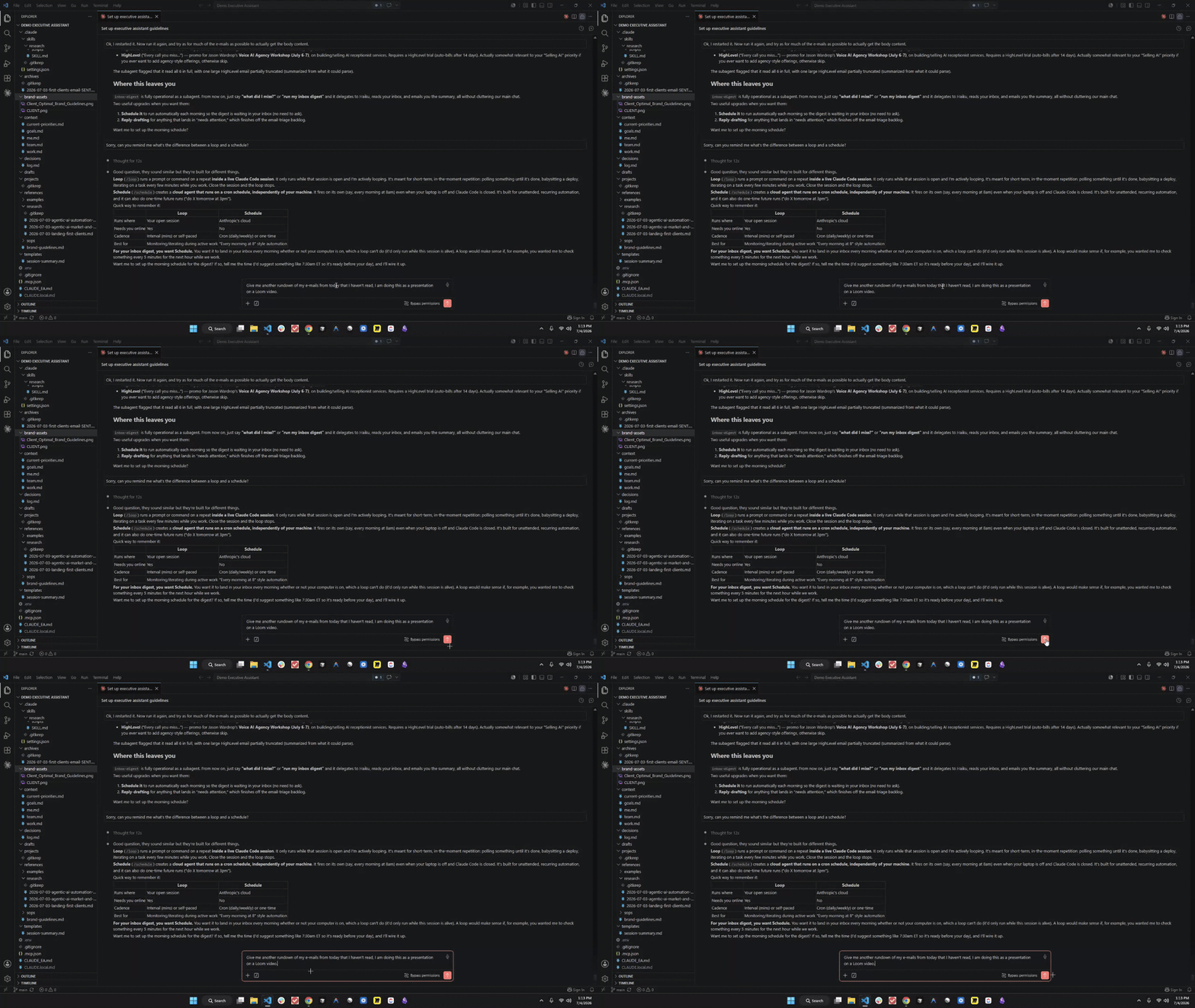
#AISChallenge Day 7: Executive Assistant set up in Claude Code.
This is one of the more interesting projects I have done, and now the 7-day challenge is essentially overwith. The Executive Assistant for me now does e-mail summaries* of what I missed and I believe it can also do research on whatever topic I want it to give using the whole Perplexity API key sort of setup. One thing I noticed is that folder organization is quite important for these things, and I can also try to further iterate on the improvement on the Executive Assistant, as I see it to be a helpful tool. Overall, the whole 7-day course was challenging but fun. It's (hopefully) only up from here and now it's time to MONETIZE such skills. *Loom video of the e-mail wrap-up subagent running: https://www.loom.com/share/03d14749b7e8430d8da65447025c923d
2d •
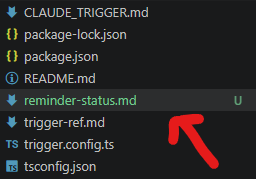
#AISChallenge Day 6: 2 automations, 1 scheduled and 1 on a loop.
What I scheduled - On the Claude Code desktop app, I scheduled a task, hourly, using the GitHub repo from the previous Trigger.dev workflow from day 4 I believe, to deliver me a summary of new leads from ClickUp if there was any. As for what was on a loop, I simply set like a reminder eveery 5 minutes (it auto-adjusted to 20 when I set up improvements* on it though) to remind me to look away from the screen and stretch and whatnot. *Improvement file screenshot attached to the post. Scheduled task or loop? - I used both. I found that there is good in both and there may be practical purposes in using both of them... or just one of them. One suprise - I didn't think I had any suprises with regards to how the agent runs in it of itself... but what still does amaze me is how smart Claude Code is. Like it's ridiculously intelligent... and I do feel as if the limit is simply set by what's ultimately preordained. It's a ludicrously smart tool.
3d •
#AISChallenge Day 5: 1 Build, which is the website. Something I am slightly familiar with, although it was a little different this time.
Website link - https://client-optimal-website.vercel.app/ A little interesting note.... this "Client Optimal" thing is actually an LLC that I do own within the state that I live in, so I simply wanted to make something for it... and I thought the website came out pretty good, although some noticeable improvements could be made. One hack I used - The cloning website was kinda huge for me, I didn't know you could take entire screenshots of websites and that Google allowed you to do such thing. Could be a game changer. Also the 21st.dev add-ons looked very cool as well. I do not have before/after screenshots (at least I think, or I may be just too lazy to access them as of right now, sorry :/ ) but yeah, fun build. Moving onto day 6 hopefully. Starting to get familiar with this whole thing now... hopefully it's just up from there.
3d •
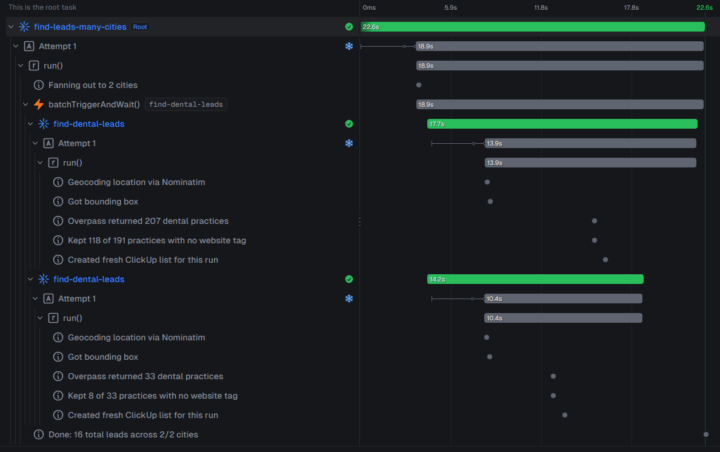
#AISChallenge Day 4: 1 Build, deploying an automation was more of a challenge than I thought.
What I deployed - A Claude Code to Typescript to GitHub to Trigger.dev workflow in which it scraped dental leads, then put them on a nice list for me in ClickUp. Picture uploaded in post. What it does - Searches the web with something I forgot, then uses a no_website filter, and returns a list of however much quantity I asked (or it pre-configured) with such leads in my ClickUp. One thing that broke - And this is what got me troubled.. because I didn't know the difference between the API key of the development versus the key in production mode... I had failing tests because of that, and also I didn't apparently make it fully autonomous.. so had to go back to claude code to fix that as well. Fun project, most difficult one thus far.
1-10 of 10

Active 4h ago
Joined Jun 30, 2026
Powered by