Activity
Mon
Wed
Fri
Sun
Jan
Feb
Mar
Apr
May
Jun
Jul
Aug
Sep
Oct
Nov
What is this?
Less
More
Owned by Julian
Upteach: AI-powered platform equipping tutors with tools, training, and methods to enhance teaching effectiveness and confidence.
Memberships
AI HUSTLE GENERATION
115 members • Free
Early Learner - AI Educator
18 members • Free
Skoolers
182.6k members • Free
Colin Dingelstad - 9 Figures
82 members • Free
13 contributions to AI HUSTLE GENERATION



4d •
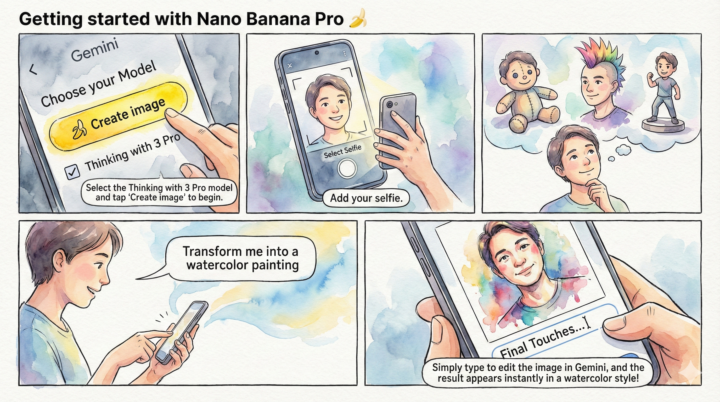
Unpeel Your Creativity: A Quick Start Guide
Panel 1: The Setup Step 1: Choose Your Tool. Open Gemini and ensure the "Thinking with 3 Pro" checkbox is selected. Tap the yellow Create image button to begin the process. Panel 2: The Input Step 2: Capture the Canvas. Upload a clear selfie from your camera roll or snap a fresh one. This image will serve as the foundation for your new creation. Panel 3: The Vision Step 3: Dream It Up. What version of you do you want to see? A plushie? A figurine? A punk rocker? Let your imagination explore the possibilities before you type. Panel 4: The Prompt Step 4: Style It. Give Gemini a clear direction. Simply type your desire, such as "Transform me into a watercolor painting," to set the artistic style. Panel 5: The Result Step 5: Refine & Reveal. Use natural language to tweak the result if needed. Watch as your ordinary selfie is instantly transformed into a work of art!
6
0
8d •
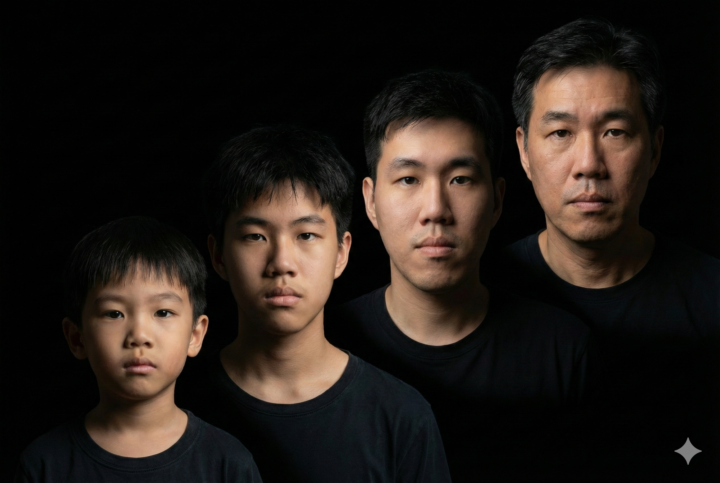
Past and future
the younger 2 are almost but not quite accurate. the older 2 are eerily accurate
1 like • 4d
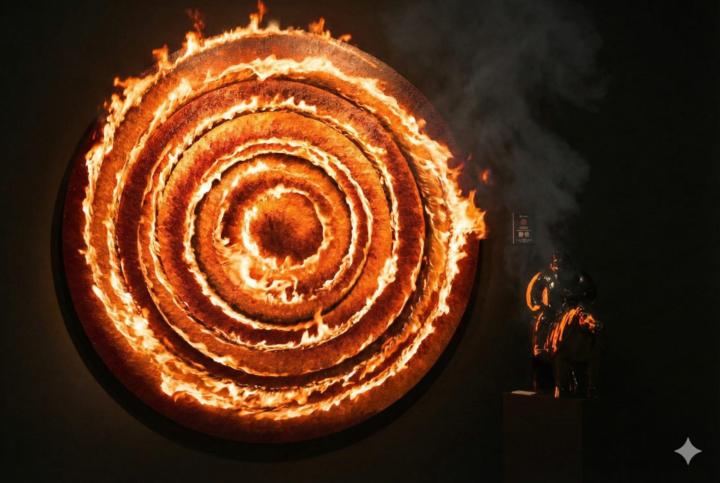
@Alix Choo using nano banana with a well crafted prompt
1-10 of 13

Active 1d ago
Joined Nov 15, 2025