Activity
Mon
Wed
Fri
Sun
Oct
Nov
Dec
Jan
Feb
Mar
Apr
May
Jun
Jul
Aug
Sep
What is this?
Less
More
Owned by Josue
The pub where we build the future of sales. Crack a cold one, talk shop, and automate your way to the top.
AI Automation Vault
38.8k
Free
Vibe Builders
1.1k
Free
AI Automation Skool
2.6k
Free
AI Income Lab
2.9k
$29/m
Skoolers
154.8k
Free
School of Content
1.9k
Free
Builder’s Console Log 🛠️
2.7k
Free
Chase AI Community
79.1k
Free
1Prompt License
254
Free
24 contributions to Accelerants

Aug 1 •
I built a landing page for a digital product with Claude and the first attempts were terrible
Every "build a $10k website with AI" video right now runs the same play. 3D scroll animation, physical product rotating in the background, upload, done. That only works when you have a physical product to rotate. Digital products, apps, web apps are a different problem, and nobody covers it. So I built one on camera and left the bad versions in. What changed the output: → Feeding Claude actual context about the product instead of "make a landing page" → A skill loaded with before/after design references so it had a target → Animating what the software actually does with HyperFrames, not a stock hero clip → An interactive form with real logic and scoring behind it → Asking for 3 variations, not 1 The 3 variations thing is the part I'd steal. A single output from Claude is a coin flip. Three lets you compare and take the best pieces of each. Full walkthrough here: https://youtu.be/mOg0ywalouA Anyone else building landing pages for digital products, or are you still handing it to a designer?
0
0
Jul 21 •
I built an Agentic OS for Claude Code and it ran itself overnight
I built a mission control dashboard for my entire Claude Code setup, and it ran itself overnight. The problem: dozens of Claude Code sessions across projects, skills buried in terminal history, no way to see what was active. Everything scattered. So I had a single overnight prompt build an Agentic OS. Here's the quick version: → One dashboard for every project, session, agent, and skill → Grouped by category so nothing gets lost → Natural-language recall to find any past session ("the one where I built X") → Rescan and resume any session straight from the UI The recall feature is the one I did not expect to love. Ask for a session from weeks ago, it finds the exact match and lets you jump back in. It reads your Claude projects folder, classifies each session, and surfaces it all in a clean web UI. Send the prompt at night, wake up to a working dashboard. Full tour here if you want to build your own: https://youtu.be/olWkpHYbS1Y Anyone else organizing their AI work in one place, or still living in terminal tabs?
0
0
Jun 2 •
I built a Claude Code skill that edits my YouTube shorts
I did not want to pay $300+ a month for a video editor just to add basic graphics to 60-second clips. So I built a Claude Code skill that handles it. The stack: 1. Record raw video on phone or webcam 2. Drop it into Tella to trim silences and mistakes (5 min manually) 3. Feed the cut to my "daily short" skill in Claude Code 4. Skill writes a storyboard. Asks me for screenshots, logos, B-roll assets I want included 5. Storyboard goes to HyperFrames (a Heygen library of Claude Code skills) which spins up a local video editor and renders the final cut HyperFrames is the part most people miss. It is not a hosted SaaS. It is a set of installable Claude Code skills. You run a single CLI command and it pulls every skill into your .claude/skills/ folder. From there your agent can drive the editor end-to-end. Adds graphics, B-rolls, sound effects, transitions. The mental model that clicked for me: Claude is not editing the video. Claude is running a real editor for you. Same UI you would touch in Premiere, except an agent moves the timeline. Two gotchas I hit: - Quality drops on render unless you explicitly tell the skill to preserve the source resolution - Captions still need a manual pass. I use the Instagram Edits app (free) for that step Watch the full walkthrough: https://youtu.be/dRcELE4vm3s
0
0
May 26 •
The /goal command turns Claude Code into a worker + evaluator loop
Claude Code shipped /goal a few weeks ago. Codex and Hermes have their version too. It replaces the old Ralph loop plugin people were running on their own. The idea is simple. You set a goal, Claude runs until the goal is met. What's actually happening under the hood: A worker model (Sonnet or Opus) does the real work. Writes code, runs bash, reads files. An evaluator model (Haiku) reads the conversation every turn and checks if your condition is met. When the evaluator says done, the goal auto-clears and you get control back. The catch most people miss: the evaluator only sees the transcript. It cannot run commands or check files itself. So your end condition has to be something the worker's own output can prove. Otherwise it loops forever and burns tokens. The prompt framework that works for me: 1. End state. One measurable thing. A test result, a file count, a markdown doc. 2. State check. How Claude proves it. A command, a script. 3. Constraints. Guardrails so it does not take shortcuts on other files. 4. Safety cap. Stop after 28 turns or 45 minutes. Non-negotiable. Real example: migrating 50 skills from one repo to another. Without /goal, Claude pings you for approval every few files. With /goal in auto mode, it ran straight through. Zero misses, zero babysitting. One gotcha. You need auto mode or bypass permissions on. Otherwise it stalls waiting for input and the loop dies. Also worth knowing: only one goal per session, condition can be up to 4,000 characters, and the goal survives if you close the session. You can resume it. Watch my full breakdown here: https://youtu.be/dcOg_xm5LUc?si=Syt1oZ_rIFo7BZQ_
0
0

🔥
May 14 •
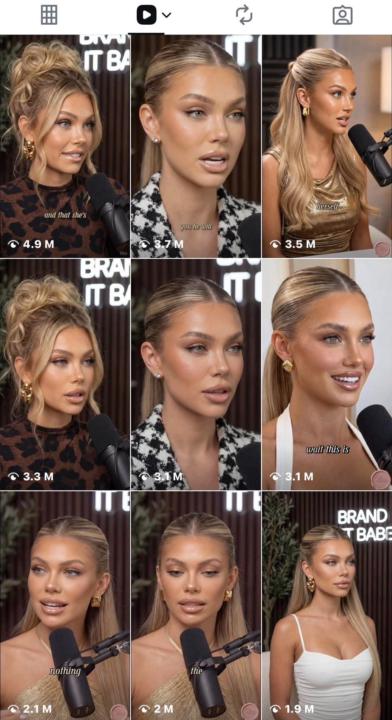
5 Best AI Podcast Niches
- Spirituality - Relationships - Making money with AI - Health - Beauty AI Tools needed to start: here
0 likes • May 20
Spirituality and relationships have crazy retention in this format because the AI voice ambiguity actually works for them. Making money with AI is the saturated one already. What's working better, AI host alone or AI host plus human guest?
1-10 of 24

@josue-hernandez-1795
AI Builder
Check out my YT!
https://www.youtube.com/@AIJosue
Active 9h ago
Joined Mar 18, 2025
Phoenix, Arizona
Powered by