Activity
Mon
Wed
Fri
Sun
Aug
Sep
Oct
Nov
Dec
Jan
Feb
Mar
Apr
May
Jun
What is this?
Less
More
Owned by Md Jahid
The only community that deploys AI Video Generation automation for your business and manages it continuously.
We build Chrome extensions that solve real-world problems. Learn how to build your own custom Chrome extension in an hour.
Memberships
Claude for Founders
10.2k members • Free
Become Unforgettable
1.9k members • Free
Chase AI Community
70.3k members • Free
AI Automation Vault
18.9k members • Free
Zero to Hero with AI
12.3k members • Free
Business Builders Club
8k members • $33/month
Make $1k-$10k in 30 days
19.5k members • Free
Free Skool Course
71.6k members • $1
Your First $5k Club w/ARLAN
32.3k members • Free
29 contributions to AI Automation Society

Apr 14 •
Why Most AI Videos Look Cheap (And What Actually Makes Them Professional)
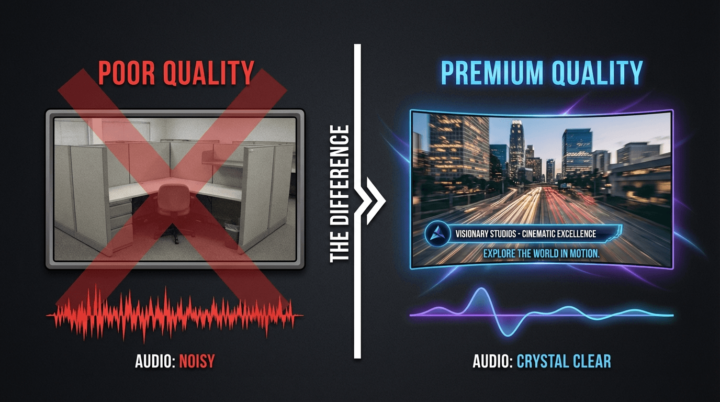
You've probably seen AI-generated videos that look terrible. Static images slapped on a timeline. A robotic voice reading text. No transitions. No motion. No branding. It feels like a slideshow someone threw together in 10 minutes. That's not AI video automation done right. That's someone using disconnected tools without understanding what makes a video feel professional. There are specific things that separate a cheap-looking AI video from one that actually holds attention and builds trust with an audience. The first is cinematic motion. A static image on screen is a slide, not a video. Professional systems apply camera movements to every scene — slow zoom-ins to create intimacy, zoom-outs to reveal scope, horizontal pans for energy, and combined movements for a cinematic feel. This single element transforms the viewing experience from "PowerPoint" to "documentary." The second is scene-matched visuals. If the narration talks about a restaurant owner struggling with online reviews, the image on screen should depict exactly that — not a generic picture of food. When visuals match what's being said, comprehension and retention both increase because the viewer's brain processes audio and visual together. The third is brand consistency. One video with a cohesive look is nice. Fifty videos with the same visual DNA — same color palette, same fonts, same tone, same style — is what builds a recognizable brand. Professional AI video systems use branding profiles that automatically apply your visual identity to every video, every scene, every text overlay. The fourth is synchronized text. Word-by-word subtitles that appear in time with the narration keep viewers engaged even with the sound off. Key phrases highlighted in your brand colors draw attention to your most important points. The fifth is audio quality. Properly mixed audio where background music ducks under narration, levels are consistent, and nothing clips or sounds hollow. Viewers might not notice when audio mixing is right, but they absolutely notice when it's wrong.
Apr 8 •
The anatomy of an AI video system that runs without you
Everyone throws around "AI automation" like it's a magic button. It's not. It's an engineered pipeline. Let me show you what's actually under the hood. The Brain — n8n Workflow Engine This is the orchestrator. It triggers the entire sequence, moves data between tools, handles errors, and keeps everything running on schedule. Think of it as the project manager that never sleeps. The Writer — GPT Generates the script, the captions, the image prompts, and the platform-specific descriptions. One idea in, five pieces of written content out. Each optimized for where it's going. The Visual Engine — AI Image + Video Generation Takes the prompts and produces actual visuals. We're past the "weird AI art" era. Modern image-to-video models create clips that look like they belong in a real production. The Voice — ElevenLabs Produces voiceovers that sound human. Not robotic, not awkward. Your audience won't know the difference. The Assembly Line — Template-Based Rendering All the pieces — clips, captions, voiceover — get combined into a final video automatically. No editing software, no timeline dragging. The Distribution — Multi-Platform Auto-Publish The finished video goes to YouTube, TikTok, Instagram, Facebook, and LinkedIn. Same video, platform-optimized descriptions, zero manual uploading. Every client I work with manages all of this through a dedicated portal — they can see campaigns running, review outputs, and adjust ideas without touching a single technical setting. This isn't a concept. It's running right now for real businesses in dozens of niches. 💬 What niche are you in? Drop it below and I'll tell you exactly what this system would produce for you. — Jahid Hasan | hello@jahidh.me
0 likes • Apr 13
@Brent Muller I'd love to create a sample video for med spas, can you please share a doc explaining how the video outcome should be?
0 likes • Apr 13
@Brent Muller Unfortunately, can't create any of those right now. We are planning to bring those automations in soon.
Apr 12 •
Why Most Businesses Post Once and Disappear (And How Automation Fixes It Permanently)
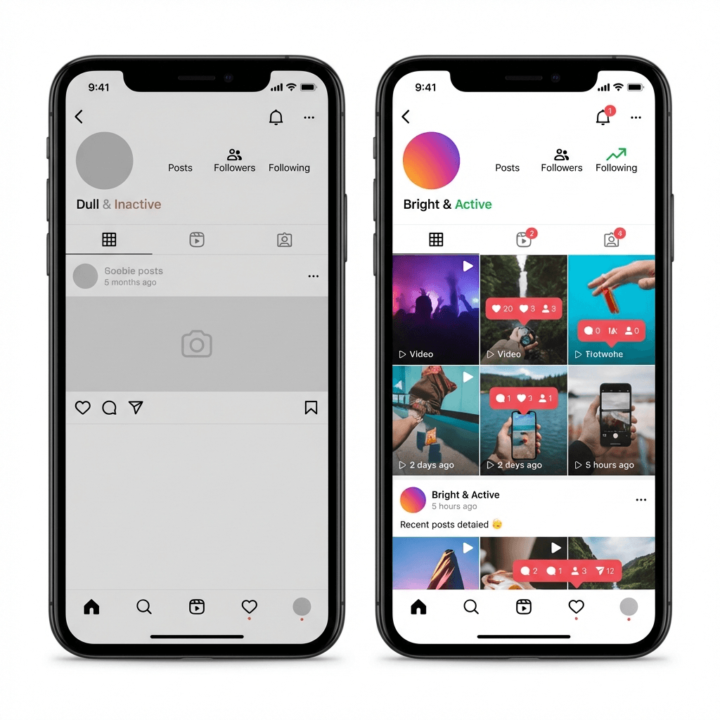
Here's a pattern that plays out constantly. A business owner decides to take social media seriously. They spend a Saturday filming a few clips, editing them, writing captions, and scheduling a week of posts. It looks great for about seven days. Then life happens. Client calls, operations issues, payroll, a broken AC unit. The content stops. The account goes quiet. Two months later they think about posting again and the cycle repeats. This isn't a discipline problem. It's a system problem. Nobody can consistently create video content while also running a business. The two jobs require completely different kinds of attention. AI video automation solves this by turning content creation into a system that runs whether the business owner is busy or not. Here's what that actually looks like in practice. At the beginning of each month, campaign topics are set based on the business's offers, seasonal relevance, and what's performing on their platforms. Scripts get generated for each video — short, punchy, platform-specific. Then those scripts go through the AI video pipeline where reference images, scene prompts, and audio all get assembled and generated. The finished videos come back formatted for every platform. They get loaded into a scheduling system and posted throughout the month on autopilot. The business owner's involvement is minimal. They review the content through a client portal, approve or request tweaks, and that's it. No filming. No editing. No "I'll do it this weekend" that never happens. The businesses that stay visible on social media aren't the ones with the most time. They're the ones with a system. A restaurant that posts three videos a week will always outperform the one that posts a viral reel once and then goes dark for six weeks. Consistency is the whole game, and automation is the only realistic way most businesses can achieve it.
Apr 10 •
What Actually Happens Inside an AI Video Automation System (Step by Step)
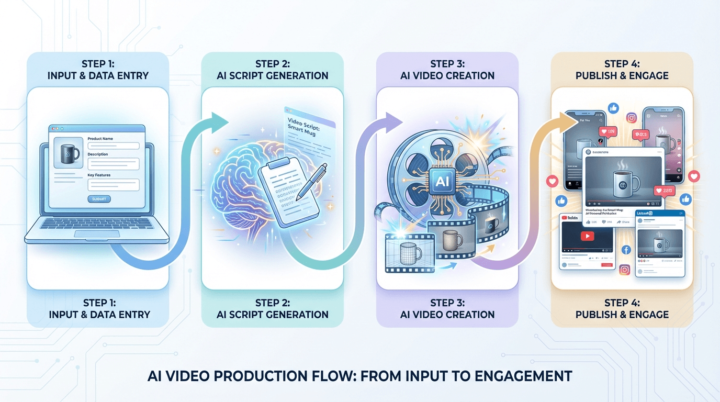
A lot of people hear "AI video automation" and imagine something complicated or futuristic. But the actual mechanics of how these systems work are surprisingly straightforward once you see them laid out. Here's a plain-English breakdown of what happens from start to finish. It starts with your product information. You log into a client portal and enter the basics: the name of your product or service, a photo, a description of who your ideal customer is, the main features or benefits you want highlighted, and the kind of setting or mood you want for the videos. Think of it like filling out a creative brief — except instead of handing it to a human team, you're feeding it to an intelligent system. Once that information is submitted, the first AI kicks in. A language model reads your brief and writes a short video script tailored to your target audience. It knows how to write for short-form social media — punchy hooks, conversational language, clear product mentions, and a natural call to action. It also generates a detailed visual prompt that describes exactly what the video should look like: the person, the environment, the camera angle, the lighting, the product placement. That script and visual prompt then get handed off to a video generation model. These are the same type of AI models that major tech companies have been developing — they can generate realistic video clips from text descriptions. The model takes the prompt, references your product photo, and produces a video that looks like a real person filmed it on their phone. While the video is being generated (which can take anywhere from a few seconds to a couple of minutes depending on the model), the system automatically checks back until it's finished. Once the video is ready, it gets stored and linked back to your campaign in the portal. From there, it can be reviewed, approved, or automatically queued for posting. The entire process — from brief to finished video — happens without any human intervention. And because the system can loop through multiple products, multiple scripts, and multiple visual styles, it doesn't just make one video. It can produce a steady stream of unique content, every single day, across every platform your business uses.
Apr 9 •
Your Business Can Post Videos Every Single Day — Without Recording a Single One
Imagine this: every morning, a brand-new video goes live on your business's Instagram, TikTok, or YouTube — and you didn't film it, edit it, or even think about it. That's what AI video automation does. Here's the simple version of how it works. You give the system a topic, a niche, or even just a few keywords related to your business. The automation takes over from there. It writes a short script, generates visuals using AI video models (think of them as virtual cameras that create footage from text descriptions), adds a voiceover, and stitches everything together into a finished video. Then it publishes it to your social media accounts — automatically. No camera crew. No editing software. No content calendar stress. The entire pipeline runs on its own. You can set it to create one video a day, three a week, or ten a day if you want to test what works. The system checks for new prompts, generates the content, and pushes it live without you lifting a finger. The best part? It doesn't matter what industry you're in. Whether you run a dental clinic, a real estate agency, a restaurant, or a coaching business — the system adapts to your brand and your audience. Most businesses go quiet on social media because creating content consistently is exhausting. This removes that bottleneck entirely. If you've been struggling to keep your social media active or you're spending too much on a content team that can't keep up, this is the shift happening right now in 2026 that you need to know about. Drop a comment or DM me if you want to understand how this would work specifically for your type of business.

0 likes • Apr 9
@Shadab Khan We have a dashboard or client portal for clients. Clients can control everything. They can schedule the whole month's of content in a day or give a few keywords that will be used to generate content. Before genreating content, our system goes through the data to check if it has the same type of content.
1-10 of 29

@jahid
Founder of AI Video Automation | Making AI Video creation easier and smoother with automation.
Active 6d ago
Joined Mar 5, 2026
Powered by