Activity
Mon
Wed
Fri
Sun
Dec
Jan
Feb
Mar
Apr
May
Jun
Jul
Aug
Sep
Oct
Nov
What is this?
Less
More
Owned by Glen
Practical AI and real-world skills for Gen X. Learn with Glen, use your experience and take one useful step.
Fiducia Skool Tool
653
Free
Local Newsletter Launchpad
2.7k
4.9
Free
Pay Per Call Academy
2.1k
Free
The SEO + AI Accelerator
317
Free
Ranking Wizard Mastermind
140
Free
1% AI Club
75
Free
AI Marketing Hub
6.3k
Free
8 contributions to Skool Growth Free Training Hub
👑
Jan 31 •
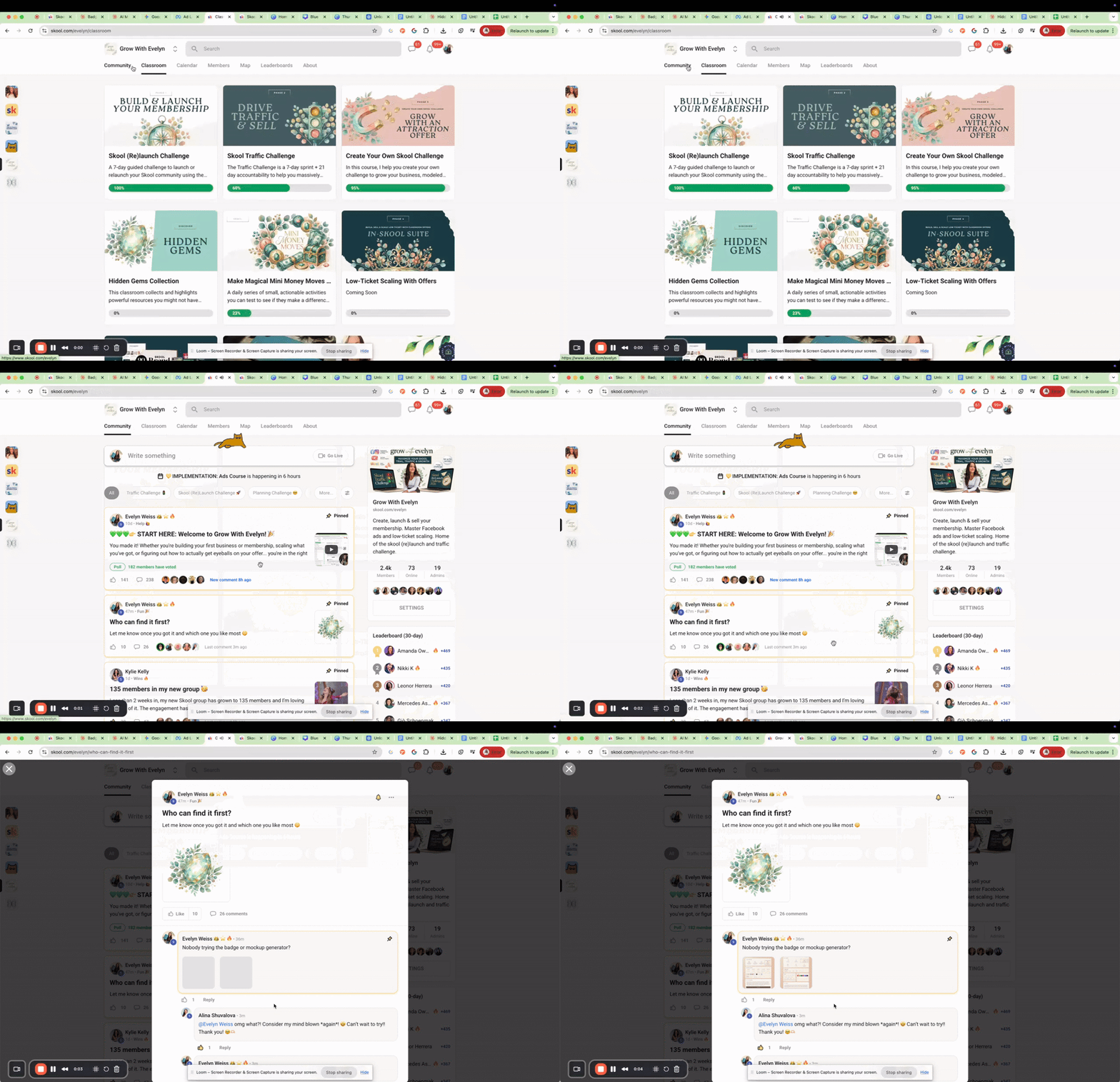
🔥💎 The Hidden Gems Classroom: A Growth, Retention & Content Strategy
Happy weekend! I'm doing something fun in Grow With Evelyn and I want to share the strategy with you because it's powerful. Watch the video below for the full strategy 🙌 As your membership grows, you add resources that start to become invisible. Your members might not even know they have access to amazing tools buried in your classroom. This is when you create a Hidden Gems classroom and highlight them. Here's why this works: ✅ Retention - Members suddenly see all the value they already have. It plants the seed of "there's so much more in this community than I'm using, I really need to get back into it." ✅ Content management - It's a low-effort way to overhaul valuable resources and make them timely again. I recorded fresh walkthrough videos putting each resource into context, so old content feels new without starting from scratch. ✅ Growth - You can sell this collection separately too. Run ads directly to it as a standalone offer while it also lives inside your membership. What I pulled into my Hidden Gems classroom: 📋 Skool Community Engagement Planner - Everything that actually moves the needle on community engagement in one planner with 7 post categories, real examples, and 4 weeks of worksheets. If engagement feels like pulling teeth, this fixes it. 📱 Asynchronous Voice Message Support Planner - One of the first offers I ever sold and how I got my first dollar in a brand new Skool. Perfect for an icebreaker sale or premium upgrade that's easy to deliver on your schedule. 💰 Themed 1:1 Session Offer Planner - A productized one-to-one session that creates cash flow AND content you can repurpose. Great for funding growth at the beginning or increasing customer lifetime value later. 🎨 Mockup Ad Template Vault - Gorgeous mockup templates that make your intangible offers feel real and desirable. These have been some of my top performing image ads since 2020. ✨ NEW: AI Mockup Prompt Generator - If you don't want to use Canva, this generator creates custom mockup ads for you. I actually made all the mockup images in this collection with it.

0 likes • 16d
@DeNeka Randall DeNeka, did you end up adding that vault? I'm working on making my own community easier to navigate. I'd be interested in which resource you highlighted first and whether members found their way to it. Giving one useful item a clear 'use this when...' description seems like a practical place to start.
👑
Jan 15 •
Help each other find your next 3 members
One of the best ways to grow is to support each other. So let's do that 👇 Drop a comment with: 1. Your Skool community name + link 2. Who it's for (in one sentence) 3. What members get when they join Then scroll through and join 3 communities that genuinely interest you. Not to game the algorithm. Not for a follow back. Because you're actually curious and want to connect with people building cool things. Let's help each other get those wins 🙌
0 likes • 19d
@Germain-Blaise Nkede The training videos are the clearest one for me right now. A useful finish line for one lesson is: script covered, visuals readable, sound and timing checked, and the finished video saved where the team can actually find it. That's much clearer than 'work on the course.' I appreciate the push to define done before starting another piece.
1 like • 17d
Rani, the AI literacy challenges caught my attention. I'm learning practical AI while turning written lessons into teaching material. What do you have a beginner demonstrate at the end of a first challenge: writing a clearer instruction, checking an answer, or building a small working tool? I'm interested in how you make progress visible without requiring a technical background.
👑
Jul 30 •
Grow Your Audience With Ads (Challenge Day 2)
Hello my lovely GWE members, starting Day 2 of my latest ad challenge for EverAds now 🤗 Even if you don't use the software... I think you'll find a lot of value in it. Today is all about audience growth first ad strategies. Come hang out live with me or catch the replay after ❤️ https://www.youtube.com/watch?v=PmXV6Du5BfA
1 like • 23d
Evelyn, thanks for keeping the replay available. I’m catching up while learning a new closer role. With an audience-growth-first approach, what would you check first to tell whether the new followers are a good fit for the community? I’d like to understand that before putting money behind it.
0 likes • 21d
Thanks, Julia. That gives me something more useful to look for than the follower count. For my practical AI lessons, I’d pay attention to questions about a task someone actually wants to do and whether they try the first exercise. I could note those separately from likes and general encouragement. That would help me see whether the message and the first step fit the people arriving.
👑
Apr 30 •
Amanda hit $2k MRR with 289 members and 99% retention…
In this one I break down the 8 insights she shared inside Grow with Evelyn that got her there, plus what’s actually happening on the Meta ads side that makes them work. A bit of what’s inside: 👉 why advertising things inside your community converts better than advertising the community itself 👉 how going from freemium to paid changes the quality of traffic Meta sends you 👉 the about page mistake that kills conversions even when the ad itself is great 👉 how artefacts can unlock higher tier sales and become some of your best performing ads The takeaway: small, marketable things inside your community are the real unlock, not another full community overhaul. Watch here: https://youtu.be/yZjGYSfagOM&views
0 likes • 22d
Mark, which classroom resource would you most want a new member to try first? I’m working on making that first useful step obvious in my group too. One specific task seems easier to act on than “go explore the classroom.”
👑
Jan 15 •
What should I create next?
I'm always looking for ways to help you win. If there's a video tutorial, template, or tool that would make your life easier... I want to know about it. Think things like: - A walkthrough on a specific topic - A swipe file or script you can use - A calculator, tracker, or planner - A prompt or AI tool for your workflow Drop your request below 👇 I can't promise I'll make everything, but your ideas directly shape what goes into the classroom

1 like • Oct 14
Hai, you already know your students through teaching them, which seems like a useful starting point. What would you most want them to do together between lessons: practice a short conversation, ask questions, or share their progress? I’m thinking about that member experience as I turn written lessons into videos.
0 likes • 26d
@Nicholas Grant Nicholas, I’m learning to turn written lessons into video too. For the rookie checklist, I’d want a short rehearsal before a whole presentation: can the person hear me, read what I’m showing, and explain the point afterward? Did you get started recording since you posted this, or is the script still the sticking point?
1-8 of 8

@glen-hutsell-6400
Rebuilding from contractor to online entrepreneur, I share my journey learning sales and AI to help people create a new income.
Online now
Joined May 18, 2026
Powered by