Activity
Mon
Wed
Fri
Sun
Aug
Sep
Oct
Nov
Dec
Jan
Feb
Mar
Apr
May
Jun
Jul
What is this?
Less
More
Owned by Fiona
Helping women 50+ use AI to simplify life, express creativity, and turn experience into income — one prompt at a time.
Memberships
A.I. PROMPT SAVANT
6 members • Free
Your First $5k Club w/ARLAN
32.6k members • Free
The 2nd Act Community
41 members • Free
The AI Advantage
126.6k members • Free
Closed Account
155 members • Free
TC
The Catalyst Call
6 members • Free
Skoolers
165.4k members • Free
Prompt-Shop-in-a-Box
1.5k members • $99
Lauren Dallas Creator Hub
7.9k members • Free
12 contributions to SassyOver60 Prompt Shop Lab

Jan 18 •
100 Business Revenue Prompts
I have to say I am gaining more courage using AI for business strategies and this 100 Business Revenue prompts is fantastic. I honestly just tried one and I’m gobsmacked at the response. ChatGPT just linked three of my business models together. I’m very impressed and this has given me a lot to think about. Thank you Fiona.

2 likes • Jan 18
That is fantastic news. I'm so glad you got more than you expected! Keep up the great work! 👍🔥
Jan 11 •
7 Day Learn to Prompt Lab Review
To be honest, I am quite hesitant with all things AI. However, I decided I need to upskill in the growing trend or I will be left behind. This very useful and simple 7 Day Learn to Prompt about how to use AI eases me into the AI realm and encouraged me to test AI out with different day prompts. Fiona is a lovely guide and teacher who provides a sense of calmness and optimism throughout the sessions.
1 like • Jan 11
That's so lovely of you to say. I'm glad you got something out of the course and hope it helped you understand that AI can be so much more and isn't that scary. I reckon you will use it way more in your new business and there are so many prompts in the library you can use to build it even more. Let me know if you need any help with anything. And thanks again Mel. xo
Dec '25 •
🌼 Welcome to the SassyOver60 Prompt Shop Lab
Hello and welcome — I’m so glad you’re here 💛 This community is a calm, supportive space for women 50+ who are curious about AI and want to learn without overwhelm, pressure, or tech jargon. Whether you’re brand new, quietly curious, or somewhere in between — you belong here. A few gentle guidelines: - There are no silly questions - You don’t need to keep up with anyone - You don’t need to share unless you want to - Progress beats perfection — always If you’re just getting started, head to Classroom → Start Here and take it one day at a time. If you feel like it, introduce yourself below: - Where you’re joining from - What made you curious about AI - One thing you’d love help with (optional) - I’m here to guide you, cheer you on, and remind you that learning something new later in life takes courage. You’ve got this — and you’re not doing it alone 🌷— Fiona
1 like • Jan 6
Welcome to the community Mel! Thanks for joining. I love that you are curious and are thinking big. 🔥🚀💲I can't wait to help you grow your hobbies blog. We've got this! Let me know what you need help with and we will work through it together.
Jan 2 •
Share one area where AI has helped you in 2025. I've shared an example below.
Hi ladies, I have a question for you all that I'd like you to think about and answer in this community so we can all learn from each other. My question is: 'What did you learn from using AI that surprised you, or helped you in 2025? I'm building this space into something genuinely useful and helpful. If you've tried anything with AI, drop it below. I will share first. So many things, but the most interesting thing AI has helped me with recently, is identifying a series for my Instagram/Youtube posts. My series started with ONE SMALL SHIFT which is about starting small and building fitness. The next stage to this is, THE POWER OF ONE SMALL SHIFT - What No One Tells Women 50+ About Exercise, which is a deeper series about the deeper life changing benefits. The prompt I used was: 'What are some surprising world changing benefits for women over 50 doing exercise that I haven't thought of that women over 50 would benefit from knowing?' The biggest surprise was the answers - which make complete sense - because I can vouch for them at 61. Here are 10 benefits it listed (it goes into why, but I will be posting those on Instagram & Youtube): 1. Exercise preserves decision making speed - not just memory - but reaction and judgment. 2. It maintains your ability to trust your body 3. Exercise improves stress tolerance, not just stress relief 4. It protects your voice, posture, and presence - posture, breathing etc 5. Exercise slows functional aging more than cosmetic aging - being able to get up etc 6. It increases pain tolerance (without numbing pain) 7. It sharpens your sense of self 8. It reduces medical dependence over time 9. Exercise improves adaptability 10. It changes how aging feels - more capable, curious, present etc. Anyway, I love how asking AI and using prompts helps with learning and creating. Your turn ladies... Share away and ask me anything, especially if you need help in any area.
1 like • Jan 6
@Mel Toye That is understandable. I was dubious about AI at first, but once I learned more, I've found it to be invaluable. It doesn't replace who you are and how you relate or write, but it does help with structure and ideas and so much more. Using AI as a business strategist is clever. Thanks for sharing. I look forward to helping you in any way with your business. If you need help in any area of your business that you can't find an appropriate prompt for, let me know and I will create one. I'm excited to see how your business grows. Let's grow this together!
Dec '25 •
💎 Welcome to the VIP Premium Prompt Vault 💎
This space is for advanced, system-level prompts designed to help you: ✔ Save time ✔ Create clarity ✔ Build income systems These prompts are not required for beginners. They’re here when you’re ready to go deeper or faster. More premium prompts will be added regularly.
1
0
1-10 of 12
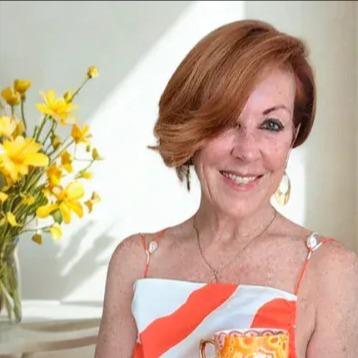
@fiona-grayson-5838
🧡 SassyOver60
61 Building an Empire
Helping Women 50+ Level Up
RESET🚶♀️Fit * Food * Glow-Aging *
REBRAND 👑AI. Business. Scaling
Active 86d ago
Joined Nov 1, 2025
ENFP
Brisbane Australia