Activity
Mon
Wed
Fri
Sun
Jun
Jul
Aug
Sep
Oct
Nov
Dec
Jan
Feb
Mar
Apr
May
What is this?
Less
More
Owned by Faith
Real reviews of Skool communities from active members with receipts for Skool cred.
It’s PUBLIC Leave the algorithm & own your space!
Memberships
Digital Growth 101
4 members • Free
VC
Vibe Code On The Cheap
10 members • Free
Clief Notes
29.1k members • Free
The AI Group
12 members • $3/month
Skooly
279 members • $9/month
the skool CLASSIFIEDS
1.8k members • Free
Read SkoolMagazine Here
260 members • Free
Traffic Lounge
124 members • Free
Skoolers
189.7k members • Free
83 contributions to What Is Skool?

6d •
This Week’s Schedule 🌷 (May 4 - May 8) Drop Your About Page
We’re officially into May and this week has a really good mix of learning, real feedback, and just letting conversations flow. Monday Skool Games Q1 (2026) Golden Nuggets We’re pulling out the best takeaways from Q1's recording to discuss together. Have a nugget you want us to discuss? Share it here. Tuesday Wild Card Day No set topic. We’re pulling up random subjects and talking through them. These always turn into some of the most useful conversations. Be ready to share some random topics! 😎 (There is a point to this which I'll share at the end of the episode.) Wednesday About Page Reviews Drop your community link if you want your About page reviewed. We’ll go through a few and give real feedback on what’s clear, what’s missing, and what could convert better. Thursday Hangout Day Ever wonder what it's like to see two Skoolers go live to go down rabbit trails with you? That's what this is lol Friday Skool Recap We’ll go over what stood out this week and hear how things went on your end too. We’re aiming for 9:30am CST again this week. Sometimes it’s closer to 9:45am, but we’ll post when we’re live. Also, what are you celebrating this week?
Poll
19 members have voted


🔥
4 likes • 6d
All of the above…
20d •
The Skool Morning Show ☕
Good Morning, Skoolers! 🌅 Have Coffee With Us... from the past! Yes, this is a pre-recording, because I'm out of town for my birthday and won't be back til Thursday! But we wanted to make sure we didn't miss a day, so we made these last Friday and I have to say... they're pretty good.. BUT don't take my word for it! Let us know your thoughts and we will be going over comments on Thursday when I'm back 🫶 Hope you all have an amazing start of your week & see you guys soon! Our pre-recording is going LIVE for The Skool Morning Show now. 🎥 👇 To Chat with us on this show, comment on this post and we'll pull up some of the comments on Thursday!
🔥
4 likes • 20d
Happy birthday 🎂🎁🎉 @Jenna Ostrye
23d •
The Skool Morning Show 🌅
Good Morning, Skoolers! ☕ It's Friday and you know what that means... Skool Weekly Recap! What happened this week, what we saw on Skool that stood out, and we want to hear how your week went too! Plus, we are sharing some must see communities that are super unique and awesome! We are going LIVE for The Skool Morning Show now. 🎥 👇 To Chat with us LIVE comment on this post and we'll pull up some of the comments.
🔥
2 likes • 23d
Skool in 10 years…
🔥
2 likes • 23d
@Eric Howell this is what I was thinking
Mar 23 •
Schedule For The Skool Morning Show + Drop Your About Pages 👇
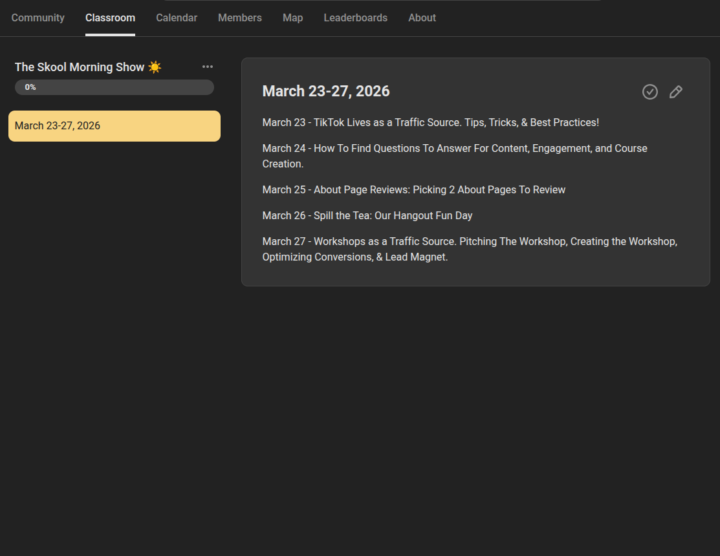
A few of you asked for the schedule, so here’s what we’ve got this week: March 23 - TikTok Lives as a Traffic Source. Tips, tricks, and what’s actually working right now. March 24 - How to find questions to answer for content, engagement, and course creation. March 25 - About Page Reviews. We’ll be picking 2 pages to review. March 26 - Spill the Tea. Hangout day. March 27 - Workshops as a traffic source. How to pitch them, create them, and turn them into leads. We’re aiming to be more on time this week and go live at 8:30am CST with @Eric Howell's kids on spring break. (coffee ready and prepped here lol) For Wednesday, we’re switching it up slightly so we can stay on schedule. We’ll be reviewing up to 2 About pages, since we won’t be bringing anyone up live. We’ll review them directly and give clear, actionable feedback. If you don't know what that looks like, then check out this last Wednesday's show to see us review Liz Plampton's About Page and check out the changes she made. 👇 If you want yours considered, drop your About page link & who your ideal member is below. 👇 How are you guys liking The Skool Morning Show?
Poll
25 members have voted
🔥
2 likes • Mar 23
[attachment]
Mar 19 •
IRL Meetup Posts Are Now Allowed in Skoolers! 🫶 Read Details First
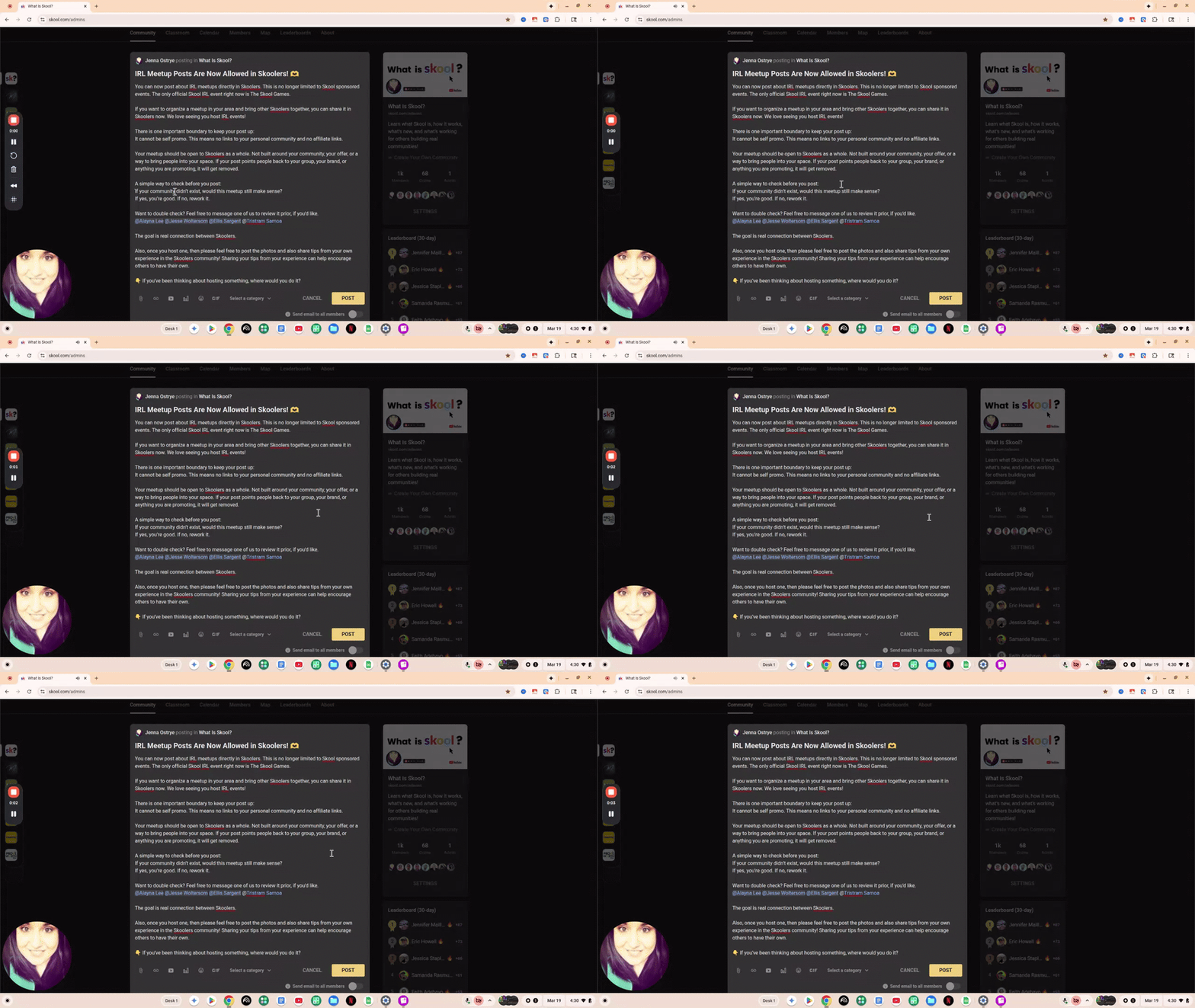
You can now post about IRL meetups directly in Skoolers. This is no longer limited to Skool sponsored events. The only official Skool IRL event right now is The Skool Games. By the way, IRL means In Real Life! So like meeting up in person with others. If you want to organize a meetup in your area and bring other Skoolers together, you can share it in Skoolers now. We love seeing you host IRL events! There is one important boundary to keep your post up: It cannot be self promo. This means no links to your personal community and no affiliate links. Your meetup should be open to Skoolers as a whole. Not built around your community, your offer, or a way to bring people into your space. If your post points people back to your group, your brand, or anything you are promoting, it will get removed. A simple way to check before you post: If your community didn’t exist, would this meetup still make sense? If yes, you’re good. If no, rework it. Want to double check? Feel free to message one of us to review it prior, if you'd like. @Alayna Lee @Jesse Woltersom @Ellis Sargent @Tristram Samoa The goal is real connection between Skoolers. Also, once you host one, then please feel free to post the photos and also share tips from your own experience in the Skoolers community! Sharing your tips from your experience can help encourage others to have their own. 👇 If you’ve been thinking about hosting something, where would you do it?
Poll
39 members have voted
🔥
7 likes • Mar 19
Like Lizzo said...
1-10 of 83

🔥
@faith
You're not stuck. You're at the growth edge. Fresh eyes show you what's next. Book a free 15-min call 🔗
Active 4h ago
Joined Oct 9, 2024
Houston, TX
Powered by