Activity
Mon
Wed
Fri
Sun
Nov
Dec
Jan
Feb
Mar
Apr
May
Jun
Jul
Aug
Sep
Oct
What is this?
Less
More
Owned by Dylan
A community built to master smart home automation. Learn, share, and build powerful systems that simplify everyday life.
A practical community for beginners building flexible side hustles around a day job—at home, out and about, or locally.
Future Proof Real Estate
10.2k
Free
Maker Zero: Claude Code, AI
30.2k
Free
Max Business School™
266.5k
Free
the skool CLASSIFIEDS
2.1k
5.0
Free
HelloCustom Accelerator
2.7k
Free
AI Automation Society
471k
Free
AI Accelerator
20.4k
Free
Tyler Germain's Free Resources
10.9k
Free
PublicAI
6.3k
Free
15 contributions to Project Smart Home

23d •
Frigate: Local AI Camera Detection
I used to pay a camera company every single month to record my own driveway. Cloud storage, per-camera fees — year after year, money auto-renewing out of my account while I never looked at the bill. Then I switched to Frigate. It's free. It runs on hardware I already own. It watches for people, cars, packages with AI — and it charges me nothing. No subscription. No auto-renew. It's already paid for itself. This is the whole mindset this community runs on. You don't get ahead by working a second job — you get ahead by keeping more of what you already make. Every subscription you kill is money you stop shipping out. And money you keep, you get to point somewhere. I stopped being a subscriber to my own life. I became the owner. Your turn. What's the subscription you know you're overpaying for and still haven't cancelled? Drop your starting numbers in a POST. See everyone in here kill one thing this week. We do this together, not alone. One subscription gone by Sunday — that's the whole win. Two alternate punchlines if you want to swap one in: "I'm not the customer of my own money anymore — I'm the owner." "Frigate ended up cheaper than my morning coffee habit. And it can't be auto-renewed."
0
0
Aug 26 •
F1 Meets Home Assistant: Bringing Live Race Data Into Your Smart Home
Step by Step Install Guide Here: If you are a motorsport fan who loves tinkering with home automation, integrating live Formula 1 data into your setup is an absolute game-changer. Moving past basic static calendar reminders, modern integrations let you pull real-time telemetry, session phases, and race control feeds directly into your local network. - Real-Time Session Tracking: Automatically monitor live session states (pre, live, suspended, finished) without managing complex manual API setups. - Race Control & Track Status: Pull official flags and safety statuses instantly, including CLEAR, YELLOW, VSC, SC, and RED. - Broadcast Syncing: Built-in delay offsets mean you can match your specific TV streaming or satellite lag so your automations line up with what is actually on your screen. What It Unlocks - Immersive Lighting: Trigger your room or desk RGB lights to flash yellow or orange the exact moment a Safety Car or Virtual Safety Car is deployed. - Dynamic Dashboards: Automatically pull up live timing cards, weather trackers, and tyre strategies on wall-mounted tablets whenever a session goes live. - How are you bringing your favorite sports, hobbies, or live events into your smart home setup?
0
0
Apr 29 •
How to Get the Most From Your AI Prompts?
The best way to get quality results from your AI prompts is to show the model exactly what you want. If you are using images or documents as examples, the AI can use them as training data to understand your specific needs. It can extract information regarding the style and colors you prefer to create something that is unique to you, while remaining within the realm of what you are looking for. I did this recently with a few projects: 1. I provided a few reference images to establish the visual direction. 2. I uploaded one PDF file that represented the full structure of what I wanted to generate. 3. I used a simple prompt: "I have given you a few files inside the folder. Please analyze them, as this is what I want." After only a few back-and-forth adjustments, I had perfectly formatted documents. While there were initially a few misalignments or cut-offs, that is common, and we corrected them quickly. Having used AI for about two months now, I finally understand that the key to a good prompt is providing high-quality training data at the start. When we first begin learning AI, we usually just ask simple questions. However, if you want to get professional work done well, you have to provide solid reference material. I have now created a full design system so I can generate these documents on repeat. They maintain a consistent look because I use a system that includes: (a) A product catalog (b) Brand guidelines (c) Specific reference images I am going to continue adding to these reference images to keep generating high-quality results. You must take the time to plan your prompts properly, as that is about 80% of the work. If you don't plan, you are basically wasting time generating "AI slop." Stop wasting your time on low-quality outputs. Start Planning, and you will get your results perfect.
0
0
Apr 24 •
Classrooms have had a OVERHAUL
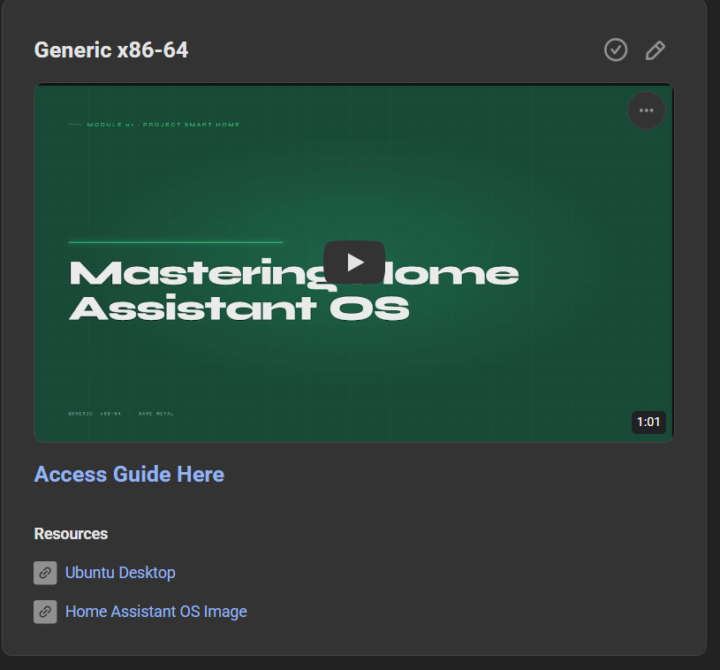
I've started overhauling the classrom infomation to make it less like a wall of text (because we all know no one is going to read that and it gets boring fast Each classroom tutroial will now include 1 video around 60 second motion graphic of the tutorial and a full written guide with graphics to show the commands better also for easier copying
0
0
Apr 21 •
🤖 Stop Using Rigid Slash Commands for Your Home!
Still talking to your smart home like it’s 1995? It’s time to give Home Assistant a real brain. 🧠 Check out this new guide on building a Natural Language Telegram Bot powered by Claude AI. No more memorizing specific commands—just text your house like a friend: - "Is the garage door open?" - "Turn off all the downstairs lights" - "What’s the temperature in the bedroom?" Why this setup rocks: - True Natural Language: Powered by Anthropic’s Claude (Sonnet/Haiku) for human-like understanding. - Secure: Only responds to your specific Telegram ID. - Cost-Efficient: Uses prompt caching to keep API costs down. - Total Control: Works with any entity in your Home Assistant instance. Ready to level up your automation? 🚀 Full Guide Here: Natural language Telegram bot - Mastering Home Assistant with Claude Would you like me to tweak the tone to be more professional or perhaps more "hacker-style" for a different audience?
0
0
1-10 of 15

@dylan-wech-5161
Manage your money like the top 1%
Active 3d ago
Joined Sep 8, 2025
Auckland