Activity
Mon
Wed
Fri
Sun
Nov
Dec
Jan
Feb
Mar
Apr
May
Jun
Jul
Aug
Sep
Oct
What is this?
Less
More
Owned by Donna
Find your riders. Find your adventure. Connect, explore, and go deeper with women who ride. Build the BWB movement together.
the Growth Room
199
Free
VIP TICKET HOLDERS
100
Free
Read SkoolMagazine Here
421
Free
Skool Gameplan
2.3k
Free
The AI Identity Lab
145
5.0
$27/m
WeMeet for Women Entrepreneurs
6.9k
5.0
Free
Monthly Client Converter
1.2k
Free
13 contributions to The AI Identity Lab

5d •
70 years of AI, and the tool still isn't the point.
Quick history lesson, because I think it'll change how you use AI this week. 1956: a room full of researchers coins the term "artificial intelligence." 1997: a computer beats the world chess champion. 2012: AI learns to actually see images. 2022: ChatGPT is introduced 2026: it's in your inbox, your calendar, your content, and your kid's homework. Seventy years of breakthroughs. And the lesson hasn't changed once: the tools keep getting better, and the person using them still has to know what they want. That's you. AI doesn't fix a blurry identity. It broadcasts it. If you don't know who you are, who you're talking to, and where you're going, AI just helps you be unclear faster and at scale. Confession time: I made this image with ChatGPT. It's gorgeous. It also has mistakes on it. DALL-E didn't exist in 2018, and there are a couple of typos hiding in there. Go find them. That's the whole point. AI is the brush. You're still the artist, and you're definitely still the editor. Your turn: When did AI first click for you? Drop the year and the moment below. I want to see where everyone started.


1 like • 4d
It’s such a good point that it has been here for decades. People act like it was just created. I would say I have a similar trajectory to Julie but I was in college doing punch cards. Mac computer in the 90s and switched to PC later. I am amateur ai user, just scratch the surface and am in awe of all that you do and teach.
Jun 24 •
Workshop Replay: Build Your Carousel Studio
Here is the full recording of our June 24 build, plus everything you need to use your tool and keep going. We built personalized carousel makers, in our own brands, in under 60 minutes. @Molly Dowdy even posted hers to Facebook before we finished. That is how fast this is. Watch the replay, then use the quick reference below so you do not have to scrub back through the video to remember a step. In this lesson - The full workshop recording. - Your tool file, attached. Download it, open it in your browser, never in an AI. - Your How To Use It guide, the SOP, attached. The key things to remember These are the moments people forget. Bookmark this lesson so you can come back to them. + Use Duplicate, not Add. This is the speed secret. Duplicate carries every setting forward, your colors, layout, and toggles, so you only change the words. Add gives you a blank slide and makes you start over. Duplicate almost every time. + Set your brand, then keep your tool the right way. Set up your brand once. The tool now remembers it when you reopen the same file. For a permanent copy that opens in your brand on any browser, click Download my tool, open that downloaded file, and bookmark that one. That is your real studio. + Download the moment you love a design. Your slides are not saved until you export. If you refresh or close before exporting, unsaved edits are gone. When a slide looks right, Export PNGs and save it. Aim for 5 to 7 slides. That is the sweet spot for Instagram carousels. Long enough to teach, short enough to hold attention. + Logo tip. A transparent PNG looks cleanest. But if your transparent logo looks odd, upload the regular version and let the tool place it in a box. Sometimes the box looks better. Use whichever fits your logo. Fewer than 4 brand colors? Fill the empty slots with black or white. They go with everything and keep your slides clean. Repurpose every carousel across platforms One build, many posts. Use your exported PNGs for:
2 likes • Jun 29
Very cool. Watching the replay asap.
0 likes • Jun 29
watched!! So good!

0 likes • Jun 1
they look great.
Jun 1 •
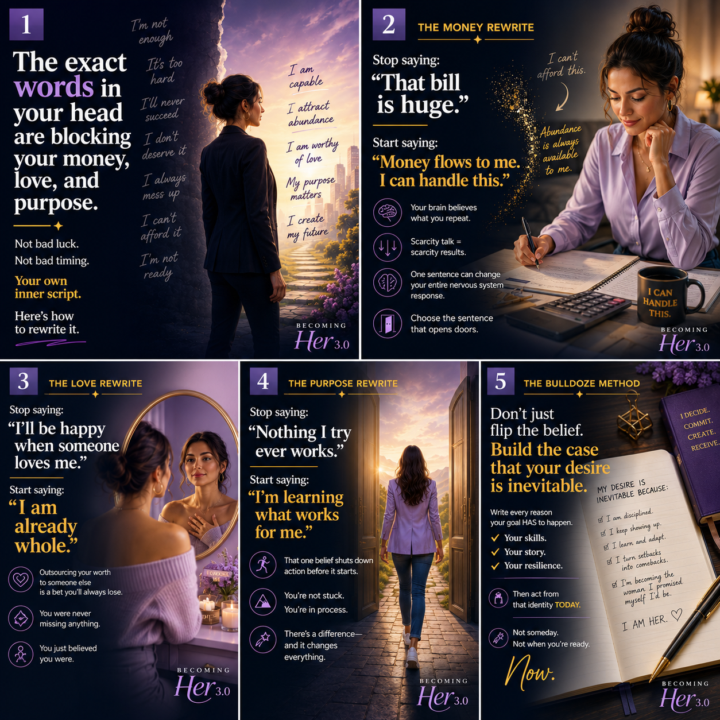
Did I do this right??
These are images I created during the recent challenge. I have never posted a carousel on LinkedIn.... Why?? I don't know!! But it wasn't as easy as some places for sure. And I am totally NOT sure that it is right either. I created the images via ChatGPT and uploaded to Canva and downloaded as PDF. Love your thoughts/feedback. https://www.linkedin.com/posts/donnalynnprice_are-people-understanding-your-value-ugcPost-7467311425363976192-cRWp/?utm_source=share&utm_medium=member_desktop&rcm=ACoAAAAQejYBS3dn-o_OxSNY4c-lA0cDxu3saqA
May 30 •
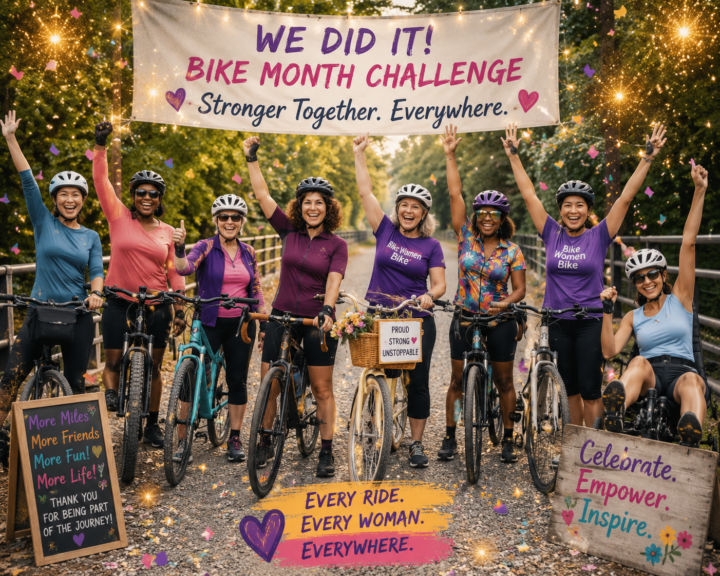
Fun win!!
During the 5 Day Challenge -- I mostly worked on business coaching images. They came out very professional looking. But today was the last day of the BikeWomenBike -- 30 Day Challenge and I had some fun creating an image -- of women on bikes -- celebrating. First image had extra fingers and palms etc. So my correction is technically correct -- I asked for 5 fingers on each hand -- and got that. Learning. Should have said they could be open, closed, thumbs up, fist pump.... but I decided to just go with this one.
1-10 of 13

@donna-price-2745
Joyful - Confident - Bicycling
Bringing everyday women together to reconnect with cycling and finding joy, confidence, and strength through cycling
Active 1h ago
Joined Dec 16, 2025
Rutland, Vermont
Powered by