Activity
Mon
Wed
Fri
Sun
May
Jun
Jul
Aug
Sep
Oct
Nov
Dec
Jan
Feb
Mar
Apr
What is this?
Less
More
Memberships
Making Cinema | Art & Craft
19 members • Free
AI Video Bootcamp
17.8k members • $9/month
AI Money Lab
68.4k members • Free
AI Automation Society Plus
3.4k members • $99/month
CINEMATIC STORYTELLING BRANDS
156 members • $17/month
Ninjas AI Automation
1.5k members • $5/month
AI Video Creators Community
5.1k members • $9/month
PinLab AI
1.1k members • Free
Six Figure Independent Income
390 members • Free
6 contributions to AuraGraph Academy

25d •
📝 Day 4 Challenge: Script Your UGC Video
you've got a creator... now let's give them something to sell today you're going to use Aura to write a full UGC video script for TikTok or Instagram. just tell her about your product and she'll handle the rest Step 1: Open Aura by clicking on her in the top right corner of the canva. Step 2: Tell Aura about your product... paste a link, upload a photo, or just describe it. Something like: "hey Aura, I'm selling handmade candles. they're soy-based, come in 6 scents, and cost $29. I need a 45-second UGC video script for TikTok where my AI creator reviews them" or "I want to promote my fitness coaching app. it gives you custom workout plans for $15/month. write me a 60-second Instagram reel script where my creator talks about it naturally like a real testimonial" Step 3: Aura will give you a full script broken down by scenes... each scene is about 8 seconds (one VEO clip) Step 4: Review the script and ask Aura to adjust if needed... "make it more casual" or "add a stronger hook" or "make it shorter" Step 5: post your final script here... tomorrow we're turning it into a real video your challenge: share your product + the script Aura wrote for you in the comments. let's see what you're all working with 👇


🔥
0 likes • 22d
Scene 1: The Hook (0-5s) The creator is stuffing the entire vest into its own internal chest pocket to show how small it gets. Script: "If you’re still carrying a bulky jacket 'just in case' it gets cold... stop. I finally bought the Patagonia Nano Puff Vest and I get the hype now." Scene 2: The "Why" (5-15s) Creator wearing the vest over a hoodie, walking outside. Script: "It’s $189, which isn't cheap—but here’s why it’s my most-worn item. It’s windproof, water-resistant, and uses Primaloft insulation that stays warm even if it gets wet." Scene 3: The Fit & Detail (15-25s) Quick cuts of the details: the hem, the zippers, the recycled material. Script: "The fit is actually flattering for a puffer—it has these shaped side panels so you don't look like a marshmallow. Plus, it’s 100% recycled polyester. It feels like wearing a warm hug that weighs basically nothing." Scene 4: Versatility (25-35s) Fast-paced montage of the vest in different settings. Script: "I wear this for morning hikes, running errands, and honestly, just around the house when the AC is too high. It’s the ultimate layering piece because it’s not bulky under a bigger coat later." Scene 5: The CTA (35-45s) Creator back to camera, talking directly to the viewer. Script: "If you want one investment piece that lasts a decade, this is it. You can grab the Nano Puff at the link in my bio—trust me, your future self will thank you when the temp drops."
27d •
🎬 Day 3 Challenge: Make Your Creator Talk
your character has a face... now let's give them a voice today you're turning one of your Day 2 images into a talking video using VEO Step 1: Pick your best image from yesterday, the one that looks most like a real UGC creator Step 2: Drag the handle from that image node and connect it to a Video Gen node Step 3: In the prompt, write what you want your creator to say. Keep it around 15-20 words... that's the sweet spot for a clean 8-second clip. For example: 🎬 "@maria says honestly this is the easiest way to create AI content, you just type and it makes videos" 🎬 "@maria says I've been using this app for a week and the quality is insane, you have to try it" 🎬 "@maria says stop scrolling, let me show you how I made this entire video with just one prompt" Step 4: Hit Enhance and the AI will turn your rough script into a production-ready video prompt Step 5: Generate and wait... in about 30 seconds your still image just became a talking video bonus: if you want 4K quality, drag the handle from your video then connect to an Enhance node. It upscales everything and cleans up any AI artifacts your challenge: make your creator say something UGC-style... a product review, a hook, a testimonial, anything that feels real. drop your video in the comments 👇

🔥
2 likes • 26d
@Yasser Sabek I tried the 4k enhance and it came out quite a bit worse. I also wasn't able to use the @ for my character - I'm sure that was a me issue vs. a system issue.
🔥
0 likes • 25d
@Yasser Sabek I think she had some potential I just ran out of time…
28d •
🎯 Day 2 Challenge: Bring Your Creator to Life
nice work on Day 1... now let's lock in your creator forever today you're going to create a Character using those 4 photos you made yesterday. once it's saved, you can @ mention them in any prompt and the AI will always know exactly what they look like Step 1: Click on any Image node then click Character then + to create a new Character Step 2: Give your creator a name... something simple like "Mia" or "Alex" Step 3: Upload the 4 reference photos you generated yesterday (portraits, side profile, full body). The more angles the better — this is what the AI learns from Step 4: Hit Create and wait about a minute... it's generating face grids and body grids so your character stays consistent across all your future content Step 5: Now the fun part. Drop an Image Gen node on the canvas. In the prompt, type @ and select your character's name. Then describe them doing something: 📸 "@Mia sitting in a modern podcast studio, holding a coffee, talking to camera" 📸 "@Mia walking through Times Square at night, city lights in the background" 📸 "@Mia filming a selfie video on the beach at sunset, phone in hand" 📸 "@Mia in a professional studio unboxing a product, clean white background" Hit Enhance on each one → then generate Your challenge: Generate 4 action shots of your character doing something UGC-style. Get creative with it... put them in scenes, give them a vibe drop your best shots in the comments 👇
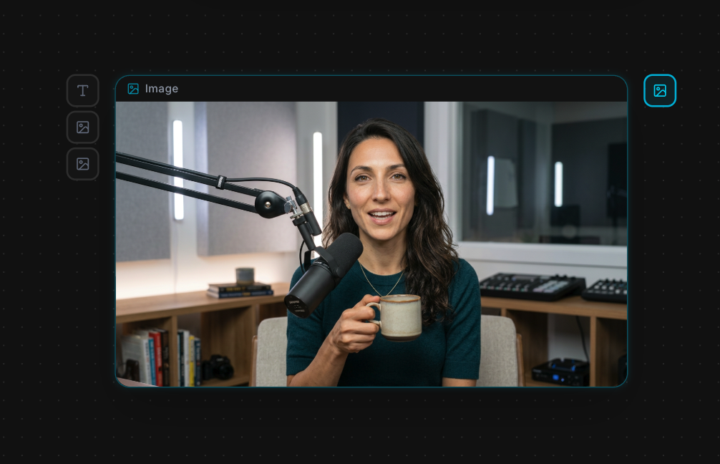
🔥
2 likes • 26d
Thanks @Yasser Sabek
🔥
0 likes • 25d
@Yasser Sabek I tried to “do” her hair, straight fail 😂 I didn’t have time to fix it. The arrows were just spinning even after they wrapped up their generation and the wouldn’t let me update anything.
Mar 15 •
🎯 Day 1 Challenge: Create Your AI Creator
Welcome to Day 1! Before we make any videos, we need to build YOUR digital creator. Here's what to do: Step 1: Right-click the canvas → drop in an Image Gen node. Set model to Nano Banana. Step 2: Describe your UGC creator. Be specific! For example: "Hyperrealistic portrait of a 28-year-old woman, olive skin, dark brown hair, hazel eyes, soft natural lighting, no makeup, neutral grey background." Think about: - Male or female? - Age, skin tone, hair color & style - Eye color - Expression & vibe Step 3: Hit Enhance, and Aura will turn your rough description into a detailed, photorealistic prompt. Generate your first image. Step 4: Now link your first generated image to 3 more Image Gen nodes (drag the handle → Image Gen). This keeps your creator's face consistent. Use these example prompts before hitting Enhance: 📸 Close-up portrait smiling: "Hyperrealistic close-up portrait, same person, warm genuine smile, soft studio lighting, grey background" 📸 Side profile: "Hyperrealistic side profile view, same person, looking left, clean neutral background, studio lighting" 📸 Full body front: "Hyperrealistic full body photograph, same person, wearing casual outfit, standing naturally, clean white background, 85mm lens Hit Enhance on each one before generating! These 4 reference photos will be the foundation for your UGC. Drop your 4 photos in the comments below! 👇
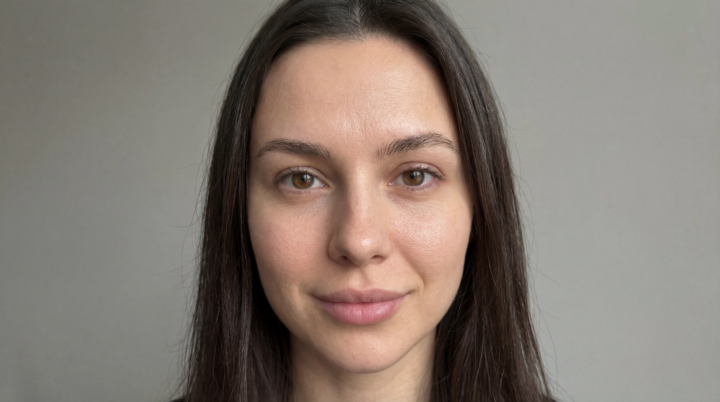
🔥
1 like • 26d
I'm sorry I'm late to the party, but I'll try to catch up! @Yasser Sabek
🔥
Feb 24 •
New around here
📌 1. Why did you join the Academy? I joined to sharpen execution at a higher level. I’m already building AI consulting and digital assets, but I want tighter systems, better creative output, and stronger monetization frameworks. The goal isn’t just to make cool videos — it’s to build brand equity, produce ads that convert, and create assets that compound over time. I’m here to level up production quality and strategic depth. 📌 2. Where are you from? I’m based in Arizona and born in Texas. 📌 3. What do you need help with when it comes to AI? Three main areas: Refining prompts for cinematic, hyper-real outputs without drift Building scalable workflows between tools (Higgsfield, Gemini, Nano Banana, etc.) Turning AI creative into structured revenue systems 📌 4. What’s your experience with AI so far? Not a beginner. I’ve been actively building with AI across video generation, character consistency systems, digital product creation, and consulting frameworks. I’ve tested multiple platforms, built branded assets, entered creative challenges, and explored monetization angles from affiliate to advisory. Now it’s about refinement — tightening quality, increasing leverage, and building something durable rather than temporary wins.
🔥
1 like • Feb 27
@Yasser Sabek thank you Yasser, you’ve been top notch all the way.
1-6 of 6
🔥
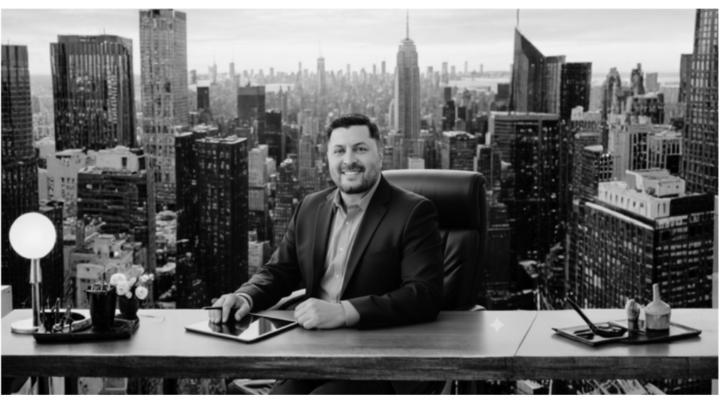
@deuce-todd-7624
AI Consultant | UGC | Digital and Affiliate marketing. 20+ yrs building teams at scale and now I build smarter systems instead.
Active 4h ago
Joined Feb 24, 2026