Activity
Mon
Wed
Fri
Sun
Jan
Feb
Mar
Apr
May
Jun
Jul
Aug
Sep
Oct
Nov
What is this?
Less
More
Owned by Derrick
A hub for creators, freelancers, and creative pros to sharpen skills, stay consistent, and grow income with a supportive community.
Memberships
Whiteleather Workshop
897 members • Free
Scale Your Audience With AI
242 members • Free
Skoolers
183.5k members • Free
13 contributions to P1XELAB: Creator Hub

25d •
Website questions!
Derrick, you are well versed in website creation so here is a question for you. As a creator, what are things we should have on our website? I do have some physical products I sell through its own website... is that something I link to my own website? I make videos about freeze drying and food preservation and I guess I've just never really thought a website was important but I'm starting to see the need for a solid website. Also.. any plans to put website creation stuff in the classroom?

0 likes • 23d
Great question @Brandon Whiteleather - And yes, I’m planning to add more website-building lessons to the P1XELAB classroom soon. I just uploaded a full course on building an e-commerce site using Shopify, which you can find in the Classroom section. Here’s how I think about websites for creators. Whether you make videos, sell products, or offer services, your website is your home base. Social media is borrowed space - your site is something you own. 1. Start with clarity At the top of your site, make it obvious who you are, what you do, and what you want people to do next. Something simple like: “I teach people how to freeze-dry and preserve food safely at home through gear reviews, tutorials, and recipes.” Clarity always beats clever. 2. Build a simple structure A few well-built pages go a long way: - Home: your main message and featured content - About: your story and mission - Content: blog, videos, or a feed that automatically pulls from YouTube or Instagram. Depending on what platform you choose, you can also create a simple feed that pulls in your content from other platforms like Instagram and YouTube so it's all automated. This casts a wider net, but makes it so you don't have to worry about creating more work for yourself to keep it current. - Shop: your products or links to where they’re sold - Contact: a simple way to reach you 3. Consider a “lite” option Not everyone needs a full website. If most of your audience follows you on social media, something like a Stan Store, Beacons, or Koji page might be perfect. It’s mobile-friendly, built for creators, and lets you sell products, offer services, or collect emails - all from one link in your bio. For most creators, that’s plenty. 4. Link your existing store If you already have a separate e-commerce site that works well, keep it. Just make sure it’s clearly linked from your main site or Stan Store. Over time, if it makes sense, you can merge everything under one domain - but it’s not a requirement to succeed.
0 likes • 23d
Yo @Brandon Whiteleather I'm adding a WordPress course to the classroom right now! Check it out... Web Design with WordPress
23d •
Welcome to The Lab 🧪
This is where we create, experiment, and share what’s working (and what’s not). Think of The Lab as your creative playground — a space to explore ideas, test new tools, and trade insights with other creators who get it. Here’s how to use this space: 1. Share what you’re working on Post a screenshot, a design concept, a short video, or even a draft idea. You don’t need to have it all figured out — this is where rough ideas turn into real projects. 2. Ask for feedback Need a second opinion on a logo, thumbnail, workflow, or caption? Drop it here and tag it as Feedback Wanted. You’ll get honest, helpful input from people who’ve been there. 3. Share what’s working for you Found a new creative tool, workflow hack, or piece of gear that’s made your process better? Share it — The Lab is all about experimenting and helping others grow too. 4. Document your experiments Try something new this week — a new editing style, an AI tool, a posting strategy — and share your results. Win or fail, we all learn faster together. 💬 Your turn: What’s one creative experiment or idea you’re testing this week? Drop it below or start a new post inside The Lab to share what you’re learning.
0
0
23d •
New Simplified Category Structure
Hey everyone - quick update on how P1XELAB is organized! The goal is to make it simple to post, find ideas, and connect with other creators wherever you’re at in your journey. Here’s how the categories now break down: 👋 Welcome Start here. Introduce yourself, share your workspace, and tell us what you’re creating or working toward. 💬 General Discussion Ask questions, share discoveries, or start conversations about anything creative or business-related. 💪 Momentum Builders A space to build consistency and celebrate progress — from joining challenges to sharing daily wins or projects in motion. 🧪 The Lab Where creativity happens. Share your experiments, resources, favorite tools, or what you’re learning along the way. This setup should make it easier to share updates, ask for feedback, and find inspiration. If you’ve got an idea to make this space better, drop it in General Discussion - this community is built by all of us. Let’s keep experimenting, learning, and building momentum together. - Derrick
1
0
28d •
New Classroom Tab
I'm excited to announce that I just turned on the Classroom tab up above 👆. Check it out! Currently, there are a couple of great Logo Design courses. I'll be adding a few more courses over the next couple weeks as well about web design and a few other creative topics, so stay tuned! Let me know if there is a specific topic you are interested in as I continue to flesh out this community. Have a great weekend! 👉 https://www.skool.com/pixelab/classroom
2
0
Nov 1 •
Share Your First Win 🎉
Big or small — a win is a win. This space is for celebrating progress, not perfection. Whether it’s landing a new client, finishing a project, posting your first video, or simply showing up for yourself today — it all counts. Some ideas to get you started: - You completed your first 7 days of the 30-Day Creator Challenge. - You got great feedback on a project or post. - You reached out to a potential client or hit “publish” on something new. - You learned something that finally clicked. 💬 Your turn: Comment below with your latest win (even if it feels tiny). Momentum builds from moments like this — and celebrating them together helps us all keep going.
0 likes • 29d
@Zackary Basnett If it's already crickets, I say just go for it. Don't worry about what other people think and let it be your sandbox to play in. If you want to keep it clean, you could create a fresh account, but I don't think it's necessary. Just go for it! Today is as good of a day as any to dive in. Send it!
0 likes • 28d
@Greydon Rohrick Any update - were you able to see if you can use the drone shot as a motion control camera?
1-10 of 13
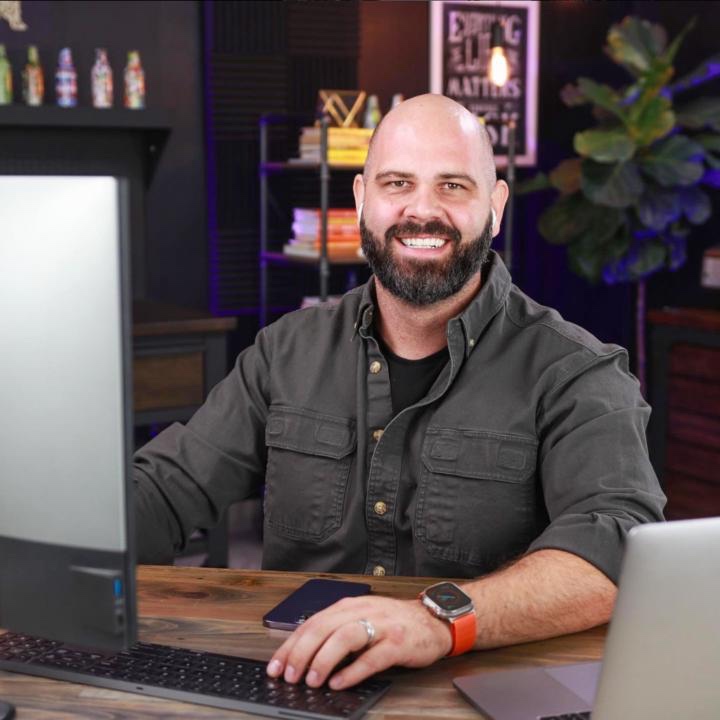
@derrick-mitchell-9924
Husband, dad of 5 in Montana - helping creators turn ideas into income without sacrificing what matters most.
Active 4d ago
Joined Aug 19, 2025
Powered by