Activity
Mon
Wed
Fri
Sun
May
Jun
Jul
Aug
Sep
Oct
Nov
Dec
Jan
Feb
Mar
Apr
What is this?
Less
More
Owned by Dawn
Build the skills and systems to lead supply chain projects—integrations, compliance, and visibility made easier with proven PM practices.
AI-Proof Your Career Stay relevant, lead with confidence, and get more done — without becoming a tech person.
Memberships
Dumpster Fire Hobby Collective
7 members • Free
PMP
12.8k members • Free
Skoolers
194.8k members • Free
Women Build AI
3.3k members • Free
Hackathon
2.6k members • Free
13 contributions to AI for Professionals

Oct '25 •
GOAT Farm
If you have any content creators who focus on AI and you'd recommend them to the group, please share here so we can find the GOATs together.
0 likes • 25d
https://www.youtube.com/@sabrina_ramonov
Nov '25 •
Hosted a Lunch & Learn for AI at work today
Things went well, had a turnout of 26 people on an optional meeting. We talked about the different results we are seeing between MS Copilot and ChatGPT. We discussed corporate data security and prompting techniques. I ended up sharing the DNA template I'm using in both tools for my work account to help people get a better starting point. Does this sound interesting to you?. I was thinking of hosting a skool session for this group if there is interest.
0 likes • 25d
These lunch & learn sessions are still going strong. It's really helped with adoption and engagement with MS Copilot in the office. Are any of you teaching AI?

Mar 10 •
As I'm a senior full stack developer, looking for collaborate
I'm a professional developer who has been developing projects for several years. I'm currently looking for people living in the US, Canada, or the UK who are interested in this type of business and would like to collaborate and generate revenue together. If you know of anyone who is interested, please contact me.
0 likes • 25d
What type of projects are you into building? This community isn't build specifically for software devs but there are a few of us on here :)

Mar 18 •
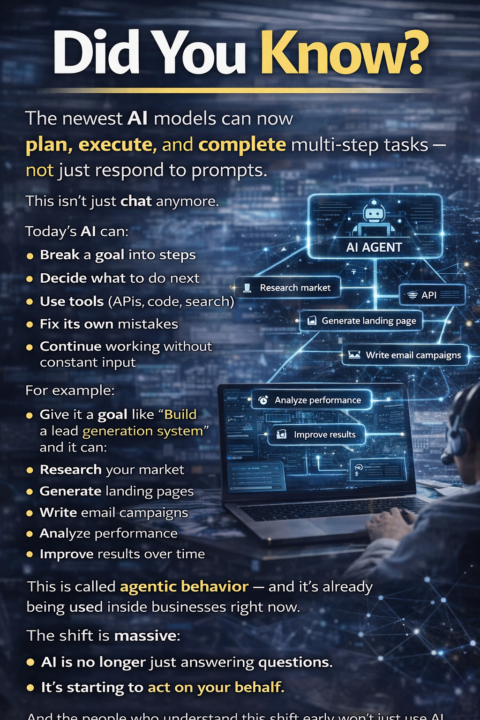
Did You Know?
The newest AI models can now plan, execute, and complete multi-step tasks — not just respond to prompts. This isn’t just chat anymore. Today’s AI can: • Break a goal into steps • Decide what to do next • Use tools (APIs, code, search) • Fix its own mistakes • Continue working without constant input For example: Give it a goal like “Build a lead generation system” and it can: • Research your market • Generate landing pages • Write email campaigns • Analyze performance • Improve results over time All in a semi-autonomous loop. This is called agentic behavior — and it’s already being used inside businesses right now. The shift is massive: AI is no longer just answering questions. It acts on your behalf.
1 like • 25d
It's pretty exciting. I've been teaching agent building at my company and the results are getting better and better every month. It's great to see what people are able to accomplish with the new tech!
Jan 2 •
Insight-dense prompts you can use to evaluate last year with clarity and honesty, and (2) architect this year with focus, measurable impact, and better personal sustainability.
1) Last Year: Strategic Retrospective (What actually happened?) These prompts help you surface reality—outcomes, causality, and constraints—without getting lost in “activity.” Outcomes & impact 1. “List my top 10 outcomes from last year that created durable value. For each: who benefited, what changed, and how we can measure that change.” 2. “What were the highest ROI decisions I made last year? What made them high leverage, and what should I repeat?” 3. “Identify the 5 projects that consumed the most time. For each: what the true payoff was, and whether that payoff justified the cost.” 4. “What did I personally enable that would not have happened without me—and why was I the constraint or catalyst?” Tradeoffs & opportunity cost 5. “What did I say yes to that I should have declined? What did those ‘yeses’ cost me (time, reputation, team focus, momentum)?” 6. “What high-impact opportunities did I miss because my time and attention were occupied? What were the early signals?” 7. “Where did I over-invest (perfection, over-analysis, over-communication)? What minimum level would have produced the same result?” Systems, not stories 8. “What patterns repeatedly created friction for me: meetings, unclear ownership, inconsistent data, approvals, vendor constraints, trading partner delays, dependencies, unclear scope?” 9. “Which failures were preventable with better governance, better guardrails, or earlier stakeholder alignment?” 10. “What are the 3 systemic bottlenecks in my environment (process, tools, people, approvals, vendors), and what would remove or reduce each one?” 2) Last Year: Leadership & Team Effectiveness (How did I lead?) These prompts reveal how you show up as a leader—how your strengths help, and where they create drag. Strengths you should double down on 11. “What leadership behaviors consistently created momentum, clarity, and trust? Give 5 examples and the mechanism behind each.” 12. “When was I at my best last year? What conditions (people, environment, type of work) enabled that?” 13. “Which of my strengths became liabilities under stress? What was the cost?”
0
0
1-10 of 13
@dawn-carey-5192
I help busy professionals become the AI go-to at work with simple, real workflows. Founder, DigitalDawn.ai and AI Pro Lab.
Active 4d ago
Joined Oct 22, 2025
United States