Activity
Mon
Wed
Fri
Sun
May
Jun
Jul
Aug
Sep
Oct
Nov
Dec
Jan
Feb
Mar
Apr
What is this?
Less
More
Memberships
Backyard Dog Training Matters
76 members • Free
27 contributions to Backyard Dog Training Matters

Dec '25 •
Canine Parkour Anywhere Challenge VIDEO SUBMISSION THREAD
Submit your videos here to get help making your entry with Kristine! And, if you don't want to actually register and send in your submission now, you can still share your attempts and finished product if you'd like to do the exercises. Everyone who participates by submitting any attempts at two or more of the exercises will get a downloadable Challenge participation certificate from me. Can't wait to see your entries! @Kristine Hammar

0 likes • Dec '25
Deleted my old video, and provided an updated one.
0 likes • Dec '25
That won't work because I didn't make it public. But, here it is.
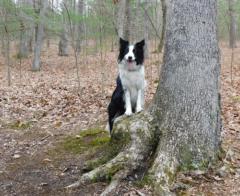
Dec '25 •
Spotting and Supporting Instruction?
I am seeing that some of you would like to use higher items for the Get On 4 Feet. Would you like a video on spotting and supporting, so you are able to do that?
1 like • Dec '25
I used shorter platforms, so I’m good.
Dec '25 •
FastCAT
Our local club hosted FastCAT this weekend. We had the chance to do a bit different. I normally only catch. I was volunteering at the release pen all weekend so I released this weekend and was able to watch the other side of the run. On Sunday my son showed up and I had him release for a run and catch for a run. Louie ran great all weekend and hit a PB. First run under 9.5x.

0 likes • Dec '25
[attachment]
Dec '25 •
December Canine Parkour Anywhere Challenge!
For December, Brenna graciously invited me to offer a Parkour Challenge! With the recent introduction of the new "Anywhere Tracks" in All Dogs Parkour, I thought it would be fun to offer a Challenge where you could create a Level 1 Anywhere Regular Track entry that could - if you so choose - be entered for a title. So, the first part of this challenge is to create 8 video clips of your dog performing All Dogs Parkour Exercises. The ones that I have chosen to teach for this Challenge are: Get On 2 Front Feet, Get On 4 Feet, Go Under, Between, Jump Clean, Go Around, and Figure 8. If you are familiar with All Dogs Parkour, you are more than welcome to use other Exercises, but I am only teaching these Exercises as part of the Challenge. You can use any items that you have for your dog to perform these Exercises, but for the Get On 4 Feet, please keep the item under the height of your dog's elbow. If the item is elbow height or higher, you do have to spot/support, and I am not including instruction on that skill for this challenge. (Again, if you are familiar with ADP and you know how to spot/support, you are welcome to use something higher and do so). Your dog does not have to perform all 7 of the Exercises. For Level 1, four "repeats" are allowed. Just remember that a "repeat" has to be performed on/with a different item. (Figure 8 can only be performed once). I provide a general description of this Challenge in this video: https://www.youtube.com/watch?v=yaPcYpf0ep8 And, in this video, I teach the seven Exercises. (I can provide this in typed form, if any of you prefer that). https://www.youtube.com/watch?v=d1VZvCWWp18 In the Anywhere Track, "Off-List" variations of Exercises are allowed, and I address that in the video. As you create your videos, feel free to post them in this forum, and I will give you feedback. I will let you know if any changes are needed for the clip to meet All Dogs Parkour submission criteria.
1 like • Dec '25
@Lori Duncan In case someone else reads this and is interested. Here’s a quick, creator‑focused way to set up a YouTube playlist: 1. Sign in to YouTube with your Google account. 2. Create a new playlistWhile watching any of your videos, click “Save” → “Create new playlist.”Give it a title and set the privacy (Public/Unlisted/Private). 3. Add your videosOpen each video, click “Save,” then tick the new playlist’s box.Or from Library → Playlists → Your playlist → “Add videos” and select multiple uploads at once. 4. Arrange order – In the playlist view, drag videos up/down (desktop) or use the three‑dot menu → “Move up/down.” 5. Edit details – Click the pencil icon to change the title, description, or privacy. 6. Share (if needed) – Use the Share button to copy the playlist link or post to socials. That’s all you need to bundle your own videos into a playlist quickly. Enjoy!
0 likes • Dec '25
@Lori Duncan yes, depending on what you are thinking of for labels. For example see this screenshot. You can edit the title, or add a description, or towards the bottom is tags that I think is the label's?
Dec '25 •
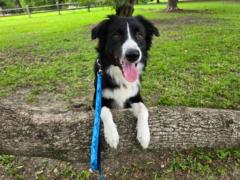
Drover FastCAT and Agility
Drover (15 months and 3 days) had lots of "firsts" this weekend. First time doing 3 days of FastCAT and he had a personal best nearly every run! Plus he earned his first title BCAT! Also this weekend he entered his first agility competition. Lots of good things in his run and I'm a proud mama!🤩
1 like • Dec '25
Drover loves to work. I’m surprised you didn’t fit in some parkour features while doing two events a day!
1-10 of 27
@dan-myers-6430
I’m Dan, an agility fan training my compact, stubborn‑but‑smart tank‑dog Louie, who waddles like a tiny tank with a wagging tail.
Active 97d ago
Joined Nov 10, 2025