Activity
Mon
Wed
Fri
Sun
Aug
Sep
Oct
Nov
Dec
Jan
Feb
Mar
Apr
May
Jun
What is this?
Less
More
Owned by Christine
🎨🖌️ Grow in a community of watercolor students just like you. Painting is fun, manages stress, & builds creative confidence. Can't wait to meet you!
Memberships
Skoolers
169k members • Free
Skool Scale Camp
4.9k members • Free
AI-Driven Business Community
8.5k members • Free
AI Pathways Hub
46 members • Free
AI Visibility Lab
385 members • Free
Claude Code Club
6.4k members • $9/month
Claude for Coaches
1k members • $47
Lifestyle Founders Group™
12.8k members • Free
Tech Mastery For Entrepreneurs
597 members • Free
9 contributions to What Is Skool?

Mar 31 •
The Skool Morning Show 🌇
Good Morning, Skoolers! ☀️ Last day of March! If people are joining but not sticking, onboarding is usually where things break. Not always, but often it’s at least part of the mix. Today we’re walking through what your onboarding should look like so new members know what to do, get a quick win, and actually stay. @Artin Asghari is joining us to share what he’s helped others fix and what’s actually working. We are going LIVE for The Skool Morning Show now. 🎥 👇 To Chat with us LIVE comment on this post and we'll pull up some of the comments.

🔥
1 like • Apr 4
Great Artin wisdom. 👍 Thanks for all the onboarding tips!
Apr 4 •
Please Share Your Best (or worst) Onboarding Experiences
@James Blackburn brought up a great subject this morning and I want to open this up to all of you. He was curious what onboarding experiences people have actually enjoyed. We just did a Morning Show with @Artin Asghari where he talked about onboarding, but I'd still love to hear from you on your actual experiences inside communities! Maybe even what you disliked.. like what makes you decide nope I don't want to be here. (Please do not call them out tho. I don't want that type of environment here.) Also, feel free to shout anyone out who you think did an exceptional job at their onboarding process.
Poll
27 members have voted

🔥
4 likes • Apr 4
Thanks for the link @Jenna Ostrye!! Off to listen in. 👍
Mar 19 •
IRL Meetup Posts Are Now Allowed in Skoolers! 🫶 Read Details First
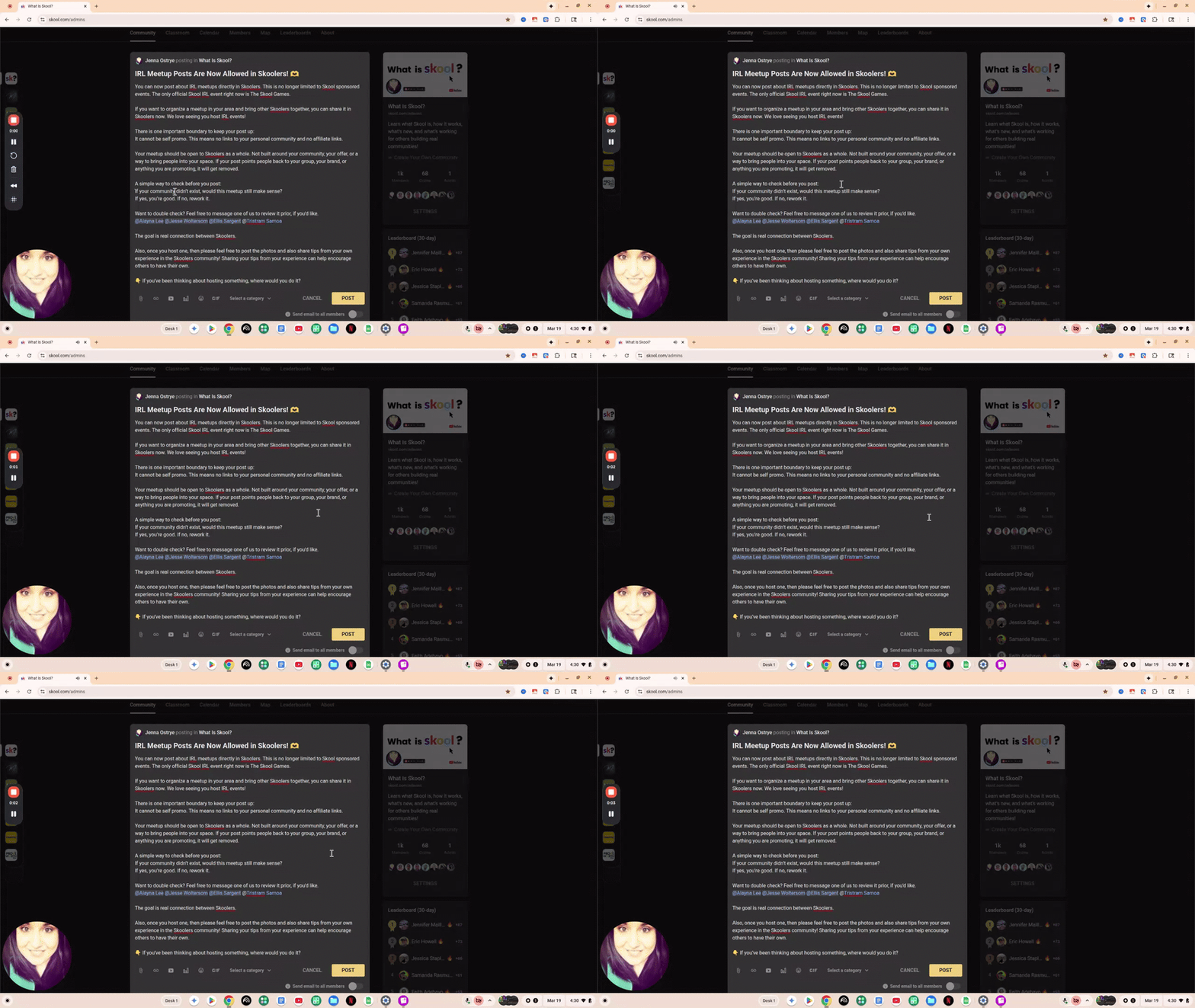
You can now post about IRL meetups directly in Skoolers. This is no longer limited to Skool sponsored events. The only official Skool IRL event right now is The Skool Games. By the way, IRL means In Real Life! So like meeting up in person with others. If you want to organize a meetup in your area and bring other Skoolers together, you can share it in Skoolers now. We love seeing you host IRL events! There is one important boundary to keep your post up: It cannot be self promo. This means no links to your personal community and no affiliate links. Your meetup should be open to Skoolers as a whole. Not built around your community, your offer, or a way to bring people into your space. If your post points people back to your group, your brand, or anything you are promoting, it will get removed. A simple way to check before you post: If your community didn’t exist, would this meetup still make sense? If yes, you’re good. If no, rework it. Want to double check? Feel free to message one of us to review it prior, if you'd like. @Alayna Lee @Jesse Woltersom @Ellis Sargent @Tristram Samoa The goal is real connection between Skoolers. Also, once you host one, then please feel free to post the photos and also share tips from your own experience in the Skoolers community! Sharing your tips from your experience can help encourage others to have their own. 👇 If you’ve been thinking about hosting something, where would you do it?
Poll
39 members have voted
🔥
4 likes • Mar 20
Going to my first IRL this weekend. So excited!
Mar 17 •
Want Your About Page Reviewed Live? | Less than 9 hrs to comment
Tomorrow we’re doing a friendly About Page roast 🔥 If you want in, comment below with: Who your ideal member is Your About page link We’ll pick one person to review live and if you’re up for it, you can come on stage and talk through your community with us. We’ll choose today at 7 PM CST, then message you. 👇 Who’s dropping their page?

🔥
3 likes • Mar 17
Thanks for this!!! I help art students who don’t think they’re very good become confident watercolor artists. https://www.skool.com/the-watercolor-journey-5800/about?
Feb 17 •
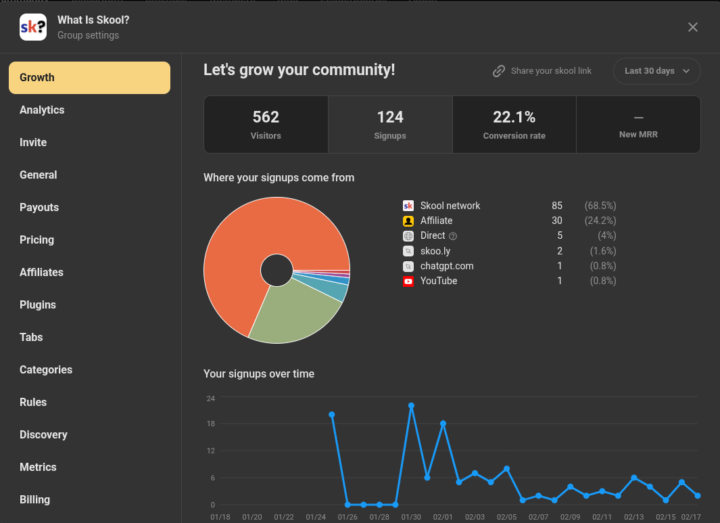
Check Your Group Settings! TRAFFIC SOURCES
I can't help it... I'll make a more in-depth post on this later... BUT I am so excited! 🥳 Christmas in February!
🔥
2 likes • Feb 17
Amazing!!!!! 🤩
1-9 of 9
🔥
@chris-vabre-6583
I’m a watercolor artist, designer, online instructor, and desert dweller living in the Mojave Desert. I believe your uniqueness is your superpower!
Active 2h ago
Joined Dec 16, 2025
Las Vegas, NV
Powered by