Activity
Mon
Wed
Fri
Sun
Aug
Sep
Oct
Nov
Dec
Jan
Feb
Mar
Apr
May
Jun
What is this?
Less
More
Owned by Chastity
Land your first client in 90 days! Helping women build profitable Virtual Assistant businesses they love without burnout or overwhelm 💛
Get listed in a new growing Virtual Assistant directory & join a thriving community built for support, networking, resources, and real growth.
Memberships
Designed by Sisterhood
34 members • $20/month
Women Build AI
4.8k members • Free
SkoolHers
535 members • $9/month
Skoolers
169k members • Free
Plant-Powered Kitchen Club
286 members • Free
The Automated Money Club
1.1k members • Free
Journaling with Kayleigh
123 members • $3/month
Panda for Skool: The CRM +
421 members • Free
the skool CLASSIFIEDS
1.9k members • Free
126 contributions to Hire a VA
7d •
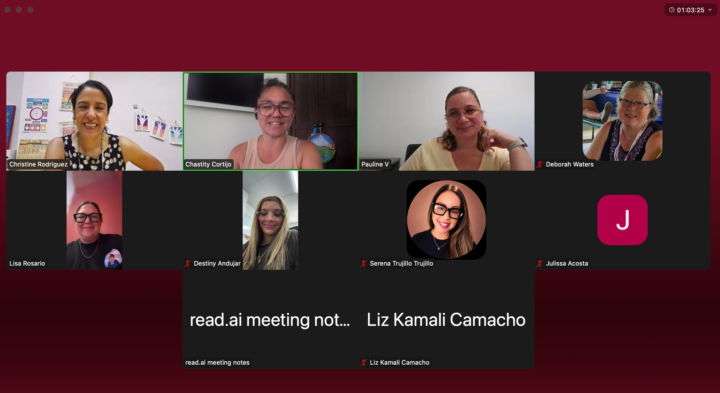
I LLOOOVVVEE these calls
I listen to the Hormozis, Steve Bartlett, Dan Martell, Emma Grede, Alicia Lyttle, Bozoma Saint John, School of Hard Knocks interviews... And the best of the best all say the same thing - your relationships are the biggest, most important investment you can make. Not just in business. In life. Surround yourself with people who simply want better. They don't have to have it all figured out. We can all be on first base together - but the fact that we all want better? That alone will make all the difference in where we each end up.
1
0
8d •
30 Ways: Wedding Vendors & Suppliers
Wedding vendors are some of the busiest, most overwhelmed small business owners you will ever meet. Photographers. Florists. Caterers. DJs. Hair and makeup artists. Event planners. They are booked solid from April through October, responding to inquiries from their phones between shoots and events, managing contracts and deposits manually, and posting on Instagram only when they remember to. There is no back office. There is no admin support. There is almost no one handling the backend while they do the work they love. Module 28 breaks down which directories to search, what to say in your cold pitch email, and how to find vendors whose work you genuinely admire. The leads are already listed publicly. You just have to know where to look. 👇🏽
0
0

15d •
Mid Month CHECK IN: JUNE 15
Mid-month check in. June 15. 👇🏽 Two weeks into June. Let's see where we are. ✅ Have you made at least one new connection this month? ✅ Have you had a discovery call or a new inquiry come in? ✅ Is your profile still accurate - services, rates, contact info? ✅ Have you been actively prospecting enough that a business owner browsing would see you as someone who shows up? Drop your update OR YOUR STRUGGLE below so we can offer advice. 👇🏽 Win, work in progress, or just getting started — all of it counts. We're building in here together. 🧱
1 like • 12d
@Nicole Watkins Girl you had my heart all 😟 then all of a sudden 😁. Congrats on the new onboard. That's the way business is. It ebbs and flows. Some months everything is in place for me perfectly. Other months I wanna burn everything to the ground because nothing is going as planned. You do eventually get to a place where things level out and you find peace in the process. Love this for you. Sending light for a fruitful harvest sooner than later. 🤎
0 likes • 12d
@Teresa Purugganan Right! I loved it. She did good to keep us on our toes with this one. 😉
18d •
30 Ways: Owwll
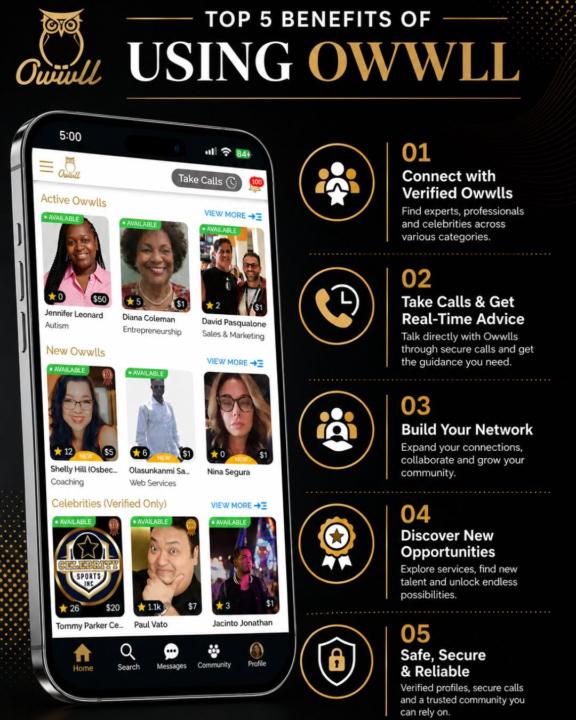
You give free advice every single day. Facebook group comments. Quick calls that turn into hour-long consultations. Expertise shared with strangers who never become clients. What if you got paid for it instead? Owwll is a pay-per-10 minutes phone call platform where you set your rate and get paid every time someone calls you for advice. But here's the part most people overlook — The business owners paying for advice on Owwll are the same business owners who need VA support. It's not just a way to get paid for what you know. It's a prospecting tool hiding in plain sight. Module 26 breaks down exactly how to set up your profile, what to charge, and how to use the platform to find your next client. Download the app and use code "VA" to get a $10 credit. Apple download link: https://apps.apple.com/us/app/owwll-instant-1-1-networking/id1604780109 Android download link: https://play.google.com/store/apps/details?id=owwll.com&pli=1 Go check it out in the classroom. 👇
0 likes • 12d
@Teresa Purugganan dont forget to use the code VA for you get free credits and you can call all the people 😆
12d •
Read this & be aware
Not directly VA related but definitely something we should all be aware of so we can move in our AI interactions accordingly. https://www.threads.com/@jenatlionra/post/DZtSlHGiRR5
0
0
1-10 of 126
@chastity
Helping moms, career changers & corporate burnouts turn what they already know into a virtual business.
Land your first paying client in 90 days.
Active 7h ago
Joined Nov 2, 2025
New Jersey