Activity
Mon
Wed
Fri
Sun
Sep
Oct
Nov
Dec
Jan
Feb
Mar
Apr
May
Jun
Jul
Aug
What is this?
Less
More
The Stronger Human Movement
28.1k members • $7/month
The Artist Awakening
3 members • Free
PARAZETTEL Foundations
76 members • $14/month
15 contributions to PARAZETTEL Foundations

Jul 2 •
That's a wrap! The Cloud agents workshop...
You can watch the recording here - https://www.skool.com/parazettel-community-4498/classroom/ab032e36?md=2bdc4ede366b4316b485e117e7293541 The workshop was fantastic, thank you for being there if you were, and if you weren't that's not a problem. You can catch up above, and join the next session in a week or so. If there's anything more you'd like to see from the workflow session that's coming next, leave it as a comment underneath this post. I'm thinking my workflows for PARAZETTEL, ProseLab and how I integrate all tools into one hive with Hermes at the centre. See you soon with more details! -- Theo


1 like • Jul 3
Thanks for answering my question on the call Theo 🤝
Jul 3 •
I've just realised something
We actually rank number one for the term 'note-taking' on Skool! This is pretty cool, as I don't really mention at all that this is what PARAZETTEL Premium is about when you look at the title and subtitle. But thank you all for joining and being here, it's been one hell of a more-than-a-year now putting this all together for you. Don't forget to check the Calendar in the header here for the upcoming sessions and events - we've got new stuff planned!

1 like • Jul 3
Wooo lets go!
Apr 3 •
The winner of last month's leaderboard!
The winner of March leaderboards is @Brook Slagle! But thank you to everyone who contributed in the Community. Brook is already a Premium member, so him and I will be having a one-on-one call for free to discuss how things are going in his PKM, solving and working our way through what sticking points we might come across. Remember the same is true for every month - leave comments on the posts, and make your own posts to gain points. Get started by leaving a comment here - if you were to access the upgrade to Premium, what would be the first thing you'd want to see in the Classroom? -- Theo
1 like • Apr 4
Ayyy thank you @Theo Stowell! I'm excited for the call
Mar 2 •
PARAZETTEL Premium (Everything in the Classroom)
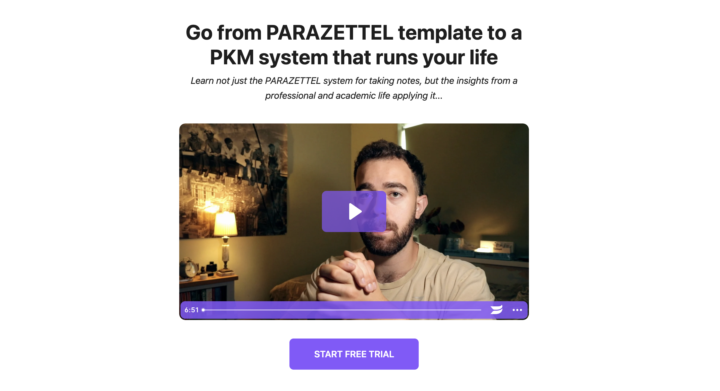
If you want to unlock everything in the Community Classroom page, there's a free trial for you to see what full access is like. Head to https://parazettel.com/upgrade for more information - when you use the discount code *NEWMEMBER* at checkout, it gives you 50% off your first month - I'll unlock the courses for you so you can give everything a proper test drive for less. You get... - The Premium-exclusive PARAZETTEL Course, to learn how to use the PARAZETTEL template in the most detail. I give examples from my workflows, and talk through some other theories - The new Claude Code x Obsidian Course, where I'm going deep into learning how to best tie AI into note-taking. It's emerging as a very exciting field, and is becoming more powerful very quickly - All other courses, including Minimal Note-Taking, PKM for Students, and Use Your Ideas, covering all bases in the world of taking notes for useful output Remember, check out https://parazettel.com/upgrade to learn more! -- Theo
1 like • Mar 2
Love your minimal note taking theory and the recent claude code and obsidian stuff has been gold!
Feb 8 •
What will you use Claude Code for in your vault?
After the workshop yesterday, I was wondering if you guys had any further thoughts about how Claude Code and the power of AI might be able to help you with your notes? If you've not seen the workshop recording yet, it's here - https://www.skool.com/parazettel-community-4498/classroom/ab032e36?md=2d43a0046f3d4a7a9745294654050595. We go through a couple of examples, including making note properties consistent, and creating summaries of a certain topic from vault-wide references. Let us know below what you've learned and how the new tool will help you! -- Theo P.S. If you've not got access, you can unlock it for $29/month here by starting a premium membership - just go to https://parazettel.com/community/plans
1 like • Feb 8
I have been using it a TON recently. Almost worth it's own post here in the community. In fact, I am going to have claude make it 😅, I'll forget some things!
2 likes • Feb 8
just made a post here about it: https://www.skool.com/parazettel-community-4498/my-obsidian-claude-code-workflow?p=9ca1f222
1-10 of 15

Active 12d ago
Joined Mar 17, 2025
ESFP
SLC