Activity
Mon
Wed
Fri
Sun
Sep
Oct
Nov
Dec
Jan
Feb
Mar
Apr
May
Jun
Jul
Aug
What is this?
Less
More
E-Ink Tablet Users
1.4k members • Free
3 contributions to E-Ink Tablet Users

Nov '25 •
Do You Use One or More reMarkable Tablets? Let’s Compare Workflows!
I’m curious — does anyone here use two reMarkable tablets? If so, how do you fit them into your daily workflow or creative setup? Do you split them by purpose (work vs personal)? Or maybe one is your planner while the other’s your sketchbook? Share your setup below — I’d love to see how you’ve made multiple devices part of your productive life. Let’s compare notes and maybe inspire some new ideas for getting even more out of your devices. ✍️
Poll
127 members have voted

0 likes • 11d
@Colette Stevenson I did that at first, now I use fewer notebooks and more tags, the tags are easy to search. Don't forget you can move pages from one notebook to another, so just putting something in the quicksheets and then moving it later, once you have had a chance to mull it over and consider appropriate notebook, tags, etc.
0 likes • 11d
@Colette Stevenson force yourself to the device--use the quicksheets and then move pages later
11d •
Auto Push and Template Access on Binder
Hi, I just purchased CalSync and Binder, I have two planners set up, working well, not clear on if I need to have CalSync open on windows for the auto push to work, it seems I should not, but just looking for clarification. For the various templates and such with binder, how do I access those, what about custom screens etc? Are there any included with the base plan?
Feb 10 •
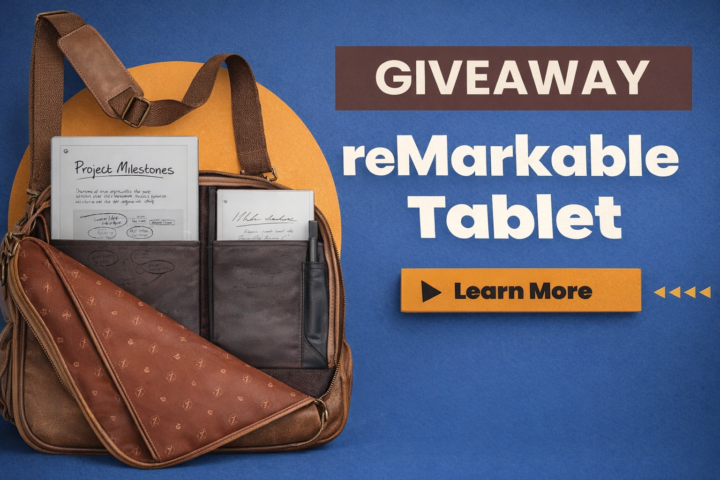
🎉 reMarkable Tablet GIVEAWAY ANNOUNCEMENT 🎉
Win a reMarkable Journey Bag + reMarkable Paper Pro We’re running a 60-day community giveaway and keeping it simple, fair, and transparent. No purchase required. No tricks. Just community participation. 🏆 What You Can Win 🎒 reMarkable Journey Bag ✍️ reMarkable Paper Pro 🔥 How the Winner Is Chosen This is NOT a random drawing. The winner will be selected based on: - 📈 Your position on the Skool Leaderboard - 💬 Your community participation - 🤝 Your referrals (when they join) 👉 The higher you rank on the leaderboard, the better your chances. Community involvement matters. ✅ How to Enter (Tracked Here in Skool) 1️⃣ Join this Skool community → 1 entry If you’re reading this, you’ve already completed step one 🙌 2️⃣ Share this group with a friend → 2 entries Know someone with a reMarkable (or who wants one)? Invite them. You receive credit once they join. 3️⃣ Share with multiple people → 3 total entries (max) More shares = better odds. 👉 To make sure we track your entries: Comment below once you’ve shared and tag who you invited. You’ll receive credit once they join. 👉 Your Group participation level must be Level 2 or higher to qualify. 📊 Want to Increase Your Odds? Check the Leaderboard inside the group and see where you rank. The higher your engagement: - Posting - Commenting (Meaningful) - Helping others - Sharing the group The stronger your position becomes. Sharing gives you a 2x boost, but overall involvement is what sets you apart. ⏳ Giveaway Details 📅 Runs for 60 days 🌍 Open worldwide 💳 No purchase necessary 🏁 Winner announced inside this Skool group quick note: we can only ship the prize to countries/addresses currently supported by reMarkable shipping.
0 likes • 11d
This is great, I am new here.
1-3 of 3
@brian-panichelle-7906
Husband, Father, Church Leader, Entrepreneur and Director of Admissions at the Reformed Presbyterian Theological Seminary
Active 11d ago
Joined Aug 19, 2026
Powered by