Activity
Mon
Wed
Fri
Sun
Sep
Oct
Nov
Dec
Jan
Feb
Mar
Apr
May
Jun
Jul
Aug
What is this?
Less
More
Feral Founders 40+
108 members • Free
Low Ticket Memberships
557 members • Free
Six Figure CEO Society
986 members • Free
Unified AI Marketing Academy
20 members • Free
Marketing Momentum Collective
168 members • Free
🦄 Profitable Podcast Secrets
160 members • $27/month
Creator Coach
32 members • $97/month
Social Boom
234 members • $7/month
REVENUE REVOLUTION
10.6k members • Free
75 contributions to The AI Identity Lab

🔥
18d •
That is a wrap. The final Day 3 recording is in the classroom.
This week you built a system that takes AI image generation from 40 to 60 attempts down to 3 to 5. An hour to build, yours forever. Today's lesson has your simple scene prompt, the settings that matter, and how to fix the failures everyone hits. Your job now: go break it. Run your Creative Director hard, try to make it fail, and post your results in the community. Tag me. The wrong images are the most useful thing you can share. Next challenge is the last week of August. Same format, new build. This month was your Creative Director. Be here for the next one. Go use your system. Post your first real image. See you in August.


1 like • 18d
And I've got to catch up. Will it be moved to replays in the classroom?
🔥
22d •
Pre-work is live. Start here.
The AI Creative Director Challenge starts Wednesday. Your job Monday and Tuesday is to prep so you can build live instead of scrambling. Three things to do before Wednesday: 1. Pick your reference photo. The one that looks like you right now, good light, clear face. Grab two backups. 2. Photograph your wardrobe, jewelry and footwear. The pieces you'd actually wear in a brand image. One photo each. 3. Draft your workbook. Rough is fine. Wednesday we make it specific together, but you need something on the page to work from. The full pre-work brief and the workbook are linked below. Read the brief first, it tells you exactly what to shoot and how to name it. One thing that matters. Day 1 is an audit, not a lecture. You show up with drafts and we tighten them live. Come with nothing and you'll be building while everyone else is refining. Do the pre-work. To build live with us, be set up by Tuesday night. Questions? Drop them here. See you Wednesday. Pre-Work Brief attached Participant Workbook attached
1 like • 21d
Okay- going to look through this
30d •
Lora question
I started out with Krea but I believe I used a different one once I took the challenge/course with Megan but I can't remember the name. I am trying to find it to see which one I want to keep paying for as I am now looking into another app. @Lindsay Hack Thanks
1 like • 29d
@Lindsay Hack literally trying to remember the one I built in because I had credits in it. Okay- it's OpenArt. TY
🔥
Jun 25 •
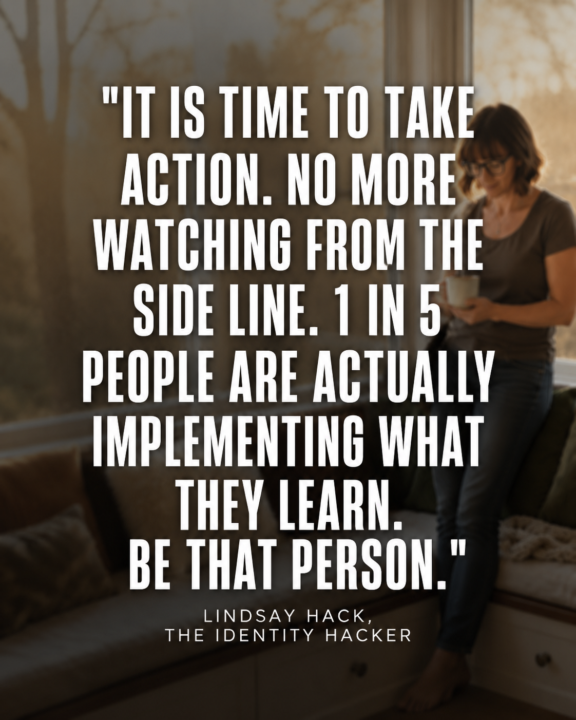
Prompt for Social Media Posts
Upload a photo of you. ChatGPT Image 2.0 Prompt: (adjust as needed) Create a premium social media graphic in a 4:5 portrait format (Instagram/Facebook). Use a candid, photorealistic lifestyle photo of [describe the person] standing naturally in [location]. The person should be intentionally softly blurred with a shallow depth of field so they become part of the background rather than the main subject. Slightly reduce contrast and saturation, creating a subtle faded editorial look while still keeping the person recognizable. Leave generous negative space through the center of the image for typography. Overlay a large inspirational quote that occupies approximately 70–80% of the image height. Typography specifications: Large bold condensed sans-serif font White lettering Soft charcoal drop shadow for readability Center aligned High contrast Clean premium editorial design Comfortable line spacing Balanced margins Quote is the primary focal point Fade the background slightly behind the text so the words are effortless to read. Modern luxury branding aesthetic. Natural lighting. No logos. No watermarks. High-end magazine quote graphic. Text: "It is time to take action. No more watching from the side line. QUOTE: "1 in 5 people are actually implementing what they learn. Be that person." Lindsay Hack, The Identity Hacker
1 like • Jul 1
@Lindsay Hack ty
0 likes • Jul 1
@Jennifer Hynes ty
Jun 24 •
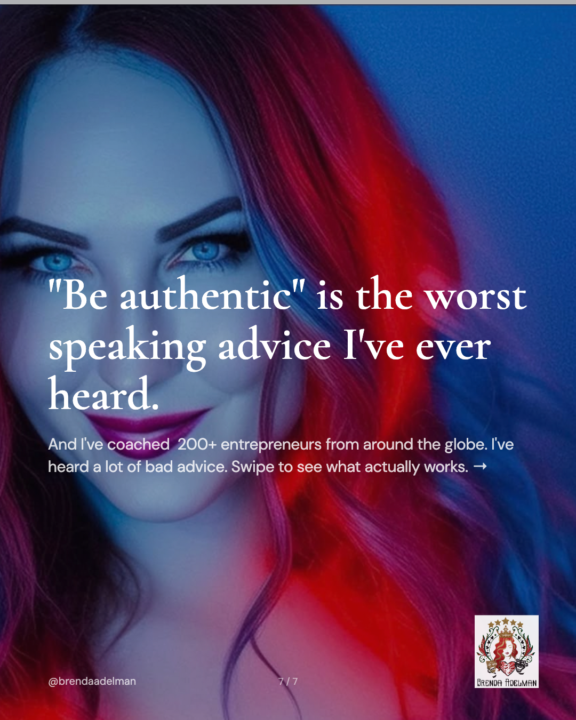
Carousel made with Lindsay's tool
Love this. Not sure why the slide numbers didn't come out right but sooooo good, on brand and alread posted. Thank you!
1 like • Jun 26
Did a second carousel :) So easy
0 likes • Jun 27
So I saved it- where would I find it again?
1-10 of 75
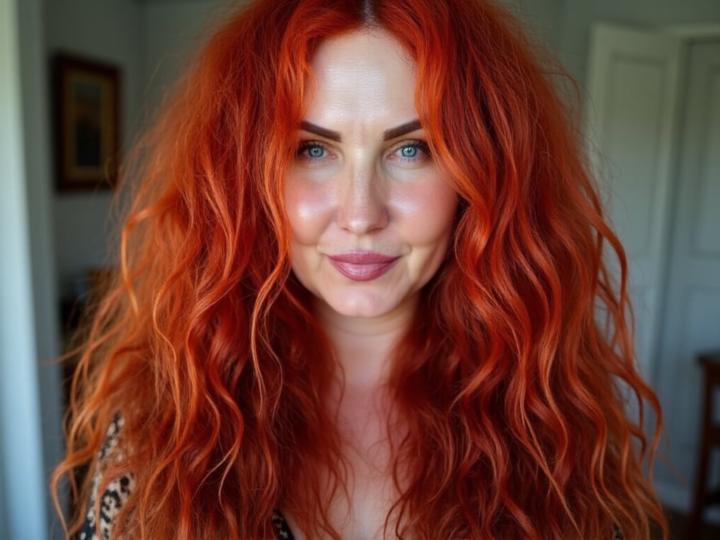
@brenda-adelman-7623
Brenda Adelman: Speaker Trainer, Storytelling Mentor, Video Confidence Coach, Critically Acclaimed Solo-Show Performer & Forgiveness Expert
Online now
Joined Oct 6, 2025
Los Angeles
Powered by