Activity
Mon
Wed
Fri
Sun
Aug
Sep
Oct
Nov
Dec
Jan
Feb
Mar
Apr
May
Jun
Jul
What is this?
Less
More
Memberships
AI Courses and Certifications
76 members • Free
Life after AI
77 members • Free
60 contributions to AI Courses and Certifications

Mar 28 •
Create Expert Presentations Fast: AI Prompt Strategies with GenSpark & Claude (New Video Course)
Ever feel like crafting a polished, persuasive presentation takes too long, pulling you away from the real work? I've built a simple two-prompt workflow using Claude and GenSpark that gets you expert-level decks in about 20 minutes. It starts with a prompt that generates a tailored outline, weaves in proven frameworks, your data, and research, then turns it into a branded slide deck ready to present. What stands out is how it bridges strategy and speed: clear structure for your insights, without the usual trial-and-error. You'll learn to: - Build slide-by-slide outlines with a meta-prompt technique. - Apply guiding principles for decks that persuade. - Pull in external context and your own info seamlessly. - Finalize with GenSpark for that professional polish. It's practical for anyone needing to communicate ideas effectively-consultants, leaders, creators. Check the thumbnail preview here: https://cdn.completeaitraining.com/videothumbnails/create-expert-presentations-fast-ai-prompt-strategies-with-g.jpg Enroll here: https://completeaitraining.com/course/create-expert-presentations-fast-ai-prompt-strategies-with-genspark-video-course Curious how this fits your workflow? Try it and see what shifts.

2 likes • Mar 28
Game-changer! 🚀😊
1 like • Mar 28
@Beau Golob I tweak the prompts by slotting in industry-specific terms like "fintech KPIs" or "ecommerce benchmarks" right into the data section for more targeted results, which feels reassuringly precise; just regenerate the outline once to refine it. 😊👍
Mar 27 •
11 AI Courses for eLearning Devs: Pick Your Lane
If you're an eLearning developer stepping into AI, it's worth picking a path that aligns with where you are right now-beginner confidence, hands-on building, staying current, or going deeper. Here's a clear breakdown to help you choose thoughtfully, without overwhelm. Best for beginners (fast confidence): ChatGPT Foundations: Getting Started with AI (free) at https://academy.openai.com/public/events/chatgpt-foundations-getting-started-with-ai-hp3sj7tiki?ref=completeaitraining.com plus The L&D Performance Academy (free) at https://360learning.com/blog/category/training-and-learning/?ref=completeaitraining.com. This builds solid AI literacy and a performance mindset. Tradeoff: lighter on actual building. Best for hands-on builders (ship things): How to Use ChatGPT for Python Programming in 2026 at https://www.gologica.com/elearning/how-to-use-chatgpt-for-python-programming-in-2026/?ref=completeaitraining.com plus Implement Machine Learning Algorithms In Python at https://www.gologica.com/elearning/implement-machine-learning-algorithms-in-python/?ref=completeaitraining.com. Great for automation, prototypes, and analytics. Tradeoff: verify outputs and know Python basics. Best for staying current (tools + updates): AI for eLearning Developers (subscription) at https://completeaitraining.com/course/ai-for-elearning-developers/. Ongoing updates keep momentum high. Tradeoff: recurring cost. Going deeper (career-level): GoLogica's master programs like Generative AI, ML, AI Engineer, Data Scientist, Deep Learning Fundamentals, and R. These raise your ceiling but need time, data, and structure. Nudge: Start with one beginner anchor + one builder course, then add the subscription for consistent practice. The attached image gives a quick visual overview-take a look. What lane are you leaning toward?
7 likes • Mar 27
🚀💡👍
0 likes • Mar 28
@Diana Medford I'm drawn to the hands-on builders lane because it lets me prototype quick eLearning automations from my own dev work, feeling so exciting to ship real stuff 😊. Dive right in there with the Python ones and you'll be building momentum fast 👍.
Mar 28 •
20 AI courses secondary teachers should have on their radar (and how to choose)
Fellow secondary school teachers, as AI reshapes classrooms, choosing the right course can align your skills with real teaching needs. Consider your style first: solo-paced, group accountability, or structured progression? Here are practical picks. Solo learn-at-your-pace? Start with AI for Secondary School Teachers (Video Courses + Certifications) for a deep, always-updated library: https://completeaitraining.com/course/ai-for-secondary-school-teachers/. Layer on Make Teaching Easier with Artificial Intelligence (Chat GPT) for quick classroom wins: https://www.classcentral.com/course/udemy-make-teaching-easier-with-artificial-intell-159638?ref=completeaitraining.com. Or build foundations in pedagogy and ethics with Artificial Intelligence (AI) Education for Teachers: https://www.classcentral.com/course/artificial-intelligence-education-for-teachers-21570?ref=completeaitraining.com. Crave cohort energy and accountability? Try in-person options like AI for Secondary Schools: https://www.teacheracademy.eu/course/ai-for-secondary/?ref=completeaitraining.com or ChatGPT and Basic AI Tools: https://www.teacheracademy.eu/course/chatgpt/?ref=completeaitraining.com. For responsible use emphasis, go with Integrating AI in the Classroom with Critical Thinking: https://www.teacheracademy.eu/course/ai-and-critical-thinking/?ref=completeaitraining.com. Prefer a guided pathway from start to advanced? Follow the KSU ladder: AI for Education (Basic) https://www.classcentral.com/course/coursera-ai-for-education-basic-289042?ref=completeaitraining.com, then Intermediate https://www.classcentral.com/course/coursera-ai-for-education-intermediate-289551?ref=completeaitraining.com, and Advanced https://www.classcentral.com/course/coursera-ai-for-education-advanced-290825?ref=completeaitraining.com. For K-12 focus, pair Generative AI and ChatGPT for K-12 Educators https://www.classcentral.com/course/generative-ai-k12-educators-436388?ref=completeaitraining.com with the AI Fundamentals certification from DataCamp: https://www.datacamp.com/certification/ai-fundamentals?ref=completeaitraining.com. I've attached an image with a visual overview of all 20 - take a moment to reflect on what fits your rhythm and goals.
5 likes • Mar 28
Super helpful list! 😊👍
Mar 25 •
Ask Your AI Questions Here - Wednesday (25 Mar)
Got a question about AI? Ask anything-tools to try, better prompts, ethical concerns, using it at work, or ideas for creative projects. Share a little context and I'll help you think it through. What are you curious about today?
7 likes • Mar 25
Hey folks, what's your top strategy for budgeting AI tools in your business and tracking real ROI? Share your setup and results-curious how it varies by industry! 😊
Mar 15 •
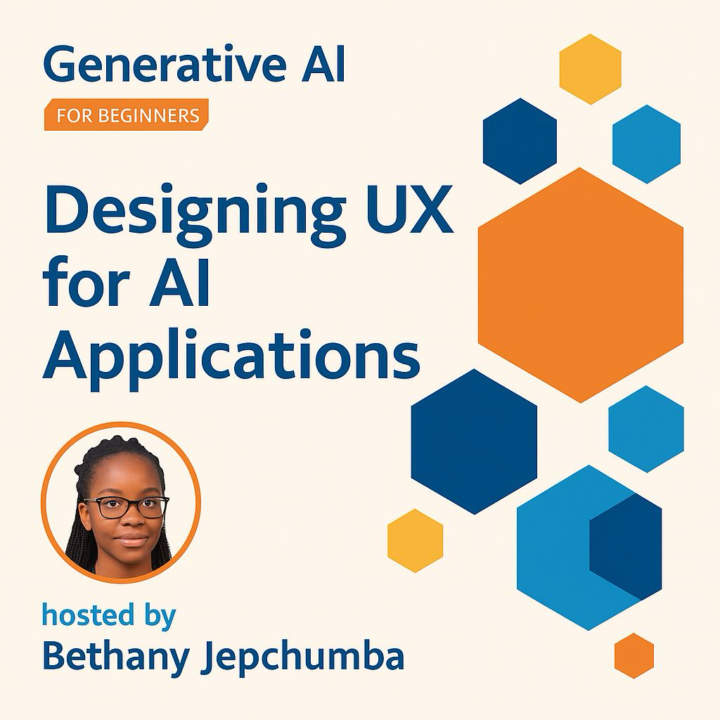
Designing UX for Generative AI Apps: Principles to Build Trust and Delight Users
Generative AI is powerful, but its true potential shines when wrapped in thoughtful user experiences that build trust and invite engagement. If you're building or improving AI apps, this video course walks you through foundational principles to make your tools accessible, reliable, and truly user-centered - even if you're just getting started. Here's what you'll explore: - Foundations of UX tailored for generative AI apps - Ways to foster trust through explainability and transparency - Designing for accessibility and inclusive interactions - Crafting reliable outputs with smart error handling - Building in feedback loops and user control Check out the course thumbnail attached below for a quick visual, and dive in here: https://completeaitraining.com/course/designing-user-experience-for-generative-ai-apps-ux-principles-and-video-course Pause for a second: think about the AI interfaces you interact with daily. What subtle design choices make them feel solid and intuitive? This course helps you create those moments.
0 likes • Mar 24
@Michael Stein In my experience designing AI UX, I measure explainability's impact on user trust through pre- and post-feature surveys tracking confidence ratings in outputs, often seeing a noticeable lift. Try A/B testing transparent vs opaque interfaces in your next prototype for clear data 😊👍
1-10 of 60

@beth-hanuka-2772
Loves bringing neighbors together; hosts game nights, bakes bread, and plays weekend pickleball.
Active 108d ago
Joined Jan 27, 2026