Activity
Mon
Wed
Fri
Sun
Aug
Sep
Oct
Nov
Dec
Jan
Feb
Mar
Apr
May
Jun
Jul
What is this?
Less
More
Owned by Ben
A supportive community for wall printers and newcomers, helping you design, print, sell, and run your own wall printing business.
Memberships
133 contributions to The wall Printing lab

17h •
Remember you don’t always have to print on walls
Check out this cool piece I made a few weeks back, I brought a 9mm mdf board painted it white attached it to the wall and printed directly onto it, after that I cut round the design using a jigsaw and then sanded the edges the next step will be the epoxy, remember your not limited to just walls!! Use your imagination and you can create anything !!! Let me know what you think
0
0

6d •
Supplies and additional tools
Hi guys!! Just wanted to share a quick video on some syringes I brought on AliExpress, remember if your looking for supplies many of the times you can find them on such sites as AliExpress and temu, I wouldn’t recommend inks or print heads but for certain things it can be great!

0 likes • 20h
@Adam Knight your welcome mate yes they do you can’t see in the video but they have a little blue to them to be honest I even use them at night whilst working on the computer, you can pick them up on Amazon for for 20 pounds
3d •
Working With Client Supplied Graphics: Quality, Editing & Background Issues
A useful weekend video for the community. In this video, I go through how to work with pre made graphics supplied by clients and prepare them properly before printing. I explain how you can upscale low-quality artwork, make simple edits using free tools, and improve graphics without needing expensive software or advanced design skills. I also cover one of the most common problems with client-supplied images: background colours that look white on screen but are actually slightly grey, cream, or off-white. These can sometimes print as an unwanted box around the design, so it is important to check the background before sending the file to the printer. This is a simple but important part of the workflow and can help you avoid poor-quality results, wasted ink, and unnecessary reprints. A good watch for anyone who regularly receives artwork from clients or wants to feel more confident preparing graphics for wall printing. TOOLS USED: upscayl.org (Free upscale tool) - runs locally on laptop or pc chatgpt.com (image editor and creator) - limited free generations Kittl.com (1000s of pre made templates and tools) - limited free templates and generations.
2
0


3d •
blurred lines
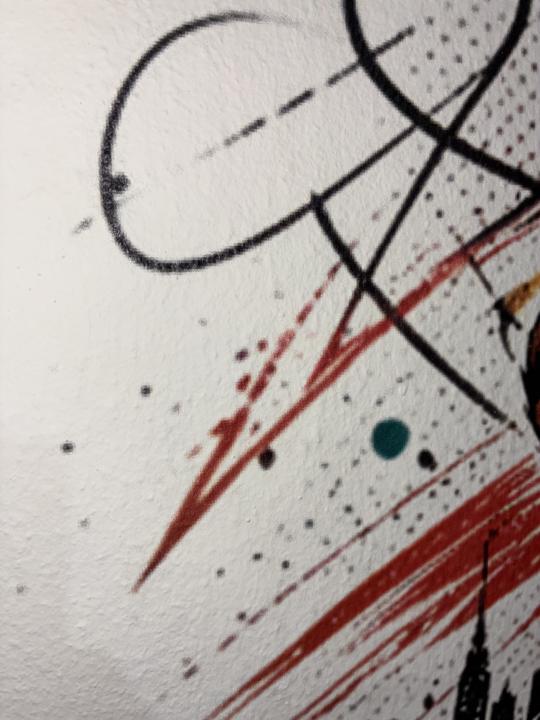
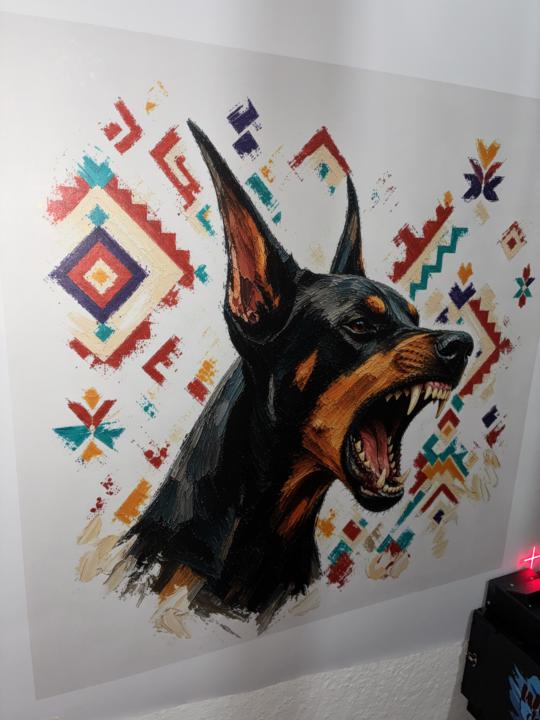
Hello, I recently printed an image onto a wall in my home. While the result looks quite clear from a normal viewing distance (about a meter away), the image doesn't appear sharp when viewed up close. From what I’ve gathered, the wall's texture and the "pass" setting play a role here. For reference, I printed it using the 8-pass CMYK mode. It seems that images with such fine detail require a higher pass count—though, naturally, that extends the printing time. Do you have any suggestions? Have you encountered this issue before? How did you resolve it? I’d really appreciate your help. 🙏🏻
0 likes • 3d
@Okan Kurban i agree with @Bhups Sohal 300 is more than enough, could be a few things personally printing at 12 pass does take longer but i do prefer it for the quality, what size did you upscale the image? also is it just the first part of the print or the entire print? can you send the design over so we can take a look? thanks!!
1 like • 5d
@Okan Kurban cool print !!! I like the Doberman and the style how long did it take ?
1 like • 5d
@Okan Kurban not bad 😉 looks great!!
1-10 of 133

@ben-haywood-9395
Wall print designer with 10+ years in graphics. I help creators and print studios design eye-catching murals, branding and visuals.
Active 10h ago
Joined Nov 17, 2025