Activity
Mon
Wed
Fri
Sun
Dec
Jan
Feb
Mar
Apr
May
Jun
Jul
Aug
Sep
Oct
Nov
What is this?
Less
More
4 contributions to CSN Recruiting (Free Version)

Oct 24 •
⚽The Roster Tracker is now Live! ⚽
Most of you are flying blind. I've watched it happen for years. Players send email after email. Parents spend thousands on ID camps. Plenty of those programs finished shopping for that class months ago. That's the hard truth. You might be chasing coaches who don't have a spot, or a dollar, left for your recruiting class. It isn't your fault. You just didn't have the numbers. Now you do. The Roster Tracker gives you the roster math for every program you want to target, so you can spend your time and money where there's a real opening. Here's how to read it before you log in: - The Red Number. This is the one to watch. It shows the potentially open spots for your class. The math is simple: current juniors or seniors minus current commits. Those red numbers are your new target list. - Roster Bloat. Check the overall roster size. Some programs carry 28 to 35 players. Know what depth chart you're walking into before you commit. - The 5th-Year Wildcard. No software can predict whether a coach will ask a senior to stay for a fifth year. Use the data to find the opening, then confirm it with the coaching staff directly. - The Data Lag. Our baseline comes from public university rosters. Some Instagram commitments aren't in yet. We add them by hand every day, so don't panic if a recent commit isn't showing up. It will be. This is a premium tool. The guessing stops here. Lock in your subscription and get instant access → https://commits.stevecoxonsoccernetwork.com/ Log in, find the red numbers, and get to work. Your next email to a coach should go somewhere it can actually land. Cheers, Steve

1 like • 24d
This is amazing thank you!!
Jul 1 •
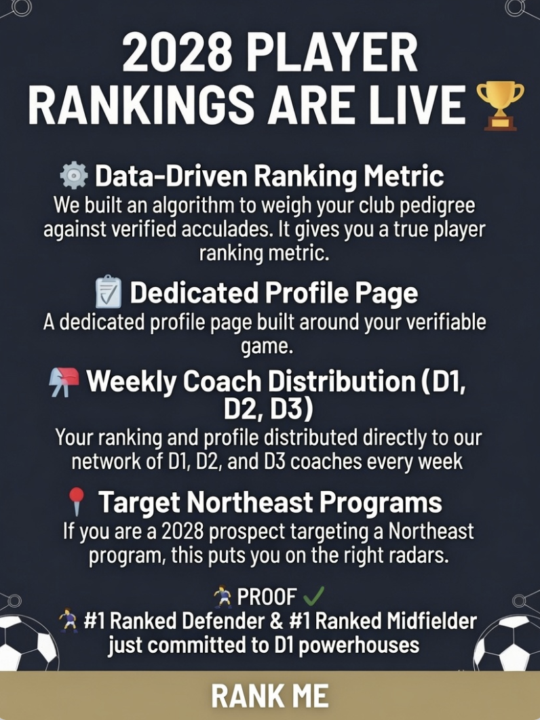
All new - "2028 CSN Female Player Rankings"
⚙️ We built an algorithm to weigh your club pedigree against verified accolades. It gives you a true player ranking metric. Here is exactly what happens when you get ranked: 📋 A dedicated profile page built around your game and Highlight tape. 📬 Your ranking and profile distributed directly to our network of D1, D2, and D3 coaches every week! 📍 If you are a 2028 prospect targeting a Northeast program, this puts you on the right radars. 📈 Proof that the system works: Our #1 ranked 2028 Defender and #1 ranked Midfielder just committed to D1 powerhouses 💪 To find out how to be ranked simply comment "Rank me" in the Comments section below and I will send you a DM with the next steps.
0 likes • Jul 2
Rank me
Feb 10 •
Tuesday Q&A: Fire Away, We’re Here to Help!
Got questions? Post them here, and Steve or one of our team members who’ve been through the process will get you a straight answer. Remember, there are no dumb questions on this complicated journey—so don’t hesitate, fire away!

0 likes • Feb 10
Hi Coach, I have a question on level of play. If I am on a DPL team that is extremely talented and we beat in friendlys the FSA ECNL, scorpions ECNL and CFC ECNL teams, but we are not ECNL. How do I get noticed when a lot of the recruiting is from the ECNL for the schools I like? I play at Suffield Academy, but we are a higher level category B team and we didn’t have a great season this past fall. I’ve emailed coaches and attended ID clinics and I’ve gotten some responses but my question is do I have to get into an ECNL level team to Rhiley get recruited or high-level of interest from some of these coaches at the D1, D2, D3, and Ivy level?
Oct '25 •
Welcome! Introduce Yourself + Share a Pic!
Welcome! Introduce Yourself + Share a Soccer Pic! Let’s get to know each other and build our community! Step 1️⃣: Introduce Yourself - Create your first post by clicking the Introduce Yourself tab (under the "Write Something" section). - Share a little about yourself so we can get to know our new teammate! Need ideas? Use this prompt: - "My name is _________, I play for _________________ (Club) in the __________ (League). Or I am a parent of a player who plays for _________________ (Club) in the __________ (League). - I am in the class of ______________. - My dream school is __________________. - (Optional) Click the paperclip below and post an image of your dream school’s logo!" Good Luck!

1 like • Feb 5
@Diego M Lopez can you share your contact info at PFA?
0 likes • Feb 5
Here are some of my videos
1-4 of 4
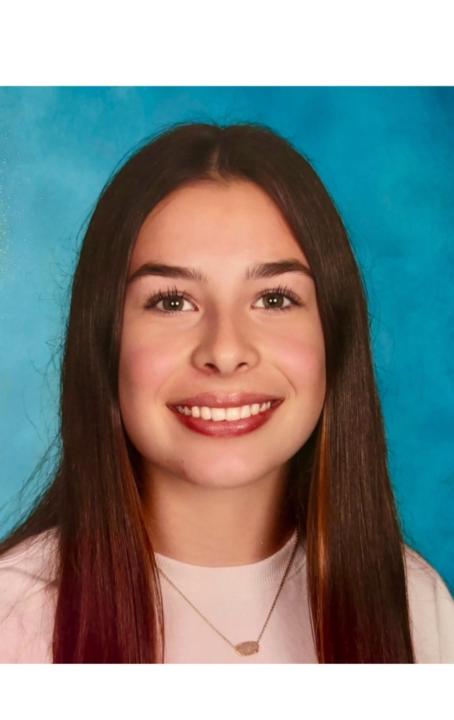
@ava-dagnoli-8146
Hi I’m Ava Dagnoli. I am a 2028 at Suffield academy. I am a defender. I am an extremely hard worker! I am a high honors student.
Active 24d ago
Joined Feb 3, 2026