Activity
Mon
Wed
Fri
Sun
Nov
Dec
Jan
Feb
Mar
Apr
May
Jun
Jul
Aug
Sep
Oct
What is this?
Less
More
HIGGSFIELD
145
1.0
$17/m
74 contributions to HIGGSFIELD

Feb 27 •
👋 Welcome to Higgsfield Lab! Start Here
Hi, I’m Ania Melnik — AI creator, digital designer, art director, and founder of an AI creative studio working with real clients worldwide. My work sits at the intersection of technology and artistry — and it’s been recognized globally. • 4000+ students trained • 300+ international creative awards earned by our students • Alumni working worldwide • Certificate of Recognition from the California State Senate for innovation in merging technology and digital art This community exists for one reason: To help you turn AI skills into paid client work. Here’s how to start: 1️⃣ Pick your track: Creator / Client / Ads 2️⃣ Download the Starter Pack 3️⃣ Create your first clip within 48 hours Don’t overthink. Execute. Drop your track in the comments: Creator / Client / Ads 👇
1 like • Aug 17
@Steve Tapia Totally fair 😂 Here’s the simple version: Creator - you’re making content for yourself / building your own creative style. Client - you’re creating videos and visuals for paying clients. Ads - you’re focused specifically on commercial content and ads for brands. Since you want to create videos for clients, I’d say Client is your track. And honestly, you can still be a creator at the same time 😉 Welcome! What kind of videos do you want to make for clients?
0 likes • Aug 19
@Steve Tapia Haha, exactly 😂 You’re officially both then! And real estate sounds like a great niche for AI video. Walk-throughs, cinematic listing videos, ads - there’s a lot you can do there. Curious to see what you create next! 🔥
Jun 12 •
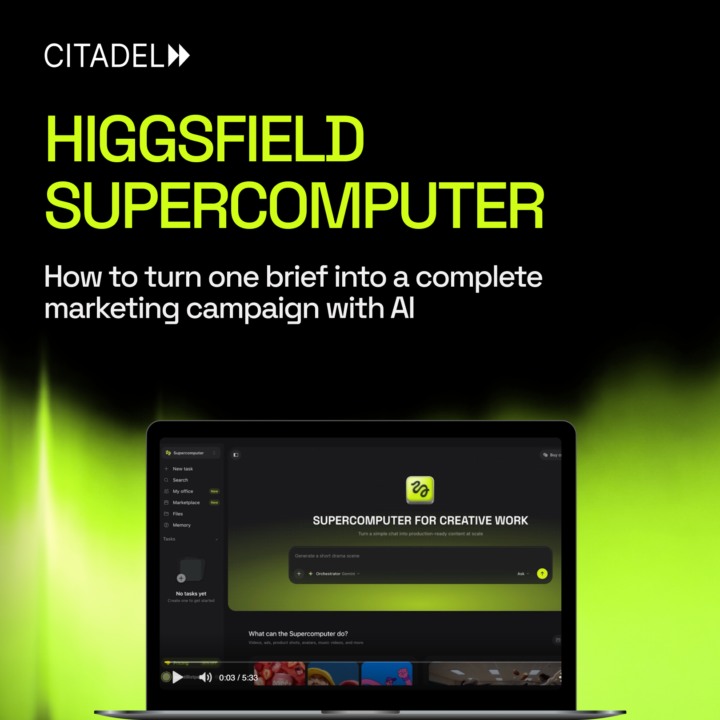
😎 Stop thinking about prompts. Start thinking about outcomes.
When Higgsfield introduced Supercomputer, it became clear that AI workflows are changing. Instead of generating one image, one video, or one asset at a time, you can now give AI a complete business task and let it build the solution. Need a launch campaign? A content strategy? Creative concepts for a brand? Supercomputer is designed to think beyond individual generations and help you solve the entire challenge. We've just released a new lesson inside the community where we break down: - What Higgsfield Supercomputer actually is - How it differs from traditional AI workflows - How to write effective tasks - When to use it (and when not to) - A real example of building a marketing campaign from a single brief This is one of the biggest mindset shifts happening in AI right now. Less prompting. More problem-solving. 👉 Watch here: https://www.skool.com/higgsfield-7889/classroom/b179bc5d?md=b1363e9597684664bb953781375d6f45
4
0

Jun 5 •
I need some help from community
I work in the home service industry, specifically garage door repair. My goal is to create around 100 short-form videos for my business, but honestly, I'm not very good at content creation, scriptwriting, or video production. Is there anyone, service, agency, freelancer, AI workflow, or system that could help me do this efficiently? Ideally, I'd like help with: - Generating video concepts - Writing scripts - Creating images - Animating scenes - Editing videos - Publishing content I'm looking for the fastest and most practical way to produce a large volume of high-quality garage door content without becoming a full-time content creator myself. What would you recommend?
0 likes • Jun 5
Hi! 👋 If your goal is volume and speed, I’d keep it simple: - ChatGPT or Gemini → ideas, content strategy, and scripts - Higgsfield → images, video generation, and ad creatives - CapCut → final editing and publishing The key is to build a repeatable workflow and batch-produce content rather than creating every video from scratch. We actually have lessons inside the community showing how to create content pipelines like this step by step, so I’d recommend starting there and adapting the process to your garage door business 🚀
Jun 5 •
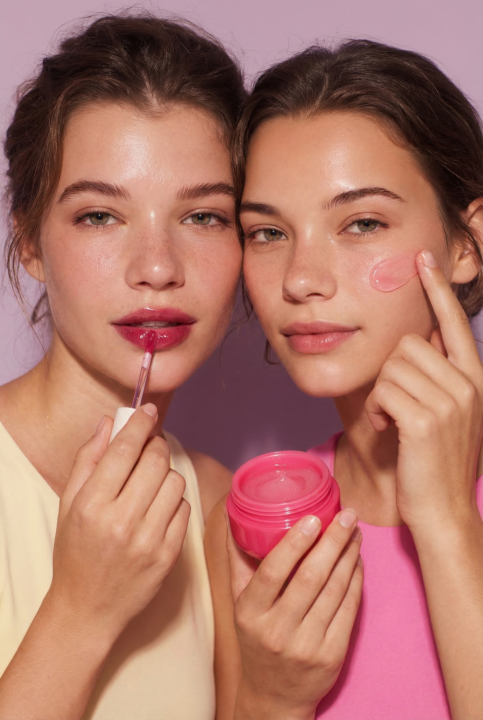
AI Beauty Campaign for a Cosmetics Brand ✨
Creating beauty visuals is one of the hardest tasks in commercial content. The product needs to look desirable. The styling needs to feel premium. And every image has to support the brand identity. This project by our student Yulia Klintsova explores how AI can be used to build a complete visual campaign for a cosmetics brand. Instead of a traditional photoshoot, the entire creative direction was developed through AI: - product-focused advertising visuals - beauty and skincare lifestyle imagery - consistent color palette and brand aesthetics - commercial-quality compositions suitable for campaigns and social media What makes this project particularly interesting is the variety of visual approaches while maintaining a cohesive brand feeling across all images. From glossy product shots to beauty-focused lifestyle scenes, every visual feels like part of the same campaign. A great example of how AI can be used not just to generate images, but to create a complete visual identity for a product. Author: Yulia Klintsova
2
0
Jun 1 •
Does this sound familiar? 👀
You generate a character for a video. The first shot looks great. Then you create the next scene...and suddenly it's a different person. Different face. Different hair. Different details. One of the biggest challenges in AI video creation is keeping the same character consistent across multiple scenes. For exactly that, we have a lesson inside the community: Create Consistent AI Characters for Video In this lesson, we break down a practical workflow for keeping the same character throughout an entire story and turning separate scenes into a cohesive video. You'll learn: • how to create a consistent character • how to use that character across multiple scenes • how to build a storyboard around one character • how to turn images into animated video clips If your characters keep changing from scene to scene, this lesson is worth checking out. 👉 Watch here: 🔗 https://www.skool.com/higgsfield-7889/classroom/4a6d3404?md=2e116988021e4451a385463008de0e7c
1
0

1-10 of 74