Activity
Mon
Wed
Fri
Sun
Aug
Sep
Oct
Nov
Dec
Jan
Feb
Mar
Apr
May
Jun
Jul
What is this?
Less
More
Owned by Alex
Build the app you've been thinking about — with AI, without writing a line of code. For anyone starting from zero, or stuck trying to make AI work.
Memberships
AI Automation Agency Hub
328.5k members • Free
Skoot | CRM for skool
621 members • $99/month
AI Automation Society
423k members • Free
Skoolers
166.3k members • Free
32 contributions to AI Code that Works

May 21 •
What are you trying to build with AI?
Drop your idea here. It can be polished, messy, half-formed, or just something you have been thinking about. You might want to build: • A website • A software product • An automation • An internal tool • A content system • A business workflow • A client-facing tool • A course, community, or digital product • Something you are not sure how to describe yet Use this format: What I want to build: Who it is for: Why it matters: Where I am stuck: What would make this useful: The goal is not to sound smart. The goal is to get the idea out of your head so we can help you add structure to it.
0 likes • 3d
@Caroline Ejoh Solid lane, Caroline — digital products scale nicely (build once, sell repeatedly). What are you starting with — a PWA or an eBook?
0 likes • 3h
@Angelo Botha Welcome Angelo! You're in luck — "where to start" and "a structured path" are exactly what Start Here and Foundations are for. Run those and you're moving. Agentic automation for small biz is a good recurring-revenue bet. What kind of businesses are you aiming at?
4h •
Be honest — where did your last AI build actually end up?
No judgment, no wrong answers — where did your last AI build actually end up? Vote, then tell me in the comments what broke or what shipped. I read every one, and the most common wall gets its own video on the channel.
Poll
5 members have voted
0 likes • 4h
No wrong answers — #2 was me more times than I'd like to admit. Drop what broke (or what shipped) in the comments. I read every one, and the most common wall is getting its own video.
21d •
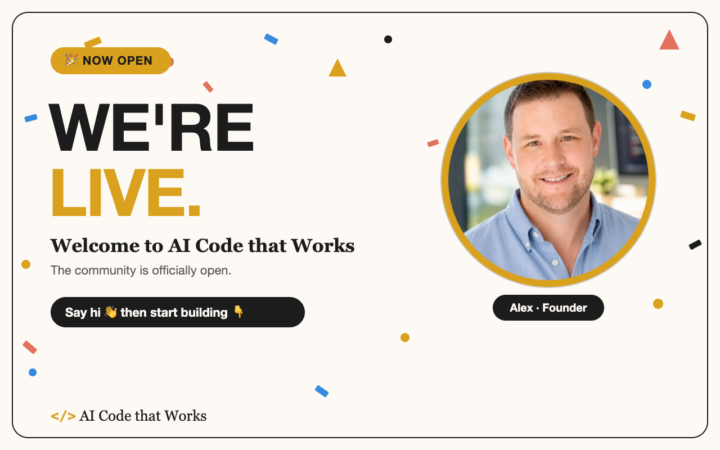
🎉 We're officially live — Welcome to AI Code that Works!
This is it — the community is officially open, and I'm fired up you're here. 🙌 Here's what you just walked into: a home for people who want to build real, working software with AI. Not vibe-coded demos that fall apart by week three — actual things that hold up. It's the same system we use to run real products, laid out so you can run it too. Let's get you moving. Two things to do right now: 1️⃣ 𝗜𝗻𝘁𝗿𝗼𝗱𝘂𝗰𝗲 𝘆𝗼𝘂𝗿𝘀𝗲𝗹𝗳 (drop a comment or Post in Introductions👇) • Who you are + what you do • What you're trying to build with AI — or what you wish you could • Where you're at: total beginner, burned by vibe-coding, mid-build and stuck — wherever you are Takes two minutes, and it's the fastest way to plug into the community. 2️⃣ 𝗦𝘁𝗮𝗿𝘁 𝘆𝗼𝘂𝗿 𝗰𝗼𝘂𝗿𝘀𝗲𝘀 📚 Your courses are ready and waiting. Head into the classroom, start with 𝗙𝗼𝘂𝗻𝗱𝗮𝘁𝗶𝗼𝗻𝘀, and grab the 𝗕𝘂𝗶𝗹𝗱 𝗞𝗶𝘁 — your free five-phase starter for AI projects. Don't just skim it — start building. The people who get the most out of this are the ones who dig in on day one. That's the whole move: say hi, fire up Foundations, and start building things that actually work. 🛠️ So glad you're here. Let's go. 🚀 — Alex
0 likes • 1d
@Gurpreet Sahni Thanks for joining us Gurpreet! What are you interested in doing with AI?
0 likes • 10h
@Maha Hasan Welcome Maha! How do you currently use AI for your work?

1d •
Site Optix UK (TUPE-Flow Module)
Hey everyone! I’m Mark, and I’m building Site Optix UK, an operational software suite tailored for the B2B Facilities Management, commercial cleaning, and security sectors. My first core module is TUPE-Flow—a mobile-first onboarding utility that automates the chaotic 28-day window when a company wins a new multi-site contract and inherits a massive frontline workforce from an outgoing competitor. It handles personal data ingestion, right-to-work compliance, sector-specific certifications (like live SIA licence verification and BICSc logs), and holiday/payroll liabilities. The goal is to eliminate manual spreadsheets, stop day-one payroll errors, and protect commercial contract margins for operations directors. The Part I’m Least Sure About: Since I’m building this as a non-technical founder using AI app-builders (looking at full-stack environments like Hostinger Horizons and Lovable), the piece I am least sure about is structuring the multi-tenant user permissions and data segregation safely. Because TUPE involves highly sensitive employee data (passport photos, contracts, and legal IDs), I need to make sure that: 1. Inherited frontline workers can only see their own secure mobile upload form. 2. Incoming Mobilisation Managers have a high-level master dashboard to review documents and track completion metrics across multiple specific sites simultaneously. If anyone here has tackled secure document uploads and role-based user dashboards within an AI no-code/low-code setup, I’d love to hear how you structured your backend database to keep corporate data locked down safely. Looking forward to seeing what everyone else is building!
0 likes • 1d
RLS stands for Row-Level Security. It's a standard security mechanism in Postgres databases. This we'll give you user-level security as well as organizational-level security, etc. Authentication is a core component of Supabase, which is who I use, and I think they're really cost-effective. But the authentication all runs through their systems with RLS securing customer data. This is where I would start. The best thing to do is write down your user hierarchy, thinking of it as: are there different types of users within the organization that should have the data, shouldn't have the data? For all your other user roles, does it have to be segregated by user? The answer is probably yes. Write down the different user roles that you might have: super admin, admin worker, whatever you're going to call them. And then document exactly what you wrote up here and the specific requirements that you want it to secure, just every piece of detail that you can think of. Once you have your structure through the build kit set up you can just take all that information that you wrote up and feed it to the coding agent and ask it to design a system that will be secure. I suggest plan mode in Claude Code because it won't implement anything. It will just design and then discuss the design with you and explain it to you. You will be amazed what you can learn from the AI if you just ask. Just have some sense about you and question things that don't seem right. Those moments are fewer and fewer between as the models get better, though. I know I already told you about the MCP server, but that's one of the things that we're going to offer, and there is a security scan as well. And with what you're doing, if it's something sensitive, particularly as you set up your GitHub pipeline, I always recommend a third-party coding review tool, whether it's GitHub's Copilot, cursors, bug bot, Claude, or Codex. I've used all but GitHub's code pilot. It's a great second line of defense.
May 21 •
👋 Welcome to AI Code that Works — Start Here
I'm Alex. I built this community for one kind of person: someone who wants to build apps with AI, without learning to code. If that's you — you're home. Everything here runs on one idea: you don't need to code, you just need a method. No more vibe-coding chaos, broken apps, or tabs full of errors you can't read. Just a method that works. Do these 3 things today (takes ~10 minutes): 1. ✅ Go through the [Start Here] classroom → it's 5 quick lessons and it points you to exactly the right course for where you are. 2. ✅ Start your first course → Foundations if you're new, Vibe Code Rehab if you're stuck. (The Start Here classroom tells you which.) 3. ✅ Introduce yourself 👇 → drop a comment on the pinned Introductions post. It's the #1 thing that helps people actually stick with it — and I read every one. A few things worth knowing: - 📅 We run a free live Coffee Break every week — bring whatever you're stuck on. - 🏆 Every like you get earns points → points level you up → bonus stuff unlocks. So post, comment, help people. The more you give, the more you get. That's it. Glad you're here. Now go build something. 🚀 — Alex
0 likes • 2d
@Ej Mathers Thanks for joining EJ!
0 likes • 1d
@Kiki Lee Happy to have you here Kiki! What are you most interested in learning with AI?
1-10 of 32

Online now
Joined May 10, 2026
Powered by