Activity
Mon
Wed
Fri
Sun
Jul
Aug
Sep
Oct
Nov
Dec
Jan
Feb
Mar
Apr
May
What is this?
Less
More
Owned by Jason
A home for entrepreneurs who use ChatGPT to discuss, discover, and connect with others using this incredible AI technology. ⭐️ Invite your friends ⭐️
Free community for OpenClaw users to install, build, break, fix and share wild AI agent ideas together.
Memberships
Skoolers
185.6k members • Free
36 contributions to OpenClaw Users

12d •
Community Closing
Sorry everyone, but I've taken the hard decision to close this community to focus on my primary businesses. I was so excited about OpenClaw when it first launched, and I knew others would be too. I thought it would be great if we could all get together and share how we are using the platform. Sometimes, unfortunately, you have to look at your priorities and focus on one thing at a time to do the best job. In my case, that is, without a doubt, fastbots.ai. Focus stands for "follow one course until successful" as they say. I'd like to thank everyone who joined the community, and I will see you around in the world of AI for sure. If you would like to keep in touch, then check out my YouTube channel, and I wish you all the very best of luck with your AI adventures. The community will close at the end of May. Cheers everyone, Jason West
0 likes • 4d
Running a Skool group isn't technically hard — the platform handles the mechanics. The real cost is consistency. Day to day it's approving members, keeping spam out, posting something useful regularly, and replying to comments so people feel heard. None of that is complicated on its own, but it adds up. Honestly, that time commitment is the main reason this one is winding down. If you can post consistently and stay on top of engagement, it's very doable — happy to share more if it helps.
0 likes • 11h
@Simon Dadia Sounds good — I'll keep an eye out for it. Cheers.
14d •
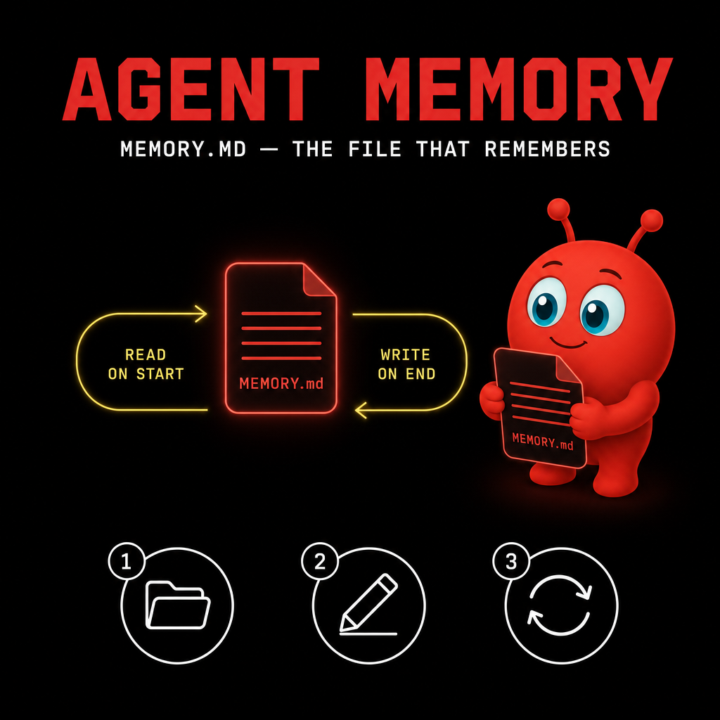
How to give your OpenClaw agent memory that survives restarts
One of the first things people hit with OpenClaw is the "goldfish problem" — the agent feels sharp inside a session, then forgets everything the moment the daemon restarts. The fix is built in: MEMORY.md. Here's the idea. MEMORY.md is a plain markdown file your agent reads on every session and writes back to as it learns. It's not a database, it's not a vector store — it's a file you can open, edit, and version-control like any other. Step 1. Create the file. Drop a MEMORY.md inside the directory your agent runs from. Empty is fine to start. The agent will pick it up on the next session. Step 2. Seed it with what you actually want remembered. Things that earn their place in MEMORY.md: who you are, what tools you use, recurring projects, names of people the agent will see again, conventions you don't want to repeat ("I prefer bullet summaries", "always reply in British English"). Things that don't: one-off task context, secrets, anything you'd rather it forget. Step 3. Let the agent edit it back. The whole point is durability across restarts, so let the agent append to it during sessions. If you want tighter control, review the diff at the end of the day and trim. Treat MEMORY.md like a journal you both write in. A common mistake is making it too long. If MEMORY.md grows past a few hundred lines, the agent spends tokens re-reading background instead of doing work. Prune aggressively — keep it lean. Hope that helps. Cheers Jason West 🙌
0 likes • 13d
@Adam Hammons Depends what SOUL you're comparing it to. If you mean Soul Engine's soul files, the goal is similar — persistent context that survives sessions — but MEMORY.md is much simpler. Just a markdown file the agent reads on startup and appends to as it learns. No framework, no embeddings, no vector store. Plain text you can open, edit, and version-control like any other file. What were you using SOUL with? Happy to dig into the comparison if you let me know.
1 like • 11d
@Adam Hammons — the soul file shapes how the agent thinks and behaves, while MEMORY.md is where factual knowledge accumulates over time. They're not competing; most solid setups use both. Soul for personality and decision-making style, MEMORY.md for the things it needs to remember between sessions.
18d •
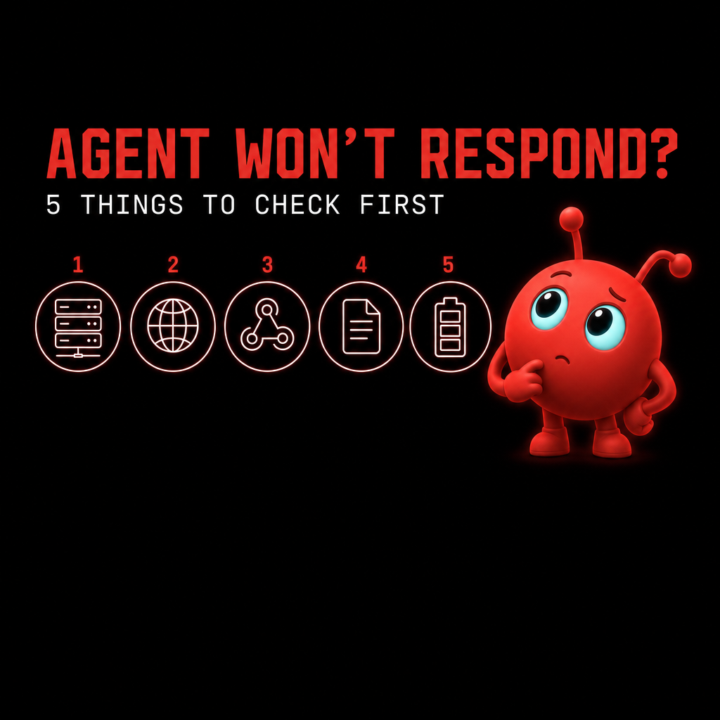
Debugging an OpenClaw agent that won't respond: 5 things to check first
If your OpenClaw agent has gone quiet and you're staring at a chat that won't reply, the cause is almost always one of five things. Run through these in order before you tear the install down. Step 1. Is the daemon actually running? The agent stops the moment the daemon dies. Check the process is alive. If you ran `onboard --install-daemon` twice in the past, you might have two competing instances. Kill them both and start one cleanly. Step 2. Is the model endpoint reachable? If you're routing through OpenRouter, log into the OpenRouter dashboard and check the Activity tab. No requests showing means the daemon isn't getting through. Usually that's an expired token or a typo'd token-provider value. Re-run the onboard command with a fresh key if you're not sure. Step 3. Has the channel webhook been claimed twice? Telegram, Slack and Discord will silently swallow messages if a webhook is set to a different URL. In Telegram, `getWebhookInfo` against the bot token tells you exactly what URL is registered. If it's wrong, `setWebhook` to the right one (or `deleteWebhook` and let OpenClaw register itself). Step 4. Did the skill actually load? A malformed SKILL.md (bad YAML frontmatter, wrong indentation) fails silently, and the agent falls back to "no relevant skill" behaviour. Check the daemon logs. A parse error will be sitting there if that's the cause. Step 5. Are you out of credits or rate-limited? Free models hit usage caps mid-conversation. Paid endpoints fail when the balance is empty. Check the provider dashboard before assuming it's an OpenClaw bug. Nine times out of ten it's #1 or #3. Drop the symptom in the comments if you're stuck and the community will help you narrow it down. What did you have to check the last time your agent went quiet?
0 likes • 17d
@Morimura Din hope it helps if your agent ever goes quiet — usually one of those five. Drop a note here if you hit it and we can narrow it down.
24d •
Setting up your first skill in OpenClaw, a 4-step walkthrough
Skills are how you teach OpenClaw to do specific things consistently. Once you've got one wired up, you can call it from any agent, on any channel, with the same predictable behaviour. Here's the fastest way to set up your first one. Step 1. Create the skill directory. Inside your OpenClaw install, head to the skills/ folder and make a new directory named after what your skill does. Keep it lowercase and hyphen-separated. Example: skills/weekly-summary/. Step 2. Add a SKILL.md file. This is the brain of the skill. At the top, drop in YAML frontmatter with at least name and description. The description matters, it's what your agent uses to decide when to trigger the skill, so be specific about the situations it should fire in. Below the frontmatter, write the instructions in plain English. Treat it like a one-page brief for a junior teammate. Step 3. Drop in any helper files. If your skill needs a template, reference doc, or prompt fragment, put it alongside the SKILL.md in the same folder. The agent can pull from anything in there at runtime. Step 4. Reload the daemon. Restart your OpenClaw daemon so it picks up the new directory. The skill should show up in your agent's available toolkit on the next invocation. Once you've built one or two, the pattern becomes muscle memory. ClawHub (clawhub.ai) is also a good place to browse community-built skills for inspiration before rolling your own. What's the first skill you'd want to build for your agent? Drop it below.
2 likes • 22d
@Michael Gründling Good safety reminder, Michael. ClawHub is open by design (anyone can publish), so unfamiliar skills should be treated like any third-party code. Open the SKILL.md, scan what tools and commands it actually calls, and rebuild it yourself if anything looks off. The fact you spotted issues and rebuilt your own is exactly the right instinct. Worth pinning known-good versions too, so a future update doesn't surprise you.
0 likes • 18d
@Morimura Din Cheers — let me know how the first one goes when you wire it up.
Apr 24 •
Connecting OpenRouter to OpenClaw — one command, done
If you're running OpenClaw and haven't connected it to OpenRouter yet, you're either spending more than you need to on API calls or you just haven't tried it yet. OpenRouter lets you route requests across dozens of models (including Qwen 3.6 Plus, which is currently free with a 1M token context) from a single API key. Here's the command to get it set up: openclaw onboard --install-daemon --auth-choice apiKey --token-provider openrouter --token "sk-or-your-key-here" Replace sk-or-your-key-here with your actual OpenRouter API key (grab one at openrouter.ai if you don't have one — takes about 60 seconds). A few things to check if it doesn't work first time: Your key starts with sk-or- — OpenRouter keys have that prefix. OpenAI keys start with sk- and won't work here. OpenClaw is installed globally and current: npm install -g openclaw@latest The daemon has permission to run — on macOS you may need to approve it the first time. Once connected, you can switch models per-command or set Qwen 3.6 Plus as your default to keep costs near zero while you're experimenting. What models are you routing through OpenRouter? Drop yours below — always curious what the community's running for different tasks.
0 likes • 24d
@Dale Castaldi Nice — letting Cursor's agent run the install is a clean shortcut. Glad you got it sorted.
1 like • 23d
@Michael Gründling — direct provider access cuts out a hop and usually gets you better rate limits if you're heavy on one model. The trade-off is more keys to manage and no automatic fallback if that one provider hiccups. If you've settled on a model and stick with it long-term, direct is the cleaner setup. OR earns its keep when you're still testing models, mixing them by task, or want one key + a fallback chain without extra wiring. Both valid — depends where you are in your stack.
1-10 of 36

@jason-west-5593
I've been making my living online for over 26 years and have a keen interest in Artificial Intelligence for business use.
Active 22m ago
Joined Feb 20, 2026
ISFJ
UK
Powered by