Activity
Mon
Wed
Fri
Sun
Jun
Jul
Aug
Sep
Oct
Nov
Dec
Jan
Feb
Mar
Apr
May
What is this?
Less
More
Memberships
The Renaissance Circle
8 members • Free
The Voice-Over Advantage
72 members • Free
Kingdom Operatives (KO) 👊🔥✨
332 members • Free
11 contributions to The Voice-Over Advantage

10d •
A Link to a Community called VO Masterclass
https://www.skool.com/voiceovermasterclass/how-to-avoid-scams-in-voiceover?p=e890e714 I thought this might a great reference to us all, as I was ALMOST scammed for a podcast Host once and it was the worst feeling ever!

2 likes • 10d
@Ashley Jasper Styles e Yea I read it and even though I caught it late I at least didn't cash anything and kept trying to reach the company to verify.

🔥
11d •
Another awesome Meet & Greet In the books!
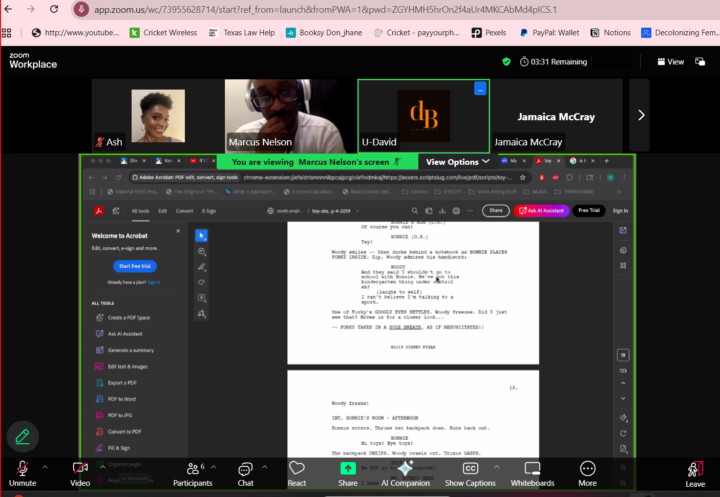
Shout out to @Marcus Nelson @David Bradbury @Jamaica McCray @Tj Wilson We Powered through a few technical issues for a Beautiful read of Toy Story. https://assets.scriptslug.com/live/pdf/scripts/toy-story-4-2019.pdf?v=1729115052 They all took on multiple characters and really brought the work to life. Grateful I had a chance to witness it live. Looking forward to our next session.
3 likes • 11d
lol it was fun and I like figuring out issues with audio and figuring out characters 😆
🔥
17d •
Calling Narrators or Narrator Experienced
Do you do this technique yourself or send it out to someone else? Punch and roll is a voice-over recording technique used to correct mistakes instantly by playing back a few seconds of audio before recording over the error, ensuring a seamless tone and flow. It saves significant editing time, especially for audiobooks, by creating a single, clean track without needing to cut and paste takes later. YouTube +2 How It Works 1. Stop: When a mistake occurs, stop recording immediately. 2. Position: Place the cursor/playhead a few seconds before the error. 3. Play & Record: Initiate "punch and roll." The software plays back the audio (pre-roll), allowing you to listen and match the tone, then automatically switches to recording at the cursor point. 4. Continue: Seamlessly record the correction and continue with the script. Key Software Setups - Audacity: Set "Pre-roll" in Preferences (typically 5 seconds). Use Shift + D to start. Note: In some versions, it works best from the end of the track to avoid deleting existing audio. - Adobe Audition: Right-click the record button and select "Punch and Roll Mode". - ProTools: Use the Transport window to activate pre-roll and designate the punch point with markers.
2 likes • 14d
This will be helpful....now if only ACX authors would ask for me to read for them lol 😆
14d •
Be Careful....I almost got got
I was excited to be hired for a job since it was my first hire. I asked for advice, listened to my work countless times, removed breathe and clicks but come to find out it was all for nothing. I got scammed. Luckily, I didn't cash what they tried to send me and I made every rookie mistake leading up to it but its a learning experience. Not everyone is a good person (all ready knew that) and dont let your excitement and dreams cloud your judgement. Everyone be careful out there.
1-10 of 11

@marcus-nelson-8597
Voice actor wanting to leave his mark in the workd in any way whether its commercial, games, animation. Also doesn't help im a 20yr USAF Veteran 😅
Active 2d ago
Joined Apr 25, 2026