Activity
Mon
Wed
Fri
Sun
Aug
Sep
Oct
Nov
Dec
Jan
Feb
Mar
Apr
May
Jun
Jul
What is this?
Less
More
Memberships
AI Agents For Beginners
1.2k members • $14/month
AI Agents Free (Starter Hub)
274 members • Free
Claude for Founders
10.3k members • Free
AI Writing Easy AF for Authors
975 members • $5/month
AI AUTOMATION INSIDERS
4.6k members • Free
Ashish Builds Academy – Lite
49.8k members • Free
Clief Notes
41.7k members • Free
Digital Muse Academy
370 members • Free
Drini's Vault
3.4k members • Free
13 contributions to AI Agents Free (Starter Hub)

Feb 12 •
👋 Welcome to AI Agents Starter Hub (Free Resources)🌟
Welcome 🤗 If you're new to Skool, you can find your templates & resources in the Classroom Here. Choose the free AI tool you want to explore first: ⭐ Free NotebookLM Resources > ⭐ Free Google Gemini AI Resources > ⭐ Free Claude Cowork Setup Resources > Each hub includes free setup guides and templates to help you start using AI with no code! ✅ Create Your AI Team Here > Create Your First AI Agents Team HERE Limited Discount > 🙌 - Diana 😊

0 likes • Mar 1
@Sharyn Harriss Great. You're welcome Sharyn.😊 And this group (you moved) from my goal is to make it into a NotebookLM lab.🧪 So, stay tuned for more. And See you in our other home base.🏡
0 likes • May 6
@Shawn Lewis Great to have you here Shawn.😃 You can explore our free resources here: ⭐ Free NotebookLM Resources > ⭐ Free Google Gemini AI Resources > ⭐ Free Claude Cowork Setup Resources > What tools are you most interested in learning?
Feb 15 •
How to Use Google Gemini to create a Storybook in Seconds
Here’s how you can use the Google Gemini "Storybook" Gem to instantly turn any lesson plan or boring text into a fully illustrated, narrated digital book for free. Here's how I did it: 1. Open the "Storybook" Gem You don't need to be a designer. Open Google Gemini (on your phone or computer) and look for the "Gems" tab in the sidebar (the diamond icon). Click on the specific "Storybook" Gem. This activates a special mode designed solely for creating visual narratives. 2. Enter Your Prompt You don't need complex instructions. Just tell it what topic you want to teach. Prompt: "Create a story about a 'Happy Proton' who meets a 'Grumpy Electron.' Make it funny for 5th graders to help them understand atoms." 4. Watch It Build the Book Gemini will instantly generate a 10-page book with: * Narrative Text: Broken down into easy-to-read pages. * Custom Illustrations: It creates a matching image for every single page automatically. * Audio Narration: It includes a "Read Aloud" feature, making it perfect for listening stations or accessibility needs. Why this is a game-changer: It takes the "director" role off your plate. You simply give it the concept, and it directs the entire production—writing, illustrating, and narrating a complete digital book that you can project on the smartboard or share with parents. Drop STORY for the full step by step setup. How are you using the Storybook Gem to visualize learning? Let’s share ideas.

0 likes • Mar 1
@Andrew Brian Tadlock One of my favorite features Andrew. You're going to love it. The more descriptive you are the better your results will be. Pro tip - If its for a child or student - prompt it to ensure the child or student is engaged, they like XXXX and XXXX, also highlight them well throughout the story so love it.
0 likes • Apr 29
@Danita Cobble Welcome to our space!😃🏡
Feb 13 •
AI Agents Starter Resources
Choose the free AI tool you want to explore first: ⭐ Free NotebookLM Resources > ⭐ Free Google Gemini AI Resources > ⭐ Free Claude Cowork Setup Resources > Each hub includes free setup guides and templates to help you start using AI with no code! ✅ Create Your AI Team Here > Create Your First AI Agents Team HERE Limited Discount > 🙌 - Diana 😊
2 likes • Apr 25
Welcome!🤩 ⭐ Free NotebookLM Resources > ⭐ Free Google Gemini AI Resources > ⭐ Free Claude Cowork Setup Resources > Each hub includes free setup guides and templates to help you start using AI without code! ✅ Create Your AI Team Here > Create Your First AI Agents Team HERE Limited Discount > 🙌 Welcome 🤗 If you're new to Skool, you can find your templates & resources in the Classroom Here
Feb 15 •
Drop One Task Below — I’ll Tell You Which AI Tool To Use?
✅ Not sure whether to start with Gemini, NotebookLM, or Claude Cowork? 🌟 Drop one task you want AI to help with below, and I’ll tell you which tool I would start with. Quick guide: 👉 Gemini = build a custom AI assistant 👉 NotebookLM = organize files, notes, links, and research 👉 Claude Cowork = work with folders, documents, and real outputs on your computer 🙂 Comment your task below like this: “I want AI to help me with ______.” I’ll help point you in the right direction.😊 Check out our free resources here: ⭐ Free NotebookLM Resources > ⭐ Free Google Gemini AI Resources > ⭐ Free Claude Cowork Setup Resources > ✅ Create Your AI Team Here > Create Your First AI Agents Team HERE Limited Discount > 🙌 -- Diana 😊
Feb 14 •
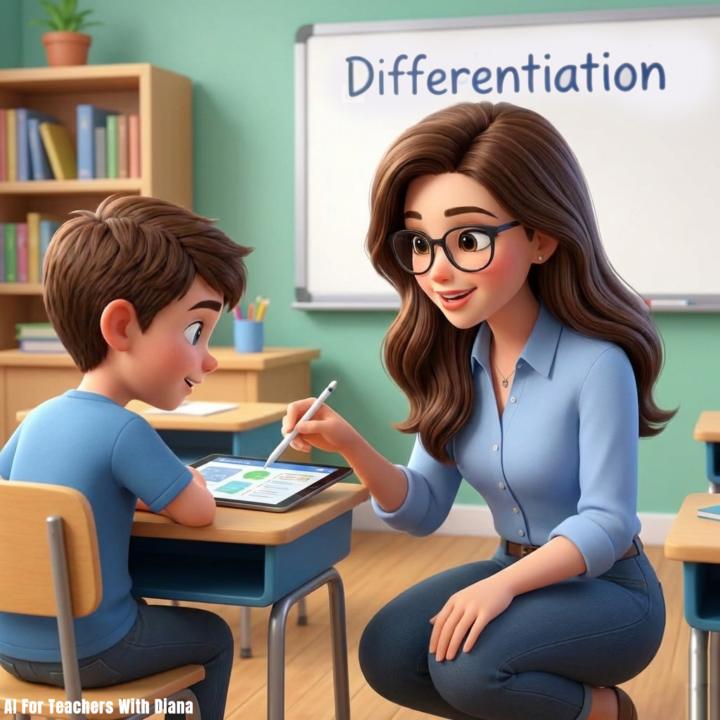
How to Master Differentiation in Minutes With NotebookLM (Easy Solution)
Hi teachers. Here’s how you can use NotebookLM and Gemini to instantly tailor specific assignments, generate audio support, and create leveled reading materials for every student in your class. Here’s how I did it: 1. Create Leveled Reading Passages Stop searching for hours for the perfect text. Use ChatGPT or Gemini to rewrite a single article into three different complexity levels. Prompt: "Rewrite the following text at a 5th-grade, 8th-grade, and 10th-grade reading level. Keep the core concepts and vocabulary the same, but adjust sentence structure and complexity." 2. Generate Instant Audio Support For students who need auditory reinforcement or have processing challenges, NotebookLM is a game-changer. The Workflow: * Upload your reading passage or notes into NotebookLM. * Click "Audio Overview" to generate an engaging, podcast-style discussion of the material. * Share the audio link with students to listen to while they read. 3. Build Tiered Choice Boards Give students agency while assessing the same standard using Gemini. Prompt: "Create a 3x3 choice board for [INSERT TOPIC] with three levels of difficulty: * Row 1: Recall & Understanding (Low floor) * Row 2: Application & Analysis (Target) * Row 3: Evaluation & Creation (High ceiling) Ensure all tasks align with [INSERT STANDARD]."
4
0
1-10 of 13

@63671791
Helpful AI for teachers: ChatGPT, Gemini, NotebookLM. Classroom-tested prompts and workflows for lesson planning, grading, and responsible AI.
Active 1d ago
Joined Feb 12, 2026
INFJ
New York City