Activity
Mon
Wed
Fri
Sun
Aug
Sep
Oct
Nov
Dec
Jan
Feb
Mar
Apr
May
Jun
Jul
What is this?
Less
More
Memberships
SimplifyIAM Pro
14 members • $599/year
SimplifyIAM
557 members • Free
The Highly Marketable Tech Pro
16 members • $6,000/y
3 contributions to SimplifyIAM

5d •
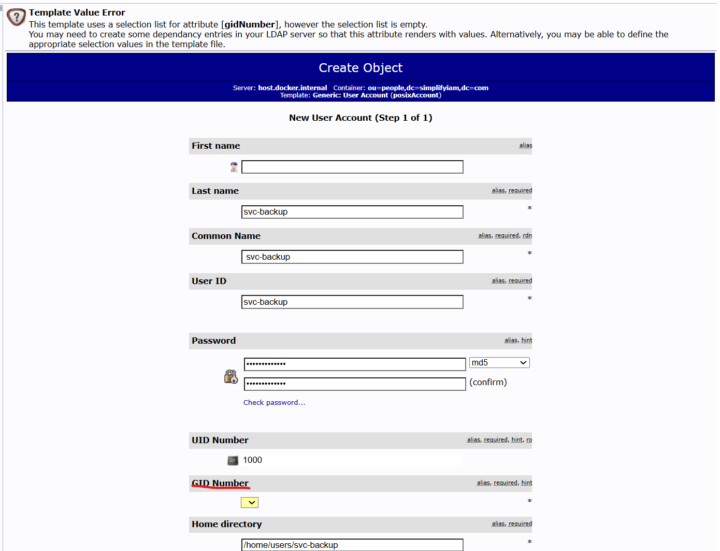
Unable to create service account user on LDAP
I'm trying to create the service account on the LDAP directory. It looks like a GID Number is required but when i click on the drop down nothing pops up. ERROR at the top says: Template Value ErrorThis template uses a selection list for attribute [gidNumber], however the selection list is empty. You may need to create some dependancy entries in your LDAP server so that this attribute renders with values. Alternatively, you may be able to define the appropriate selection values in the template file.
2 likes • 5d
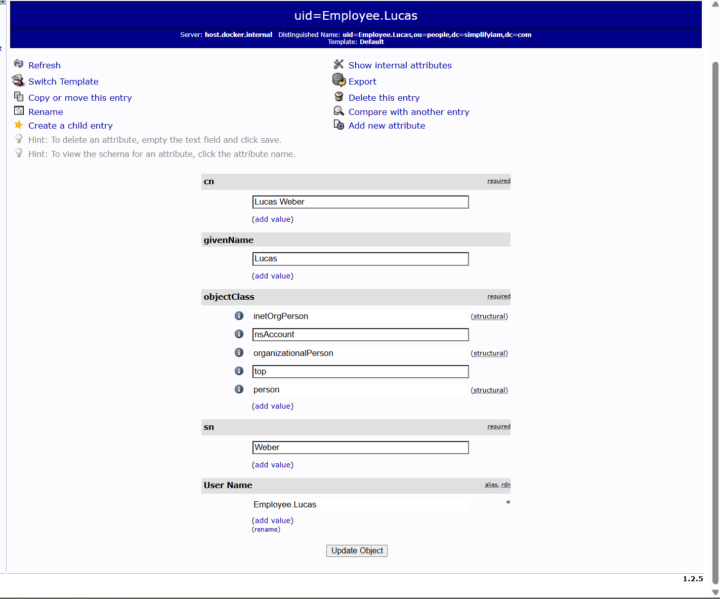
I was able to create the service account 1. Open phpLDAPadmin at localhost:8089 and log in. 2. Navigate to ou=people under dc=simplifyiam,dc=com. 3. Click Create a child entry then click Default 4. Scroll down, click inetOrgPerson, then click Proceed>> 5. change RDN to cn (cn) 6. Fill in cn and sn with svc-backup and description: Backup automation service account 7. Click Create Object After these steps cn=svc-backup will show up under ou=people. To add the password to svc-backup: 1. Under ou=people, click cn=svc-backup 2. Click Add new attribute, click the drop down and scroll down until you see Password 3. Enter password 4. Click Update Object, then click Update Object again
0 likes • 4d
Thank you, will do!

Apr 8 •
Welcome to Simplify IAM👋. Read THIS to get started.
This community is for anyone looking to build real Identity and Access Management (IAM) skills for FREE. Whether you are new to IAM, you are already in IT, or you would want to enrich your IAM skills, your IAM journey starts here. No dry theory. No vendor pitches. Just real-world skills Our goal is simple: to give you the exact hands-on experience needed to land or grow in an IAM role. To get started, execute these steps: 1️⃣ Start by interacting with existing posts and discussions that might already answer your questions. Reach Level 2 to unlock posting - it only takes 6 points (6 likes) by commenting, and engaging with others. 2️⃣ Learn the Core IAM Concepts first. With real-world analogies. 3️⃣ Hands-On Lab 1: CIAM Lab - implement SSO protocols with detailed steps. 4️⃣ Hands-On Lab 2: Full IGA Lab - build core JML workflows with HR source and LDAP target. 5️⃣ Next Steps and IAM Career Roadmap - 90-day actionable plan to extend your IAM skills further. 6️⃣ Visit the Calendar Tab - add the weekly IAM call to your schedule. 7️⃣ Check this post on how to reverse engineer your IAM job search. How this community works: ✅ Post your lab problems under Lab Help ✅ If you are ahead in the learning curve, help others ✅ No vendor pitches ✅ Comment and interact to reach next levels Keep an eye on the leaderboard. Future free classrooms unlock at higher levels. You level up by actively participating, posting progress, and helping others. 🚀
1 like • 6d
Thank you!
1-3 of 3