Activity
Mon
Wed
Fri
Sun
Aug
Sep
Oct
Nov
Dec
Jan
Feb
Mar
Apr
May
Jun
Jul
What is this?
Less
More
Memberships
Maker Zero: Claude Code, AI
7.7k members • Free
AI Bits and Pieces
814 members • Free
AI Systems for Human Content
7.1k members • Free
AI for Life
34 members • $497
Women Build AI
5.1k members • Free
Women Build AI - RETREAT
85 members • Free
WA
WBAI Admins
27 members • Free
The Vibe Marketers
2.6k members • $199/y
AI Automation Society Plus
3.8k members • $99/month
2 contributions to AI Bits and Pieces

🔥
4d •
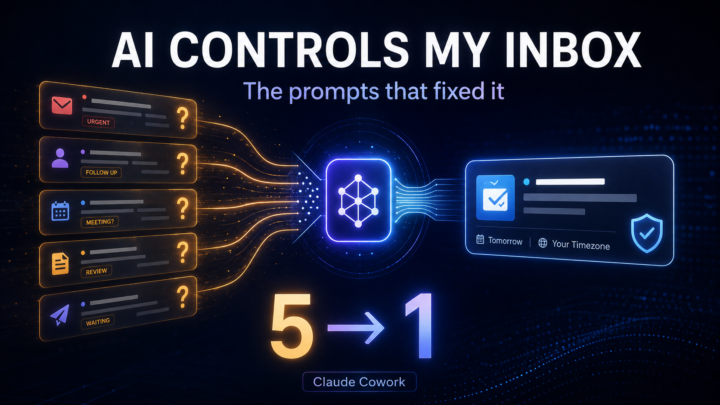
📬 AI Controls My Inbox: The Prompts That Fixed It (Claude Cowork)
I promised @Kyle Covan my next post would be the specific prompts strategies that I used to make my Inbox triage more efficient. Not the philosophy. The actual strategies. 📝 What actually changed for the better this week: - It (Cowork) stopped asking me things it already knew the answer to - When a question was genuinely open, it started handing back a ready answer instead of just a flag - The one narrow auto-accept rule finally got tested by something trying to slip past it Here's how each one played out: 📝 It stopped asking things it already knew. Early runs, it asked "should I create a follow-up note?" for a contact. The same report already showed a meeting booked with that person, two lines up. It had the answer. It asked anyway. Fix: before flagging anything, re-check it against my sent email and meetings first. Five questions became one. 📝 Flagging it isn't finishing it. A Skool contact wanted a meeting time. His only clue was "morning or night." Turned out that meant Jakarta, eleven hours ahead. Fix: don't just flag it as open. Pull my calendar, check the timezone, hand back ready-to-paste times. Three options came back, both timezones shown, nothing left for me to calculate. 📝 The narrow rule finally got a real test. The auto-accept rule only fires on one exact domain. Everything else gets flagged, no guessing. On 7/12, a meeting came in from a different organizer doing the same kind of work, close enough to pass at a glance. It didn't auto-accept. It got flagged. That's the test that actually matters. Not the obvious case, the one built to sneak through. 📝 The number that proves it. Day one: five items needing me. Day five: one. Same volume of email and meetings. The difference was an agent that stopped asking what it already knew.

1 like • 4d
Nice Michael - have you been able to get Claude to check your Skool dms?
🔥
17d •
📬 AI Controls My Inbox: First Review After 72 Hours
So, was it perfect? Nope. Did I miss anything critical? Two emails. Fortunately, one person texted me, and the other email my wife asked if I saw it - so, there was no major negative impact. But that is exactly why I am doing this experiment. I do not want to know if AI can manage my inbox when everything goes perfectly. I want to know where the cracks show up when I am not looking every day. Here is what I learned after the first 72-hour cycle. 📝 Lesson one: the first cycle had a built-in advantage. Because I was already familiar with the current state of my inbox, I knew what I expected to see. I had a mental map of open conversations, active deals, pending follow-ups, and emails that might matter. That made the first review easier, but that advantage starts to disappear in the next cycle or two. Once I stop carrying the recent inbox context in my own head, the system has to stand on its own. That is when the real test begins. 📝 Lesson two: prompts matter. 📝 Lesson three: prompts matter even more. Yes, this experiment is quickly becoming a lesson in prompt design. Even though I did not open my inbox during the 72-hour window, I did adjust the prompts based on what I expected to come in and what was getting through that should not have been. - Some spam and promotions still surfaced. - Some categories needed tighter language. - Some escalation rules needed more clarity. That does not mean the system failed. It means the operating instructions needed refinement. And that is probably the biggest early takeaway. AI inbox management is not a set-it-and-forget-it system. At least not yet. It is more like training an operations assistant. You give it a role. You define the boundaries. You observe the misses. You tighten the rules. Then you run the next cycle. 📝 Final lesson: redundancy matters. At this stage, built-in redundancy has real benefits. For this experiment, I used three AI layers: - Claude Cowork - ChatGPT Scheduler - Gmail AI Inbox
2 likes • 14d
@Frank Priboy thanks. That’s helpful - ultimately I don’t think there is a “right” way - since we all operate differently. I’m always curious how others have set things up though - because there’s so much to learn. I am ALSO trying to not go down too many rabbit holes and get stuck tinkering vs bringing in actual monies that pays the bills! 😆
2 likes • 14d
@Frank Priboy
1-2 of 2

@gina-wang-3805
AI Enthusiast | 10+ years in email marketing and automation | Half Empty Nester | Real Estate Investor
Active 4h ago
Joined Jul 3, 2026
Powered by