Activity
Mon
Wed
Fri
Sun
Jan
Feb
Mar
Apr
May
Jun
Jul
Aug
Sep
Oct
Nov
What is this?
Less
More
Owned by Khaliq (Khaliq-O-Vision)
For experienced OG Musicians-Producers-Engineers over 40 who want to release powerful, competitive, fresh music & sell directly to fans and supporters
Memberships
AI Experts Club
2.3k members • $47/m
Free Skool Course
4.1k members • Free
Gen AI University (GenAIU)
298 members • Free
FREE AI SEO Mastermind Group
1.4k members • Free
Enovair Circle
167 members • $459/y
OfferLab
9.5k members • Free
TaskMagic Empire
4.1k members • Free
Subscribr
1.1k members • Free
AI Automation School
397 members • $30/m
1 contribution to No Engineer Needed

Oct '24 •
Effects (like reverb and delay) doing them as a SEND vs a INSERT, here's the difference:
The main difference between applying reverb as a send versus an insert lies in how the effect is processed and controlled within the mix. Here’s a breakdown of both methods: 1. Reverb as an Insert (cool but can wash it out way too much especially when mastering) - Directly applied to the track: The reverb effect is inserted directly into the audio track's effects chain. - Full wet/dry mix control on the track: The audio passes through the reverb, and you typically use the plugin’s wet/dry control to balance how much of the original (dry) sound and the reverb (wet) you want to hear. - Best for individual control: This method is often used when you want to apply reverb uniquely to a specific track and have fine control over the exact wet/dry balance for that sound. - Higher CPU usage: Applying reverb this way to multiple tracks can increase CPU usage, especially with complex reverb plugins. Use case: Applying reverb as an insert is common for individual sounds that need their own distinct reverb setting, like lead vocals or a featured instrument. 2. Reverb as a Send (little more control in my opinion, ALSO can apply effects after reverb for more control and sound FX as opposed to just doing them as an insert) - Processed on a separate auxiliary (aux) track (which then flows to the master): Instead of inserting the reverb on the audio track, you send a portion of the audio to a separate aux track or bus, where the reverb is applied. - full wet signal: On the aux track, the reverb plugin is usually set to 100% wet (no dry signal), since the original dry signal remains on the original track. - More efficient for multiple tracks: This allows you to apply the same reverb to multiple tracks by sending them all to the same aux bus. It conserves CPU and allows for easier control of a shared reverb environment across the mix. - Independent control: You can control the amount of reverb for each track by adjusting the send level. You can also EQ or compress the reverb signal separately on the aux track, allowing for more creative mixing techniques.

2 likes • Oct '24
Also, I like to use reverb on a send/return setup because it gives you more flexibility to do things like EQ the reverb perfectly and apply things like mid/side processing to widen the only the ambience and let the main sound stay solid and focused. You can also apply side-chain compression to keep the reverb from washing out when the signal is present.
1-1 of 1
@28639830
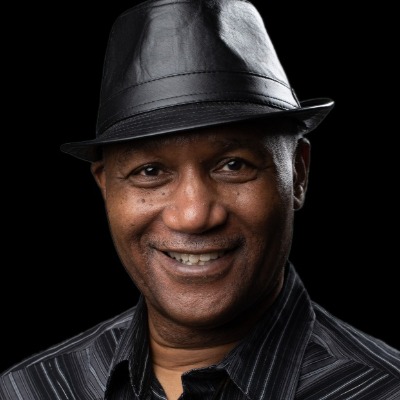
Grammy Award-winning engineer, producer, Khaliq (Khaliq-O-Vision) Glover has worked with Michael Jackson, Prince, Justin Timberlake, Herbie Hancock+
Active 1d ago
Joined Sep 28, 2024
Los Angeles, California
Powered by