Dec '25 • Prompts
Prompt Engineering techniques.
This is how I learned to tweak any prompt, or image. It’s a lot of info so take it in sections.
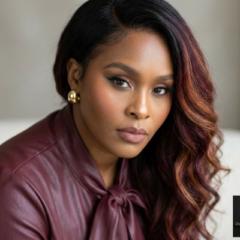
Here’s a clean, practical Gemini Image Command Prompt List you can copy-paste from when building image prompts. I’ve grouped them by function and tuned them for Gemini’s image generation + identity lock-in workflows
🔒 Identity Lock-In Commands
✨Use these when attaching a reference photo.
Identity lock-in: Preserve facial structure, proportions, and likeness from the uploaded reference image
Facial fidelity: Do not alter bone structure, eye shape, nose, lips, or jawline
Exact likeness: Match the reference subject’s facial identity with high accuracy
Consistent subject: The generated image must depict the same individual as the uploaded photo
Age preservation: Maintain the subject’s apparent age
Ethnicity preservation: Do not change skin tone or ethnic features
No face swapping: Do not merge or blend with other faces
🎨 Style & Artistic Direction
Hyper-realistic
Ultra-realistic
Cinematic
Photorealism
Painterly
Fantasy realism
Ethereal
Angelic
Goddess aesthetic
Dark fantasy
Soft fantasy glow
Editorial fashion style
Fine art portrait
📸 Camera & Photography Commands
DSLR quality
Studio lighting
Natural light
Soft diffused lighting
Rim lighting
Golden hour lighting
Low-key lighting
High-key lighting
Shallow depth of field
Bokeh background
85mm portrait lens
50mm lens
Macro detail
🌈 Lighting & Mood Modifiers
Soft ambient glow
Volumetric lighting
Light rays
Halo lighting
Moonlit
Candlelit
Dramatic shadows
Moody atmosphere
Dreamlike lighting
Warm color grading
Cool color grading
🧬 Detail & Quality Enhancers
Extreme detail
High texture fidelity
Skin texture visible
Natural pores
Sharp focus
Crisp edges
Balanced contrast
Noise-free
No blur
Professional retouching
🖼️ Composition Commands
Centered portrait
Rule of thirds
Symmetrical composition
Head-and-shoulders portrait
Full-body portrait
Dynamic pose
Elegant posture
Flowing fabric
Wind-swept elements
🧿 Fantasy / Thematic Modifiers
Celestial elements
Wings of light
Glowing aura
Floating particles
Magical dust
Mythical setting
Divine symbolism
Fantasy armor
Flowing ethereal robes
🧼 Clean Output / Background Control
Plain background
Transparent background
No background
Soft gradient background
Minimalist background
Studio backdrop
🚫 Negative Prompt Commands (Very Important)
Use these at the end of your prompt.
No distortion
No extra fingers
No extra limbs
No facial warping
No blurry faces
No cartoon style
No anime style
No exaggerated features
No AI artifacts
No watermark
No text
No logo
🧠 Gemini-Specific Optimization Tips
Be explicit (Gemini responds best to clarity)
Stack commands in short, descriptive phrases
Always place identity lock-in instructions near the top
Put negative prompts at the end
Avoid conflicting styles (e.g., “cartoon” + “photorealistic”)
10
8 comments
Prompt Engineering techniques.

skool.com/digitalcoins
The Vibrant AI Community Where Visionary Entrepreneurs Build Wealth, Save Time, and Scale with AI. Learn AI. Build wealth. Stay poised. 💋🔑✨
Leaderboard (30-day)
1
+5
2

🔥
+3
3

+2
4

+2
5

+1
Powered by