
🔥
Mar 20 (edited) • Characters!
Trish Shopping on Rodeo Drive
Hey Folks!
I'm practicing video generation in Google Flow. The video you see here was created using the "Ingredients-to-Video" feature in VEO 3.1.
How to:
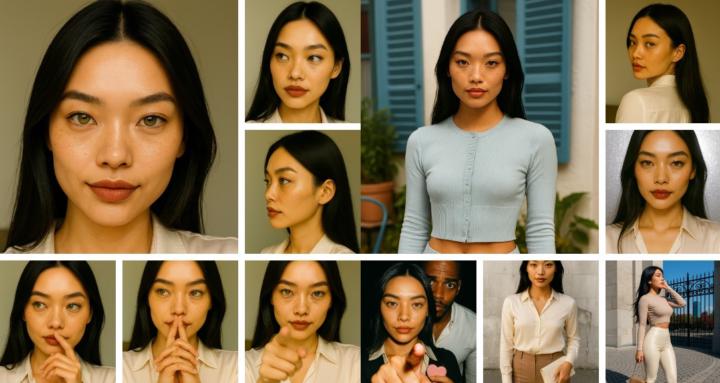
- Create a character contact sheet that shows your character (front facing, side profiles and behind view, and with headshots).
- Create a scene image with your character using the contact sheet image as a reference.
- Upload both those images to Google Flow and choose "Ingredients".
- Type/Copy-Paste your video prompt.
Note: VEO 3.1 changed one of her bags and failed to render the backside of one back during the 360.
0:08
5
15 comments
Trish Shopping on Rodeo Drive
powered by
skool.com/consistentcharacters-7595
Unlock the skill of creating consistent characters for storybooks, coloring books, comics, etc...
Learn this simple process - start creating today!
Suggested communities
Powered by