Activity
Mon
Wed
Fri
Sun
Jan
Feb
Mar
Apr
May
Jun
Jul
Aug
Sep
Oct
Nov
What is this?
Less
More
Memberships
Creative 3D Community
6.1k members • Free
7 contributions to Creative 3D Community

Oct 12 •
SubD Model texturing with 3DCoat and rendering soon in Blender
I bought 3DCoat 2025 to go and texture my SubD Model Honda CB1100 EX. Today i started with the seat. Here are some Screenshots. No Plasticity, all Blender, but a new Motorbike is on my todo List, i will try completely in Plasticity.


1 like • Oct 13
Superb!

Oct 12 •
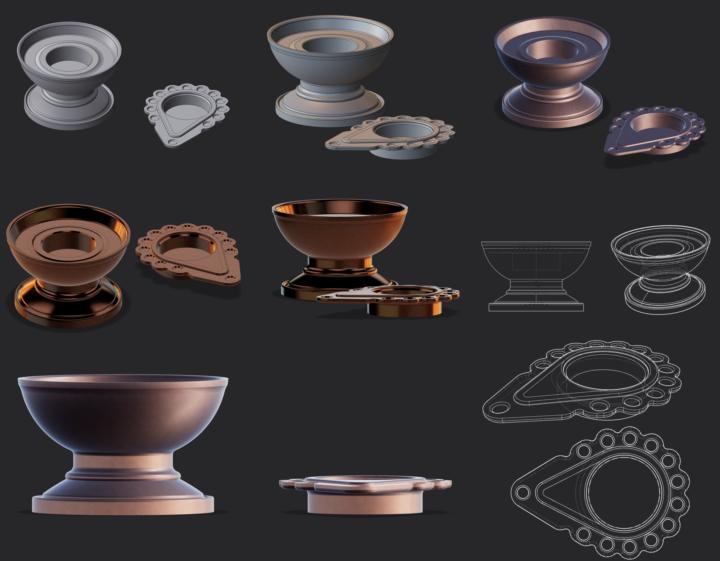
Candle Holder 🕯️(3D Print)
Quick Plasticity model of Diwali Candle holders for friends and work. Printed on Bambu Lab A1 with AMS with copper metal filament.
0 likes • Oct 12
Very nice! Bravo
Oct 6 •
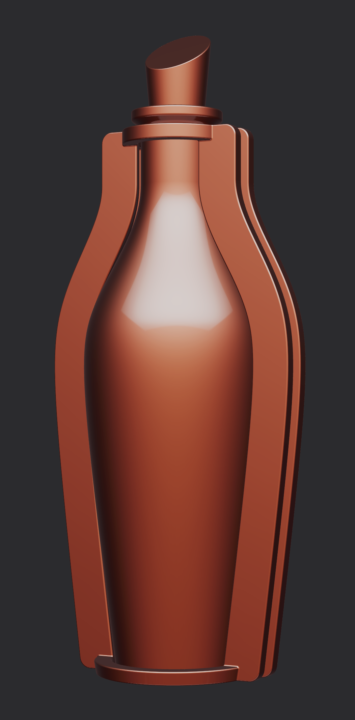
Rhum Bottle…
My first bottle creation from scratch with Plasticity. Simple but clean. Thanks to Nikita for the tutorials.
1 like • Oct 8
@Dirk Steffens The relief pattern was made on Keyshot.
0 likes • Oct 8
@Dirk Steffens no, just Emboss

Oct 7 •
Cannot Successfully Create Patch
Wow, it seems like every operation has some hitch that leaves me stuck. I cannot understand why I cannot create patches successfully. I am obviously not understanding some fundamental point about how to do this. Can someone help me figure out how to create a patch successfully? I can loft instead, sometimes, but then even that doesn't always work.

1 like • Oct 7
This link should be useful! https://www.youtube.com/watch?v=Blzq4eg42lQ
0 likes • Oct 7
@Bryson Jack From 4 minutes on the video, that's exactly what you need. Understand G0, G1, G2, G3 Properly use Loft, Bridge and Patch and even Xnurbs What else?
Oct 6 •
Cannot split curve with Ctrl+R
I am working through the surfacing tutorials and I am running into a myriad of problems. For one, I can't figure out how to split or break the edge of a specific curve so that I can make a loft. Can anyone explain to me what I am doing wrong or not understanding?

2 likes • Oct 7
Hi, I've download and open your file. First, select blue edges and hide them. After that I choose the Edge Selection Tool (2), Use Bridge tool to create guides and use Loft. (see video in attachment).
1-7 of 7

Active 26d ago
Joined Sep 13, 2025
France
Powered by