Activity
Mon
Wed
Fri
Sun
Jan
Feb
Mar
Apr
May
Jun
Jul
Aug
Sep
Oct
Nov
What is this?
Less
More
Memberships
Business Builders Club
33 members • Free
AI Integrators
634 members • Free
FREE CREDIT SKOOL😁
1.6k members • Free
AI Automation Agency Hub
273k members • Free
N8nLab
3.6k members • Free
Automation-Tribe-Free
3.8k members • Free
Chase AI Community
25.5k members • Free
The RoboNuggets Network (free)
25.9k members • Free
AI Workshop Lite
12.6k members • Free
3 contributions to AI Money Lab

Oct 25 •
n8n PDF-lib Custom Node
A have Create a custom n8n node for working with PDF documents using the pdf-lib library. This node allows you to fill PDF forms, create new PDFs, and merge multiple PDFs directly in your n8n workflows. 🎯 Features Fill PDF Forms - Add text overlays to existing PDF documents with full positioning control Fill Form Fields - Fill actual interactive PDF form fields (text, checkboxes, radio buttons) Extract Form Fields - Discover all form fields, types, values, and properties from PDFs ✨ NEW in v0.4.0 Add Images - Embed PNG and JPEG images into PDFs with positioning and rotation Create PDFs - Generate new PDF documents from scratch Merge PDFs - Combine multiple PDF files into one with support for multiple sources JavaScript Code Mode - Programmatically define fields using JavaScript code French Character Support - Full UTF-8 support for international characters Flexible Input - Works with URLs or binary data Customizable - Configure fonts, colors, positions, sizes, and rotations 🚀 Usage Fill PDF Form Perfect for filling tax receipts, invoices, or any form-based PDFs: Select Fill PDF Form operation Choose PDF source (URL or Binary Data) Add text fields with coordinates and styling Output as binary data Example Use Case: French Tax Receipt (Reçu Fiscal) Load template PDF from URL Add donor name, address, amount, date Generate personalized receipt Create PDF Create new PDF documents from scratch: Select Create PDF operation Choose page size (A4, Letter, or Custom) Add text fields with positions and styling Output as binary data Extract Form Fields ✨ NEW Discover all form fields in a PDF before filling: Select Extract Form Fields operation Choose PDF source (URL or Binary Data) Get JSON output with all field information Returns: Field names and types (text, checkbox, radio, dropdown, list, button, signature) Current values and properties Max lengths, options, read-only status PDF metadata (page count, title, author) Perfect for:
Oct 25 •
n8n with AI workflow building - running locally!
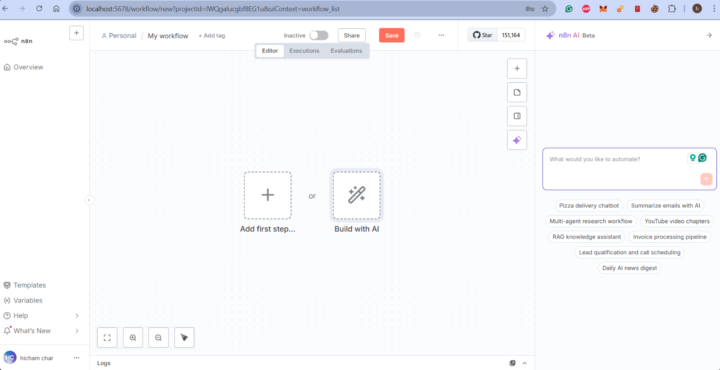
n8n with AI workflow building - running locally! Screenshot attached 👇 Using Claude API to build automations with natural language. "Build me X" → AI creates the workflow ✨ And it's super affordable - ~$0.25 per workflow with the API! 🎯
Oct 23 •
n8n with AI workflow building - running locally!
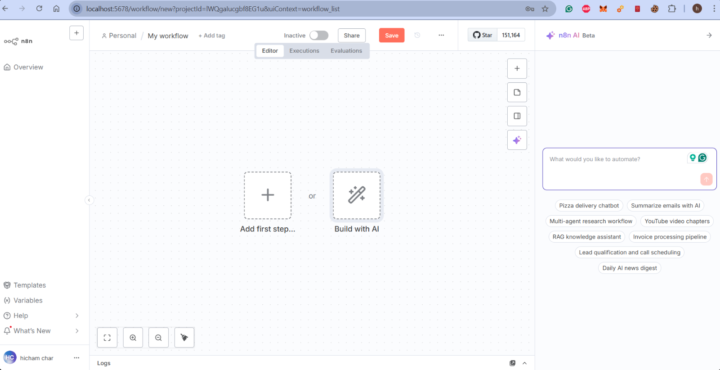
n8n with AI workflow building - running locally! Screenshot attached 👇 Using Claude API to build automations with natural language. "Build me X" → AI creates the workflow ✨ And it's super affordable - ~$0.25 per workflow with the API! 🎯
1-3 of 3