Activity
Mon
Wed
Fri
Sun
Jan
Feb
Mar
Apr
May
Jun
Jul
Aug
Sep
Oct
Nov
Dec
What is this?
Less
More
Memberships
Rompiendo Shopify ⚡
33 members • Free
Bauti Mess - Odisea Digital
164 members • Free
LBPD - INICIAL
788 members • Free
5 contributions to LBPD - INICIAL

Oct 21 •
Código para Boton de whatsapp
Holaa chicos, les dejo un código liquid para qque les aparezca el icono de whatsapp mientras el cliente ve la página y si hace click en el bóton lo lleva al carrito. Se crea la carpeta en con el nombre "WA-Cart-Floating-Button.liquid" y se copia y pega esta codigo: {% comment %} WA Cart Floating Button - Section - Botón flotante con ícono de WhatsApp que redirige al carrito (/cart) - Parpadeo + halo (funciona en móvil/iOS con fixes de SVG) - Visible solo en productos y colecciones; oculto en cart/checkout {% endcomment %} {% if request.page_type == 'product' or request.page_type == 'collection' %} {% unless request.page_type == 'cart' or request.page_type == 'checkout' %} {% if section.settings.show_on_desktop or section.settings.show_on_mobile %} <style> :root{ --wa-green: {{ section.settings.color | default: '#25D366' }}; } .wa-cart-fab{ position: fixed; right: {{ section.settings.right_offset }}px; bottom: {{ section.settings.bottom_offset }}px; z-index: 9999; display: inline-flex; align-items: center; justify-content: center; width: {{ section.settings.size_desktop }}px; height: {{ section.settings.size_desktop }}px; border-radius: 9999px; background: var(--wa-green); box-shadow: 0 8px 24px rgba(0,0,0,.18); transition: transform .18s ease, box-shadow .18s ease, opacity .18s ease; cursor: pointer; opacity: .98; animation: wa-pop .42s ease-out both; } .wa-cart-fab:hover{ transform: translateY(-2px) scale(1.04); box-shadow: 0 10px 28px rgba(0,0,0,.22); } .wa-cart-fab:active{ transform: translateY(0) scale(.98); } .wa-cart-fab:focus-visible{ outline: 3px solid #fff; outline-offset: 2px; box-shadow: 0 0 0 4px rgba(37,211,102,.35), 0 8px 24px rgba(0,0,0,.18); } /* Halo pulsante */ .wa-cart-fab::after{ content: ""; position: absolute; inset: 0; border-radius: 9999px; box-shadow: 0 0 0 0 rgba(37,211,102,.45); animation: wa-halo 2.2s infinite ease-out; pointer-events: none; } .wa-cart-fab__icon{ width: calc({{ section.settings.size_desktop }}px * .54);

Sep 9 •
Ayuda entre todos!
Gente creo que para acceder a las clases gratuitas hace falta tener un mínimo de interacción, dense like a los posts y comenten las publis que haga el resto asi ayudan a que todos puedan acceder 🤗🔥🚀
1 like • Oct 21
gracias bautii!!, tus clases me ayudaron un monton

Sep 23 •
Tiempo que tarda en cargar tu Pagína de Shopify
Para medir el rendimiento de mi landing page en shopify utilizo PAGE SPEED INSIGHTS. Si te sale que el rendimiento/carga es malo, utliza Squoosh y convertí las imagenes de tu landing en formato WEBP. Utilizar formatos como JPG/PNG muchas veces requiere de mas tiempo de carga. Comprimir tus imagenes y que tengan menor peso puede marcar la diferencia! Talvez solo veas que son solo unos segundos pero eso puede marcar la diferencia en tu porcentaje de conversión evitando que las personas abandonden tu pagina por estar esperando "de más". Espero les sirva este dato yo hoy estoy convirtiendo mis imagenes y encontré estas paginas. Saludos a todos! <3
0 likes • Oct 21
muy buena data!! graciasss

Sep 18 •
Prompt para Guion Creativos
Hola Gente! les comparto prompts para hacer el guion de los creativos para no perder tiempo, con esto en Chat GPT o Claude, pueden armar el guion de sus creativos, espero les sea de utilidad! exitos!
1 like • Sep 24
muchas graciasss!! gracias por tu contribucion

Sep 22 •
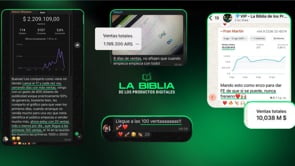
LBDP 2.0 | YA PODES SER PARTE!!!
Mi gente hermosa tenemos novedades!!!! 🚀 Ya podes ser parte de LBDP 2.0🚀 Un programa completo donde vas a trabajar con nosotros en: ✅ Crear tu negocio en Internet ✅ Un programa completo de Shopify ✅ Un programa completo de Meta Ads ✅ Clases de consulta en vivo durante todo el mes ✅ Acceso a las grabaciones de las clases anteriores ✅ Acceso a la comunidad VIP 💎 (+200 emprendedores que están en acción real) 🆕 Mentorías extras con invitados DE LUJO durante todo el mes 👉 Hoy podés sumarte y empezar YA. 📲 Accedé a toda la info y testimonios de alumnos directamente desde este link 👇🏽👇🏽👇🏽👇🏽👇🏽 https://reto30dias.digital
4 likes • Sep 24
no lo dudennnn!!! es un camino de idaaaaaa 🚀
1-5 of 5