Activity
Mon
Wed
Fri
Sun
Sep
Oct
Nov
Dec
Jan
Feb
Mar
Apr
May
Jun
Jul
What is this?
Less
More
Memberships
CG Python Academy
1.3k members • Free
15 contributions to CG Python Academy

Feb 18 •
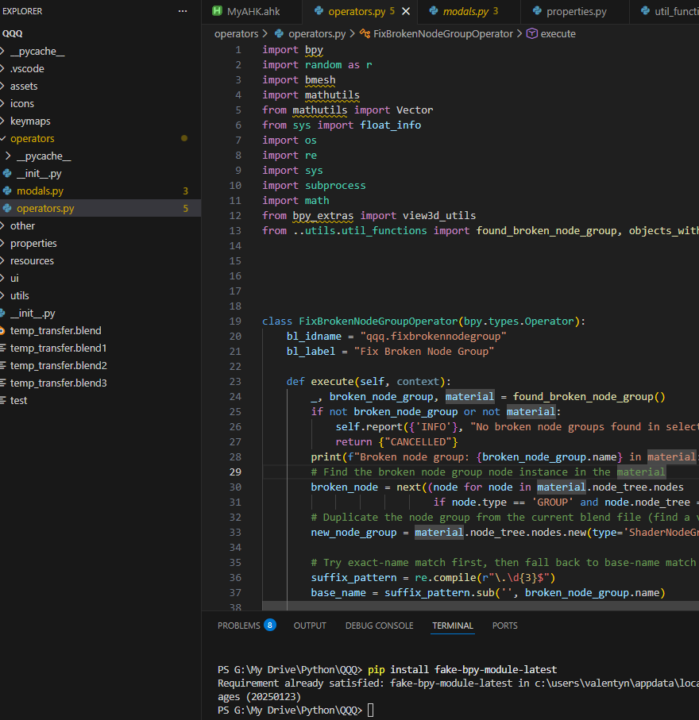
VSCode fake-bpy-module question
Hello! I have been out of Python for some time and recently when I came back to VSCode it shows yellow highlight on import bpy modules (also mathutils). Yet it seems I have latest bpy module installed? I'm not sure what is happening here😭 Blender version and Python version are the same as the last time I used it without issues.
0 likes • Feb 22
@Victor Stepanov doesn't seem to do anything :(
1 like • Feb 23
@Victor Stepanov oh, it worked 🙏 thank you so much (yeah, there was this typo in your earlier message which I copied 😭 )
Sep '25 •
Heed help with Export FBX operator
I'm trying to build an operator that moves selected objects to world origin (ignoring Z axis), runs 'Export FBX' operator and after execution (either finished or cancelled) the objects should move back to their original locations. The problem that 'Export FBX' is a modal operator and if I write 'move objects back' code after bpy.ops.export_scene.fbx('INVOKE_DEFAULT') , it executes right after the operator was called even if user haven't exported objects yet. So pretty much the objects should stay at world center until user clicks 'Export FBX' or 'Cancel' button because objects need to have their pivot points at the center when I import them to other programs such as Unreal. I can't wrap my head around how to do it. I was thinking of something like "if bpy.ops.export_scene.fbx('INVOKE_DEFAULT') returns {"FINISHED"} or {"CANCELLED"} -> do the thing", but it returns {"RUNNING_MODAL"} on call. Hope it makes sense :D Help please! I'll try to attach the code in comments as it says 'failed to upload an image' when I try to attach .py file here.
1 like • Sep '25
@Victor Stepanov yeah I thought of this option, the problem is I often need to change the export settings (such as location) and that can be specified in Export FBX window. I think I might use invoke() and draw() to allow user to specify the folder and other settings before execution. BTW is that a custom file browser window on your screenshot? What's the code for it, may I ask please?
0 likes • Sep '25
@Victor Stepanov thank you Victor 🙏
Sep '25 •
Stuff I've been working on
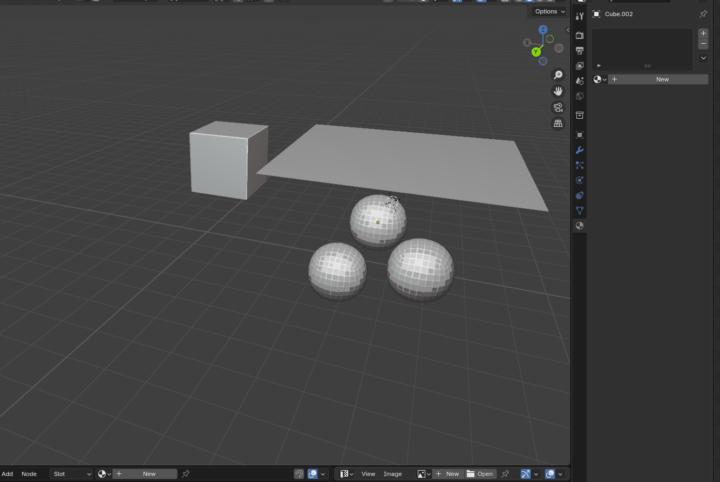
Hello! Just wanted to show what I've been working on, it's my personal Blender QoL addon that has a ton of different functions (the overall project has 10k+ lines of code :D). I won't be able to show everything as a lot of stuff there is quite niche to what I'm doing for work but something that I feel quite proud of is a custom modal that allows to quickly copy materials/modifiers/etc from one object to another, a custom shader pie menu with useful shader node groups and a object viewport colour randomiser and selector. Huge thanks to this community and Victor for help:) I definitely enjoy working with Blender Python and now I have some other tools I want to develop but outside of Blender but that's a different journey it seems :D

2 likes • Jun '25
Hello!
Jun '25 •
Variable update
Hello! I have a following problem: I'm building a modal operator that gets an object's name under cursor. Inside an operator, I have a variable named '_object = None' which updates every time user runs modal or moves mouse. Then the modal does something with that variable. The problem is when I try to do something with that _object properties (for example, change objects scale by 0.5) and when user moves cursor to another object, reset that property to previous (set scale back to 1). Soo I'm not really sure how to do it :D Here's a super short structure of my code: class GetObject(bpy.types.Operator): _object = None if event.type == 'MOUSEMOVE': self.get_object() self.change_scale() def get_object(self, context, event): #bunch of code that returns object under cursor def change_scale(self, context, event): self._object.scale = 0.5 #somewhere here I assume should be code that changes previous object's scale back to 1 if get_object() returns a different object (like when user moved cursor) and here's where I stuck at, because things like if self._object != self._object don't work here unfortunately because it has to run after get_object() function to get new object reference Anyone knows how to solve this? I'm attaching full version of my modal just in case
1-10 of 15

Active 44d ago
Joined Jan 7, 2025
Powered by