Activity
Mon
Wed
Fri
Sun
Nov
Dec
Jan
Feb
Mar
Apr
May
Jun
Jul
Aug
Sep
What is this?
Less
More
Owned by Tracy
Where colour-curious creatives learn to see colour as a language through hands-on discovery, play, and practice 🩵🩷💛
PRISM HOUSE 🧬🕸️🌈👁️🗝️🌱
190
Free
Skoolers
153.7k
Free
Grow With Evelyn
3.4k
5.0
$29/m
Skool Scale Camp
6k
5.0
Free
Aligned AF Community
124
$100,000/m
AI-Driven Business Community
9.2k
Free
🇨🇦 Vancouver IRL
40
Free
The Kind Copy Movement
1.9k
5.0
Free
The Kind Marketing Movement
63
$11/m
257 contributions to Skool Scale Camp

🔥
2d •
Thank you!!!
We hit $16,000 for September My DMs are through the roof. I won’t get to everyone today. This has been an incredible month. VIPs…sharing my launch plan with you this Fall. 4-week project you can apply directly to your community. 🙏🏼🙏🏼🙏🏼


🔥
10 likes • 2d
[attachment]

🔥
2 likes • 4d
@Lindsey Ciarrocca I didn't take the photo, but it's Mount Parke on Mayne Island.
🔥
1 like • 4d
@Brenda Rigney Awesome! Weather forecast looks good. If it's clear enough and you wave, maybe I'll see you 😉!
🔥
5d •
My first VIP member! 😀
So excited to welcome in my Very first VIP paid member who was invited to my summit by one of the speakers and immediately purchased my VIP before the summit has even started. That feels Really Good! 🥳 🥂 🌈 🍾 🎉
🔥
3 likes • 5d
What an encouraging validation on the day before your Skool Summit debut. WooHOO!

6d •
444
Happy Full Moon. My focus has been on community growth. I set a goal this week to reach 444 members before October 1st. The prize for member #444 was an upgrade to premium. I manifested it today 444 members. Next goal 555 maybe I can make it before the first of October! What did you manifest on the full moon?

🔥
5 likes • 6d
Love those angel numbers... Congrats!

Apr 20 •
Question about the classroom & chats
If I make a private class, can I make a chat for just those in that class? I know you can have posts and chats for different tiers. But just a chat or thread for those in that class. Like the in the tabs welcome, vips, premium, off topic. Etc. Could I have one for bubble gum bubble blowing class participants?
🔥
1 like • 6d
@Brenda Rigney I know, right?
🔥
1 like • 6d
@Kelli Howard I have a Category called '🪩 Premium' and if a post is intended for Premium members, I start the title with the 🪩 so the Members know at a glance. Same with live calls or events or content drops listed on the Calendar. All Members can see and Comment on the Community posts, but only Premium Members can attend the calls or access the Premium courses in the Classroom.
1-10 of 257
🔥
@tracyholmes
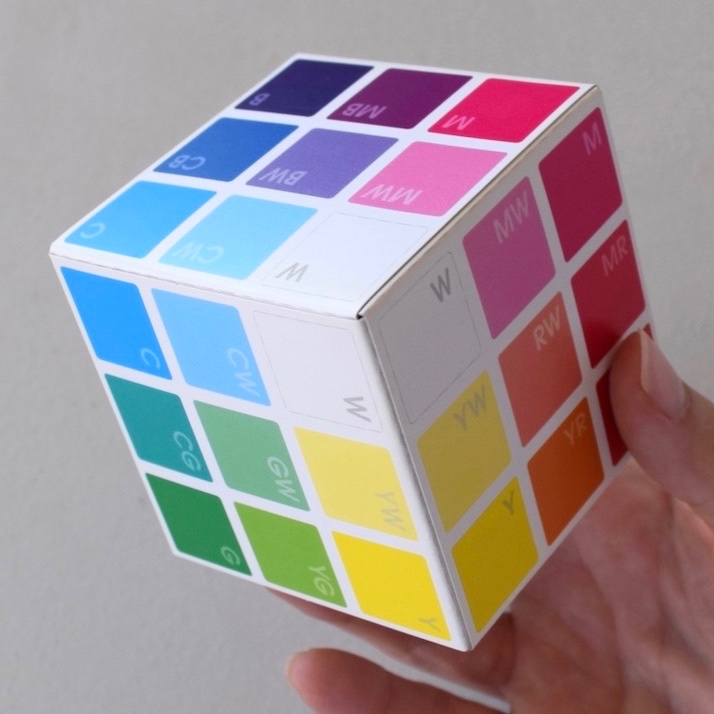
Creator of BreakThroughColour, helping curious creatives nurture a daily colour practice, one colour at a time.
Active 7h ago
Joined Dec 1, 2025
ENFJ
🇨🇦 Canada
Powered by