Activity
Mon
Wed
Fri
Sun
Sep
Oct
Nov
Dec
Jan
Feb
Mar
Apr
May
Jun
Jul
Aug
What is this?
Less
More
Your Stage 🔴 LIVE Studio
152 members • Free
4 contributions to Your Stage 🔴 LIVE Studio
Apr 24 •
Background remover for OBS.
@John Lacey we have an OBS question floating around. "Is there anyone using OBS for video capture and streaming? I need a decent background removal addon, but what I have so far is not working."


2 likes • Apr 24
Hi all I would probably start here. And let me know if you have any questions. Video Backgrounds | What's behind you? Staged set, green screen, blurred background Broadly speaking: You have two options: 1. Blue / green screen and chroma key background removal. 2. Software background removal and / or blurring (which is probably what you're used to in Zoom / Teams etc.)
1 like • Apr 24
If you have an NVIDIA graphics card, you can download Video Effects that relate to your graphics card and this will give you additional options to removal the background and/or blur the background in OBS Studio (and other software).
Apr 19 •
What is OBS Studio?
Someone asked earlier about what OBS Studio was. And it's kind of a passion of mine, I genuinely love this software and it continues to blow my mind at how useful it is, especially since is is literally free. OBS ("Open Broadcaster Software") Studio is free and open source software for Windows, Mac and Linux. The main uses for it are: 1. Livestreaming 2. Local video recording 3. Changing the way you show up on webcam through the use of the OBS Studio Virtual Camera feature I particularly like the Virtual Camera feature because you can add your own visual brand elements inside of your webcam frame and then use it in any software that supports a webcam (Zoom, Microsoft Teams, Google Meet, Restream Studio, etc. etc.) Think about how great it would be to add these sorts of things INSIDE your webcam frame. - Colours - Fonts - Text - Logos - Calls to action (including QR codes, website URLs, discount codes etc.) Additionally if you route your camera and audio into OBS Studio and use the Virtual Camera feature you can record a local version of your part of the conversation on any live stream / podcast you appear on, and that local recording isn't at the whims of your Internet connection. And because OBS Studio is open source, there are many developers creating additional functionality to push the software to do more and more. Though I guess I do also need to address the most common objection: OBS Studio is too hard. I use a bit of a mixed metaphor here. OBS Studio is like a rocket ship in the sense that it can do literally anything, but it's also like a pocket knife in the sense that it can be incredibly useful. It is just one tool in your content creation toolbox, reach for it when it makes sense, but don't get overwhelmed in the interim. You don't need to know all of the features to get started. If you have questions, let me know. If you're interested in learning more you might like to start with this video: OBS Studio Sources
Apr 16 •
Live Art Demo: OBS/Camo/Skool
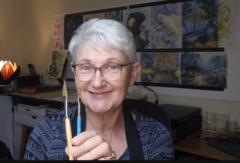
I can only hope that it goes smoothly. If you are interested in seeing a few minutes of our LIVE tomorrow you are welcome. I have used OBS to have my talking head in a circle on the screen, whilst demonstrating some art at the same time. I have used CAMO to connect my cameras, meaning my android phone and my laptop. All running through SKOOL Practice runs have worked with a couple of attendees. But I expect more members tomorrow. If you are curious, you are welcome! Friday 2pm AEST (USA Thursday) Live Art Demo https://www.skool.com/live/N3yF55WnJvq
1 like • Apr 18
@Anica Amphlett That's all great Anica. It is worth noting that the OBS Studio Virtual Camera is just for visuals, so whatever is happening with the audio in the example above is likely a reflection of Zoom settings. That said, there are definitely things you can do to improve your audio, in terms of hardware (investing in a microphone that you can have closer to your mouth) and adjusting Zoom settings.
Apr 15 •
A Special Video Welcome
If you asked OBS Questions the last few days. Our newest member will excite you. Welcome @John Lacey to Your Stage Community

1 like • Apr 17
@Anica Amphlett Sure. I'd be interested in checking it out.
1 like • Apr 17
@Anica Amphlett Good luck!
1-4 of 4

@john-lacey-7616
OBS Studio, DaVinci Resolve, Hindenburg Pro 2
Active 33d ago
Joined Apr 15, 2026